ምርት አልቋልview
The Baseus 11-in-1 Triple 4K Display HDMI/DP Docking Station is designed to expand your laptop's connectivity and enhance productivity. It offers a comprehensive set of ports for various peripherals, multiple display outputs, fast data transfer, and power delivery.

Image: Baseus 11-in-1 Docking Station with included 100W GaN power adapter.
ቁልፍ ባህሪዎች
- High-Spec 11-in-1 Expansion: Includes 2 HDMI ports, 2 DisplayPorts, 1 USB-C and 2 USB-A 10Gbps data ports, an additional USB-A 2.0 port, 100W USB-C PD input, Gigabit Ethernet, and a 3.5mm AUX jack.
- Efficient Triple Display for Windows: Supports up to 3 monitors in 4K resolution via HDMI and DisplayPort. Note: macOS supports only one extended display by default.
- 100 ዋ ፒዲ ፈጣን ኃይል መሙላት Provides up to 85W power output to your laptop via the 100W PD port, with a high-quality 100W GaN power adapter included.
- Ultra-Fast 10Gbps Data Transfer: Equipped with USB 3.2 Gen 2 ports (1 USB-C and 2 USB-A) for rapid data transfer speeds.
- Innovative Upright Design with Screen-Lock: Sleek aluminum finish, vertical stand with magnetic base, and an 80cm cable. Features a built-in LED screen for port status and a screen-lock button for privacy.
የማዋቀር መመሪያ
የጥቅል ይዘቶች፡-
- Baseus 11-in-1 Docking Station
- 100 ዋ ጋን የኃይል አስማሚ
- USB-C to USB-C Cable (80cm)
- የተጠቃሚ መመሪያ (ይህ ሰነድ)
የመጀመሪያ ግንኙነት፡-
- የግንኙነት ኃይል; Plug the included 100W GaN power adapter into a wall outlet, then connect its USB-C cable to the 100W PD input port on the docking station. The LED screen on the docking station will illuminate.
- ወደ ላፕቶፕ ይገናኙ፡ Use the provided USB-C to USB-C cable to connect your laptop's USB-C port (which supports video output and power delivery) to the designated USB-C input port on the docking station.
- ነጂዎችን ጫን (አስፈላጊ ከሆነ) For optimal performance, especially with multi-display setups on Windows, ensure your laptop's graphics drivers are up to date. In most cases, the docking station is plug-and-play.

ምስል፡ ዝርዝር view of the 11-in-1 expansion ports on the Baseus docking station.
የአሠራር መመሪያዎች
Connecting External Displays:
The docking station supports multiple display configurations. Connect your monitors to the available HDMI and DisplayPort outputs.
- የዊንዶውስ ስርዓቶች፡ Supports triple display output (HDMI1+HDMI2+DP, or DP1+DP2+HDMI) for extended desktop functionality. You can extend your desktop across up to three external monitors at 4K resolution.
- የ macOS ስርዓቶች፡ Due to macOS limitations, only one extended display is supported. Other connected monitors will mirror the content of the extended display.

ምስል፡ ዘጸample of a triple display setup for Windows users, showcasing efficient multitasking.

Image: Comparison of triple display capabilities on Windows (extended) versus macOS (mirrored).
Data Transfer and Peripherals:
- የዩኤስቢ ውሂብ ወደቦች፡ Utilize the USB 3.2 Gen 2 (1 USB-C, 2 USB-A) and USB-A 2.0 ports for connecting external hard drives, USB drives, keyboards, mice, and other peripherals. The 10Gbps ports enable fast data transfer.
- ጊጋቢት ኤተርኔት Connect an Ethernet cable to the Gigabit Ethernet port for a stable and high-speed wired network connection.
- ኦዲዮ ጃክ ፦ Use the 3.5mm AUX jack to connect headphones, speakers, or microphones.
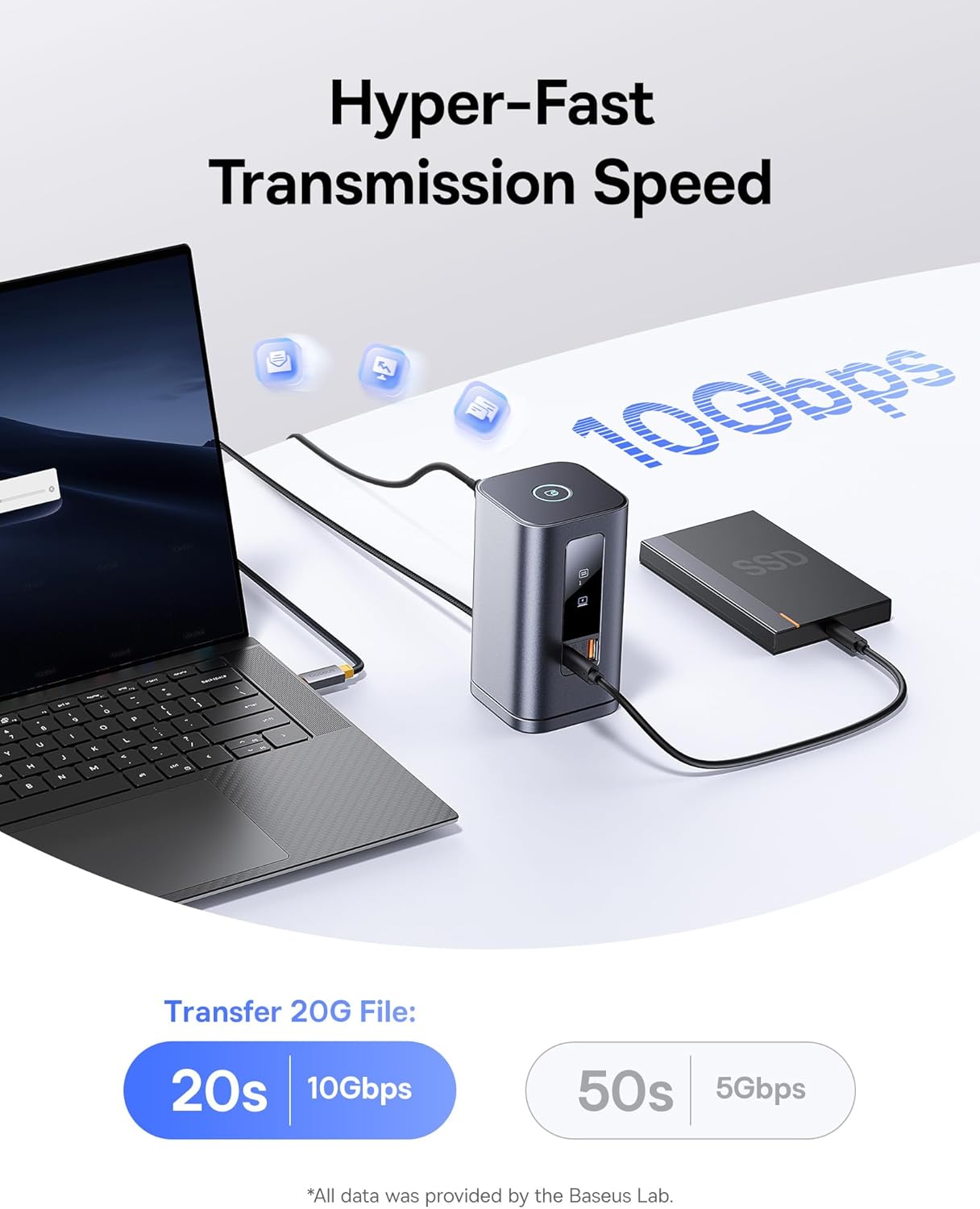
Image: Demonstrates the hyper-fast 10Gbps data transmission speed for large file ያስተላልፋል.
የኃይል አቅርቦት
The 100W PD input port not only powers the docking station but also provides up to 85W pass-through charging to your connected laptop, ensuring your device remains charged during use.

Image: Illustrates the fast charging capability for laptops via the 100W Power Delivery port.
የማያ ገጽ መቆለፊያ ተግባር፡-
The docking station features a convenient screen-lock button on top. Press it once for Windows systems or twice for macOS to instantly lock your screen, protecting your privacy.
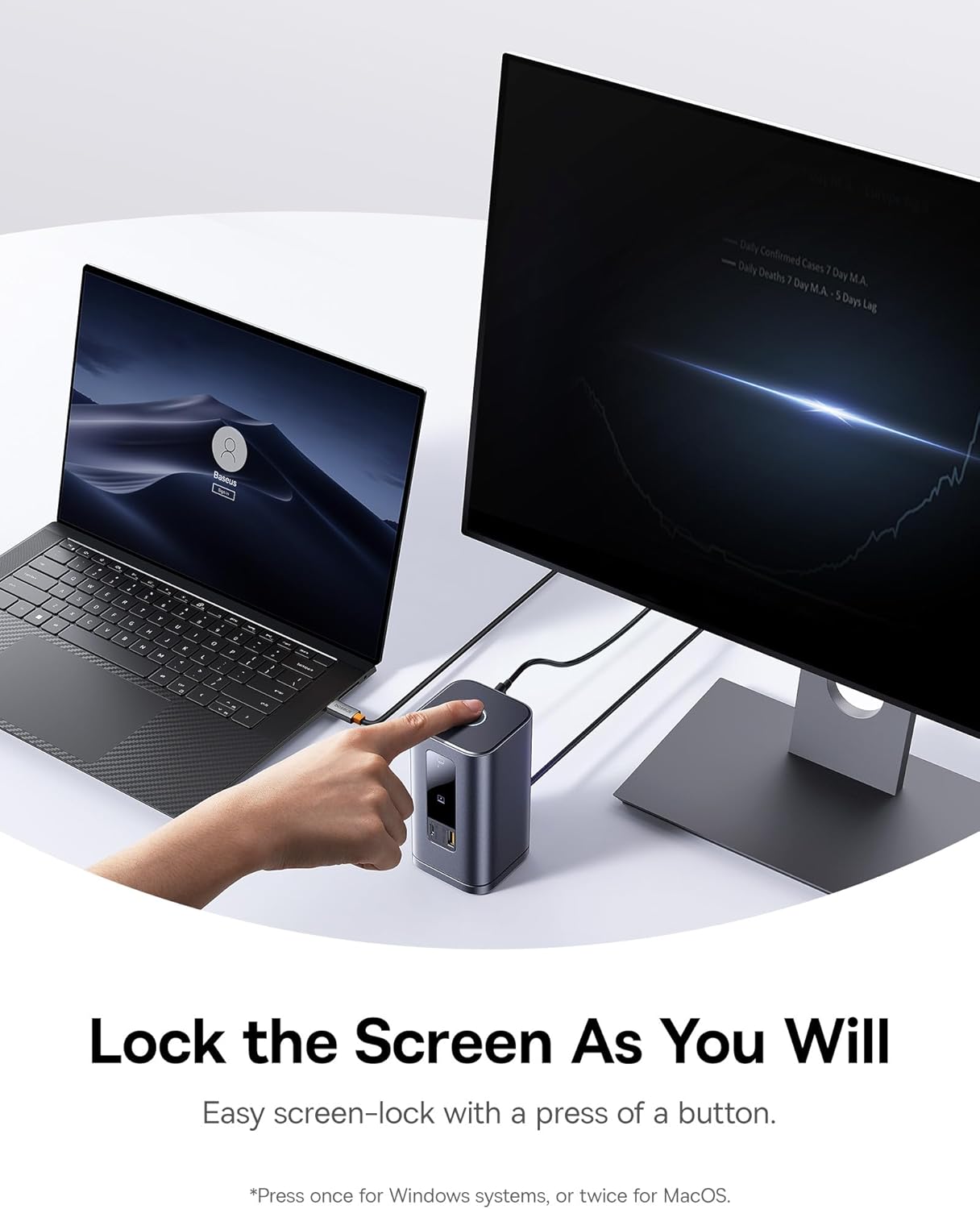
Image: Demonstrates the screen-lock button for quick privacy protection.
የ LED ዲጂታል ማሳያ;
The built-in LED screen provides real-time status of connected ports, indicating which ports are actively in use.

Image: Close-up of the smart digital display showing the operation info of each port.
ጥገና
- ማጽዳት፡ Use a soft, dry cloth to wipe the surface of the docking station. Avoid using liquid cleaners or aerosols.
- ማከማቻ፡ የመትከያ ጣቢያውን ከፀሐይ ብርሃን እና ከፍተኛ የሙቀት መጠን ራቅ ባለ ቀዝቃዛና ደረቅ ቦታ ያስቀምጡ።
- ሊፈታ የሚችል መሠረት፡ The gel pad on the detachable base can be cleaned with water and reused if it loses its stickiness. Ensure it is dry before reattaching.
መላ መፈለግ
- HDMI Screen Projection Issues: Select the correct HDMI signal source on your monitor/TV (e.g., HDMI 1 or 2). Refer to your monitor's manual for specific steps.
- Reminder About Heating: Heat generation during operation is normal. The docking station's built-in chip and multiple interfaces generate heat, which the metal shell effectively dissipates to prevent overheating and maintain stability.
- Multi-Screen Limitations on Macs: Mac computers do not support Multi-Stream Transport (MST) due to the Apple OS system's lack of multi-screen display functionality. Only one extended display is supported; others will mirror.
- Data Transmission Issues with Multiple Hard Drives: Connect a 100W PD Charger if the docking station is fully loaded or connected to multiple high-power hard drives to avoid power supply issues.
- How to Turn Off the Indicator Light: Press and hold the top button to deactivate the front indicator light.
- DELL Computer Power Warning with Third-Party Chargers: Some DELL PD protocols are proprietary, causing low-voltage charging reminders with third-party chargers. This does not affect normal charging.
ዝርዝሮች
| ባህሪ | ዝርዝር |
|---|---|
| የምርት ስም | ቤዝየስ |
| የሞዴል ቁጥር | Spacemate RD1 11-in-1 (WIN) |
| የምርት ልኬቶች | 6.61 x 2.76 x 9.53 ኢንች |
| የእቃው ክብደት | 2.23 ፓውንድ |
| ቀለም | ግራጫ |
| የወደብ ብዛት | 11 |
| የሃርድዌር በይነገጽ | Ethernet, HDMI, MicroSD, USB 2.0, USB 3.1 Type A, USB 3.1 Type C |
| ጠቅላላ የኤችዲኤምአይ ወደቦች | 2 |
| ጠቅላላ የዩኤስቢ ወደቦች | 4 (1 USB-C 10Gbps, 2 USB-A 10Gbps, 1 USB-A 480Mbps) |
| የኃይል አቅርቦት | 100W PD Input (up to 85W output to laptop) |
| ተስማሚ መሣሪያዎች | Windows/Dell/HP/Lenovo/Asus/Acer/Mac laptops, iPhone 15 Series, Samsung Galaxy S/Note series, ASUS ROG Ally / Steam Deck. (Note: macOS supports only one extended display) |
| ዩፒሲ | 810196181885 |
ዋስትና እና ድጋፍ
የዋስትና መረጃ እና የቴክኒክ ድጋፍ ለማግኘት፣ እባክዎን ኦፊሴላዊውን ቤዝየስን ይመልከቱ webጣቢያ ወይም በቀጥታ የደንበኛ አገልግሎታቸውን ያግኙ። ለዋስትና ጥያቄዎች የግዢ ደረሰኝዎን ያስቀምጡ።
የመስመር ላይ መርጃዎች፡-
- Baseus Official Webጣቢያ፡ www.baseus.com
- የምርት ድጋፍ ገጽ፡ (ኦፊሴላዊውን ይመልከቱ) website for specific product support page)


