1. ምርት አብቅቷልview
The Baseus EnerGeek 145W Power Bank is a high-capacity portable charging device designed to provide fast and efficient power to a wide range of electronic devices, including laptops, smartphones, and tablets. It features a 20000mAh battery, a maximum output of 145W, and an integrated 60cm retractable USB-C cable for convenience.

Image: The Baseus EnerGeek 145W Power Bank, showcasing its compact design and the integrated retractable USB-C cable. The digital display is visible, indicating battery status.
ቁልፍ ባህሪዎች
- 145 ዋት ከፍተኛ ውፅዓት፡ Supports Power Delivery for rapid charging of high-power devices.
- 20000mAh አቅም; ለስማርትፎኖች እና ላፕቶፖች ብዙ ክፍያዎችን ይሰጣል።
- Integrated 60cm Retractable USB-C Cable: Durable and convenient for storage and use.
- Multi-Port Charging: Two USB-C ports and two USB-A ports allow simultaneous charging of up to four devices.
- ብልህ ዲጂታል ማሳያ፡- Real-time display of battery level, charging power, and remaining time.
- የላቀ የማቀዝቀዝ ስርዓት; Features conductive graphene, aerogel insulation, and an AI-powered chip for effective temperature regulation.
2. የጥቅል ይዘቶች
እባክዎን ጥቅሉን ለሚከተሉት ነገሮች ያረጋግጡ፡
- Baseus EnerGeek 145W Power Bank (EnerGeek GR11)
- የተጠቃሚ መመሪያ
- (Additional accessories may vary by region or package)
3. ማዋቀር እና የመጀመሪያ አጠቃቀም
3.1 የመጀመሪያ ደረጃ መሙላት
Before first use, it is recommended to fully charge the Baseus EnerGeek Power Bank. This ensures optimal battery performance and longevity.
- Connect the integrated USB-C cable or a separate USB-C cable to the power bank's input port (USB-C1 or USB-C2).
- Connect the other end of the cable to a compatible USB-C wall charger (100W charger recommended for fastest charging).
- The digital display will show the charging status and battery percentage. The power bank is fully charged when the display shows 100%.

Image: The Baseus EnerGeek Power Bank connected to a wall charger via its integrated USB-C cable, illustrating the fast charging input capability.
4. የአሠራር መመሪያዎች
4.1 የኃይል መሙያ መሳሪያዎች
The Baseus EnerGeek Power Bank can charge up to four devices simultaneously using its various output ports.
- የተቀናጀ የዩኤስቢ-ሲ ገመድን በመጠቀም፦ Pull out the 60cm retractable USB-C cable and connect it to your device's USB-C port.
- ውጫዊ ኬብሎችን መጠቀም፡ Connect your device's charging cable to one of the available USB-C (C2, C3) or USB-A (A1) output ports on the power bank.
- የኃይል ባንኩ የተገናኘውን መሳሪያ በራስ-ሰር ይያውቅና ባትሪ መሙላት ይጀምራል። ዲጂታል ማሳያው የውጤት ኃይሉን ያሳያል።
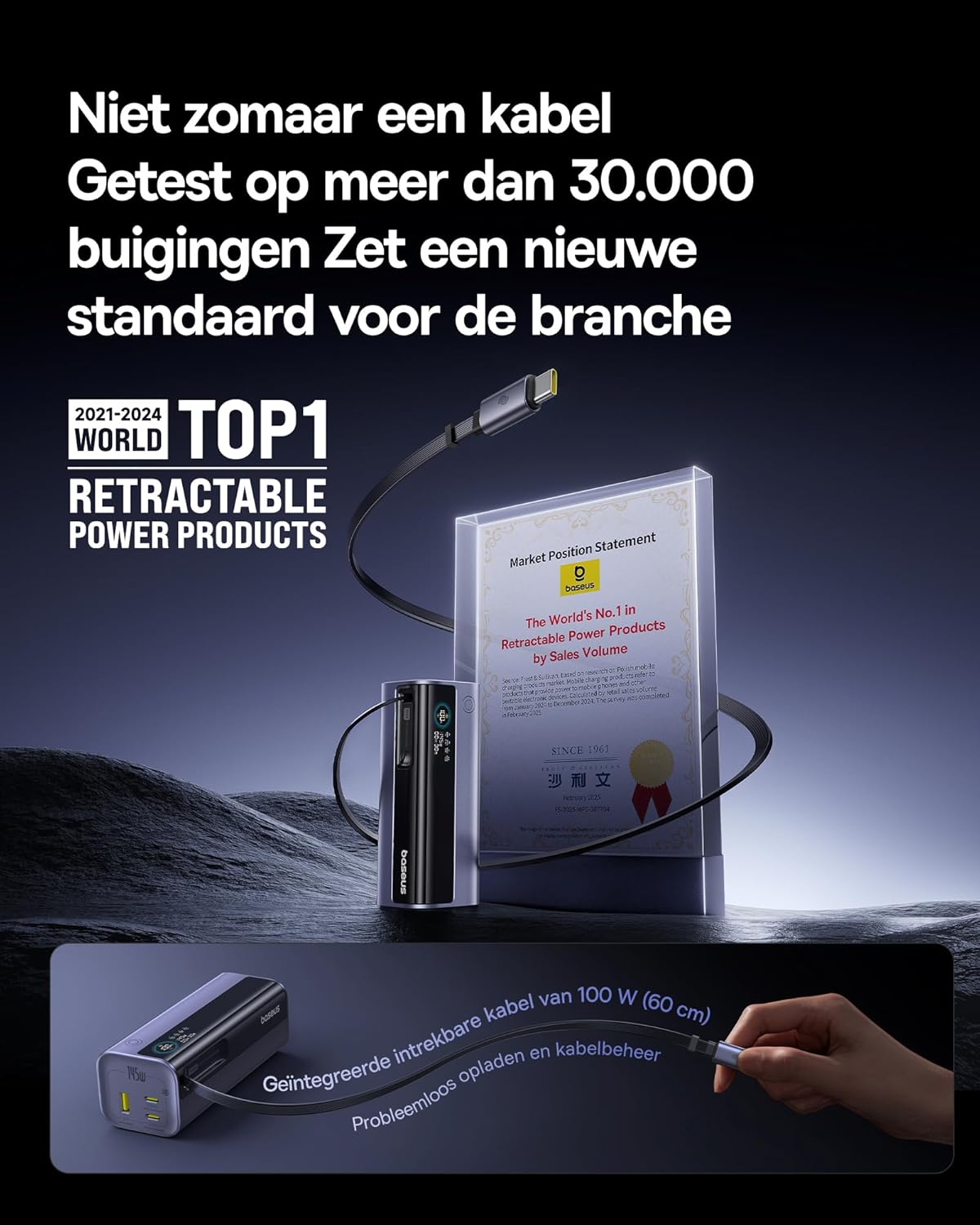
Image: The Baseus EnerGeek Power Bank connected to a laptop and an iPhone, demonstrating its ability to charge multiple devices simultaneously with high power output.
4.2 የዲጂታል ማሳያውን መረዳት
ብልህ ዲጂታል ማሳያው በእውነተኛ ጊዜ መረጃ ይሰጣል፦
- የባትሪ ደረጃ፡ የተቀረው የባትሪ መቶኛ ያሳያልtage.
- Charging Power (Input/Output): የአሁኑን ዋት ያሳያልtage being drawn or delivered.
- የሚቀረው ጊዜ፡- Estimates the time left for the power bank to fully charge or discharge.
- የI/O ሁኔታ፡- Indicates which ports are active for input or output.

ምስል: ዝርዝር view of the Baseus EnerGeek Power Bank's digital display, showing battery percentagኢ፣ የአሁኑ ዋትtage, and estimated remaining time.
4.3 ገመዱን ወደ ኋላ መመለስ
To retract the integrated USB-C cable, gently pull it out slightly further, then release it. The cable will automatically retract into the power bank's housing.
5. ጥገና እና እንክብካቤ
- የኃይል ባንኩን ከከፍተኛ የሙቀት መጠን (ሞቃት ወይም ቀዝቃዛ)፣ ቀጥተኛ የፀሐይ ብርሃን እና እርጥበት አዘል አካባቢዎች ያርቁ።
- የኃይል ባንኩን ለውሃ ወይም ለሌላ ፈሳሽ አያጋልጡ.
- የኃይል ባንኩን ለጠንካራ ተጽእኖዎች ከመጣል ወይም ከማስገዛት ይቆጠቡ።
- Clean the surface of the power bank with a soft, dry cloth. Do not use harsh chemicals or abrasive materials.
- የኃይል ባንኩን ለረጅም ጊዜ ጥቅም ላይ በማይውልበት ጊዜ ቀዝቃዛና ደረቅ ቦታ ያስቀምጡ። ለረጅም ጊዜ ማከማቻ ከመደረጉ በፊት እስከ 50-70% ድረስ መሙላት ይመከራል።
6. መላ መፈለግ
| ችግር | ሊሆን የሚችል ምክንያት | መፍትሄ |
|---|---|---|
| የኃይል ባንክ እየሞላ አይደለም | Low battery on power bank; faulty charging cable; incompatible wall adapter. | Ensure the power bank has some charge. Try a different USB-C cable and a compatible wall adapter (e.g., 100W PD charger). |
| መሣሪያ ከኃይል ባንክ እየሞላ አይደለም። | Power bank battery is empty; faulty device cable; device not compatible with power bank output. | Recharge the power bank. Try a different charging cable for your device. Ensure your device supports the power bank's output specifications. |
| ቀስ ብሎ መሙላት | Cable or adapter not supporting fast charging; multiple devices connected reducing individual output. | Use a high-quality, fast-charging compatible cable and adapter. Disconnect other devices to maximize output to a single device. |
| ዲጂታል ማሳያ አይሰራም | የኃይል ባንክ ጠፍቷል፤ ጊዜያዊ የሶፍትዌር ችግር። | Press the power button to activate the display. If the issue persists, try fully discharging and recharging the power bank. |
7. ዝርዝሮች
| ባህሪ | ዝርዝር |
|---|---|
| የሞዴል ቁጥር | EnerGeek GR11 |
| የባትሪ አቅም | 20000mAh |
| ከፍተኛ የውጤት ኃይል | 145 ዋ (ጠቅላላ) |
| የዩኤስቢ-ሲ1 የኬብል ውፅዓት | 100W ማክስ |
| USB-C2 ውፅዓት | 100W ማክስ |
| USB-C3 ውፅዓት | 100W ማክስ |
| USB-A1 ውፅዓት | 33W ማክስ |
| ግቤት (ዩኤስቢ-ሲ) | 100W ማክስ |
| መጠኖች | 13 x 5.2 x 4.9 ሴ.ሜ |
| ክብደት | 465 ግ |
| የባትሪ ዓይነት | ሊቲየም-አዮን |
| ልዩ ባህሪያት | Digital display, Integrated cable, Fast charging |
8. ዋስትና እና ድጋፍ
የዋስትና መረጃ እና የደንበኛ ድጋፍ ለማግኘት፣ እባክዎን ኦፊሴላዊውን ቤዝየስን ይመልከቱ webጣቢያ ወይም ምርቱን የገዙበትን ቸርቻሪ ያነጋግሩ። ለዋስትና ጥያቄዎች የግዢ ማረጋገጫዎን ያስቀምጡ።
አምራች፡ ቤዝየስ
ASIN: B0F83VMZJT
መጀመሪያ የሚገኝ ቀን፡- ግንቦት 9 ቀን 2025
ለተጨማሪ እርዳታ፣ ን መጎብኘት ይችላሉ። የቤዝየስ መደብር በአማዞን ላይ.


