መግቢያ
Thank you for choosing the ProtoArc Wireless Number Pad EK04 N. This ergonomic numeric keypad is designed to enhance your productivity and comfort with its versatile connectivity options and thoughtful design. Please read this manual carefully to ensure proper use and to maximize your experience with the product.

Image: The ProtoArc Wireless Number Pad EK04 N, featuring a full 34-key layout and integrated wrist rest, positioned on a wooden desk alongside a laptop.
የማሸጊያ ዝርዝር
ሁሉም እቃዎች በጥቅሉ ውስጥ መኖራቸውን ያረጋግጡ፡-
- Number Pad * 1
- የዩኤስቢ ተቀባይ * 1
- ዓይነት-C የኃይል መሙያ ገመድ * 1
- የተጠቃሚ መመሪያ * 1

Image: The ProtoArc EK04 N numeric keypad, USB receiver, and Type-C charging cable laid out next to the product box and user manual.
የምርት ባህሪያት
- 34 Keys Full-Size Number Pad: Includes calculator key, PgUp, PgDn, Insert, Delete, Backspace, etc.
- ድርብ ግንኙነት; Supports Bluetooth 5.1 and 2.4G wireless connection, allowing connection to 2 devices simultaneously.
- Hard Palm Rest: Features a leather surface for extended typing comfort and wrist support. (Note: Not removable or soft cushioned).
- ዝቅተኛ ፕሮfile Scissor-switch Keys: Provides a quiet and responsive typing experience.
- የዩኤስቢ-ሲ ኃይል መሙላት; Built-in rechargeable lithium battery with 250 hours of standby time after 2 hours of full charge.
- ሰፊ ተኳኋኝነት Compatible with Windows 8, 10, 11 and Mac OS.
Key Features Visuals

Image: The EK04 N numeric keypad wirelessly connected to a laptop via 2.4G and a tablet via Bluetooth, demonstrating dual device connectivity.

Image: A hand comfortably resting on the hard, flat palm rest with a leather surface, highlighting the ergonomic design for wrist support.

Image: The numeric keypad shown with its adjustable tilt legs, offering two different angles for comfortable use while sitting or standing.

Image: A detailed diagram illustrating the full 34-key layout of the number pad, including special function keys like Insert, Home, PgUp, PgDn, NumLK, Delete, End, and arrow keys.

ምስል፡ መቀራረብ view revealing the low-profile scissor-switch mechanism beneath a keycap, indicating quiet and comfortable typing.

Image: The ProtoArc EK04 N numeric keypad being charged via its USB-C port, with an indicator showing 2-3 hours for full charge and 100 days standby time.
ማዋቀር እና ግንኙነት
The EK04 N offers two connection methods: 2.4G USB and Bluetooth. You can connect up to two devices simultaneously.
2.4ጂ የዩኤስቢ ግንኙነት
- Turn the power switch on the number pad to ON.
- Press the 2.4G indicator button (usually marked with a Wi-Fi-like icon) until the indicator light illuminates.
- የዩኤስቢ መቀበያውን ከቁጥር ሰሌዳው ስር ያውጡ።
- Plug the USB receiver into your computer's USB port. The number pad should connect automatically.

Image: A quick start guide diagram illustrating the steps to connect the EK04 N via 2.4G USB, including turning on power, pressing the 2.4G button, inserting the USB receiver into a computer, and confirming connection.
የብሉቱዝ ግንኙነት
- Turn the power switch on the number pad to ON.
- Press and hold the Bluetooth channel indicator button (usually marked with a Bluetooth icon) for 3-5 seconds until the indicator light flashes rapidly (Bluetooth pairing mode).
- Enable Bluetooth on your device (computer, tablet, or laptop). ፈልግ and select "ProtoArc EK04 N" to complete pairing and connection.

Image: A quick start guide diagram illustrating the steps to connect the EK04 N via Bluetooth, including turning on power, holding the Bluetooth button for 3 seconds, and pairing with a device.
በመሳሪያዎች መካከል መቀያየር
After channels are connected, press the corresponding channel button (2.4G or Bluetooth) to switch between the two connected devices.
የአሠራር መመሪያዎች
The EK04 N numeric keypad provides a full range of numeric and function keys for efficient data entry and navigation.
ቁልፍ ተግባራት
| ቁልፍ | የዊንዶውስ ተግባር | የማክ ኦኤስ ተግባር |
|---|---|---|
| 2.4G Channel Button | 2.4ጂ ቻናል | / |
| Bluetooth Channel Button | የብሉቱዝ ቻናል | የብሉቱዝ ቻናል |
| Calculator/Search Button | ካልኩሌተር | ፍለጋ |
| NumLK/Clear Button | NumLK | ግልጽ |
The integrated wrist rest is designed to provide comfort and reduce strain during prolonged use. The low-profile scissor-switch keys offer a quiet and tactile typing experience.
ቪዲዮ: አልቋልview of the EK04 N Ergonomic Number Pad, showcasing its design and key features in a 30-second clip.
የኃይል መሙያ መመሪያ
- ባትሪው ዝቅተኛ ሲሆን የቁጥር ሰሌዳው እስኪጠፋ ድረስ ዝቅተኛው ባትሪ ቀይ አመልካች ብልጭ ድርግም ይላል.
- To charge, insert the Type-C end into the number pad and the USB-A end into your computer's USB port or a compatible USB charger. The red indicator remains solid during charging.
- A full charge takes 2-3 hours. The indicator turns green when charging is complete.
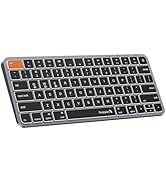
Image: A diagram illustrating how to charge the EK04 N numeric keypad using the provided USB-C cable, showing the charging port and indicator light status.
የጥገና እና የደህንነት ማስጠንቀቂያዎች
- ደህንነትን መሙላት; የቀረበውን ገመድ ብቻ ይጠቀሙ. ተቀጣጣይ ከሆኑ ቁሳቁሶች ርቆ በሚገኝ ደረቅ አካባቢ በደንብ አየር ውስጥ መሙላት።
- የባትሪ አያያዝ፡ Do not attempt to replace the item's lithium battery. Battery replacement should be conducted by qualified personnel to prevent hazards.
- የሙቀት መጋለጥ; እቃውን ከፍተኛ ሙቀት ባለው አካባቢ ወይም በቀጥታ የፀሐይ ብርሃን ውስጥ ከመተው ይቆጠቡ, ይህም የእሳት አደጋን ሊያስከትል ይችላል.
- ፈሳሽ መጋለጥ; እቃውን ከውሃ እና ፈሳሽ ያርቁ. በደንብ እስኪደርቅ ድረስ እርጥብ ከሆነ አይጠቀሙ.
- ጉዳት እና መጥፋት; አጠቃቀሙን ያቁሙ እና እቃው ከተበላሸ ወይም ባትሪው ከፈሰሰ የደንበኞችን አገልግሎት ያማክሩ።
- ትክክለኛ ማስወገድ፡ የኤሌክትሮኒክስ መሳሪያዎችን እና ባትሪዎችን ለማስወገድ የአካባቢ ደንቦችን ይከተሉ። ከቤት ቆሻሻ ጋር አታስወግድ.
- የሬዲዮ ድግግሞሽ ጣልቃገብነት፡- ይህ መሳሪያ ከሌሎች ኤሌክትሮኒክስ ጋር ጣልቃ ሊገባ ይችላል። ሚስጥራዊነት ከሚፈጥሩ መሳሪያዎች ደህንነቱ የተጠበቀ ርቀት ይጠብቁ።
- የልጆች ደህንነት; ማነቆን ወይም የባትሪ መጨናነቅን ለማስወገድ እቃውን እና ክፍሎቹን ህጻናት በማይደርሱበት ቦታ ያስቀምጡ። ልጆች ቁጥጥር ሳይደረግበት ዕቃውን እንዲይዙት በፍጹም አትፍቀድ።
- ጥንቃቄ፡- ከላይ የተጠቀሱትን ማስጠንቀቂያዎች አለማክበር ከባድ የአካል ጉዳት ወይም የንብረት ውድመት ሊያስከትል ይችላል.
Troubleshooting (Q&A)
How to deal with disconnection issues, keys repeating or typing delay?
- Please ensure that the number pad is fully charged. A low battery can affect the performance of the number pad.
- If using a USB dongle to connect the number pad to the device, unplug and replug the USB dongle, trying a different USB port if necessary.
- If connecting the number pad to the device via Bluetooth, delete the Bluetooth connection from your device's Bluetooth connection list, and restart your device and re-pair the number pad by following the steps in the user manual.
- If the issues persist, try to connect the number pad to other devices to check if the same issues occur and don't hesitate to contact our customer service for assistance.
How to deal with the number pad can not charge?
- ደረጃ የተሰጠው የኃይል መሙያ ጥራዝtage for the number pad is 5V. It is recommended to use the computer's USB port for charging, and using a charger is not recommended.
- Try to change another USB-C cable to recharge, in order to confirm whether it is a cable issue or a fault with the number pad.
How to deal with the key falls off the number pad?
If the key falls off the number pad and can't be installed back, please don't hesitate to contact our customer service for assistance.
የምርት ዝርዝሮች
| መለኪያ | ዋጋ |
|---|---|
| የባትሪ አቅም | 280 ሚአሰ |
| የሥራ ጥራዝtage | 3.7 ቮ |
| አሁን በመስራት ላይ | ≤2.5 ሚ.ኤ |
| አሁን መተኛት | ≤0.03 ሚ.ኤ |
| የመጠባበቂያ ጊዜ | 100 ቀናት |
| የስራ ጊዜ | 112 ሰዓታት |
| የኃይል መሙያ ጊዜ | 2-3 ሰዓታት |
| የመቀስቀሻ መንገድ | ማንኛውንም ቁልፍ ይጫኑ |
| መጠኖች | 152 * 206 * 16.4 ሚሜ / 5.98 * 8.11 * 0.65 ኢንች |
| 2.4G Channel System Compatibility | ዊንዶውስ 7 እስከ 11 |
| Bluetooth Channel System Compatibility | MacOS 10.10 or later, Windows 7 to 11 |
የእንቅልፍ ሁነታ
1. When the number pad is not used for more than 60 minutes, it will automatically enter into sleep mode and the indicator light will turn off.
2. When using the number pad again, just press any key, the number pad will wake up within 3 seconds, and the lights come back on and the number pad starts working.
ዋስትና እና ድጋፍ
ProtoArc offers a የ2-ዓመት ዋስትና on this product, ensuring 100% coverage for manufacturing defects.
For any questions or assistance, please contact us at:
- ኢሜይል፡- support@protoarc.com
- ስልክ፡ (+1) 866-287-6188
- የስራ ሰዓታት፡- Monday-Friday: 10am-1pm, 2pm-7pm (Eastern Time)
- *በበዓላት ወቅት ዝግ ነው።

Image: A card detailing ProtoArc's 2-year warranty and customer support contact information, including email and phone number.


