1. መግቢያ
This manual provides essential information for setting up, operating, and maintaining your OnePlus Nord 5 smartphone. Please read this guide thoroughly to ensure optimal performance and longevity of your device.

ምስል 1: የፊት እና የኋላ view of the OnePlus Nord 5 smartphone.
2. የሳጥን ይዘት
Upon unboxing your OnePlus Nord 5, verify that all the following items are included:
- OnePlus Nord 5 ስማርትፎን
- የኃይል አስማሚ (80 ዋ)
- የዩኤስቢ ገመድ (አይነት-ሲ)
- የሲም ትሪ ኤጀክተር
- የስክሪን መከላከያ (ቀድሞ የተተገበረ ወይም በሳጥኑ ውስጥ)
- የስልክ መያዣ
- ፈጣን ጅምር መመሪያ
- የዋስትና ካርድ
Video 1: Unboxing the OnePlus Nord 5 and reviewይዘቱን በማካተት ላይ።

ምስል 2: የፊት view የOnePlus Nord 5።

ምስል 3፡ ተመለስ view የOnePlus Nord 5።
3. ማዋቀር
3.1 የሲም ካርድ ጭነት
- የሲም ትሪውን ከመሳሪያው ጎን ያግኙት።
- የሲም ማስወጫ መሳሪያውን ከጣፋዩ ቀጥሎ ባለው ትንሽ ቀዳዳ ውስጥ ያስገቡ እና ትሪው ብቅ እስኪል ድረስ በጥብቅ ይጫኑ።
- የእርስዎን ናኖ-ሲም ካርድ(ዎች) በትሪው ላይ በተሰየሙ ቦታዎች ላይ ያስቀምጡ። የወርቅ እውቂያዎች ወደ ታች መመልከታቸውን ያረጋግጡ።
- ቦታው ላይ ጠቅ እስኪደረግ ድረስ የሲም ትሪውን በጥንቃቄ ወደ ስልኩ ያስገቡት።
3.2 የመነሻ ኃይል በርቷል
Press and hold the Power button on the side of the device until the OnePlus logo appears. Follow the on-screen instructions to complete the initial setup, including language selection, Wi-Fi connection, and Google account setup.
4. መሳሪያዎን ማስኬድ
4.1 አፈጻጸም
The OnePlus Nord 5 is equipped with the Snapdragon 8s Gen 3 processor and LPDDR5X RAM, designed for demanding applications and gaming. The device features a 7300mm² VC cooling system to maintain optimal temperatures during extended use.
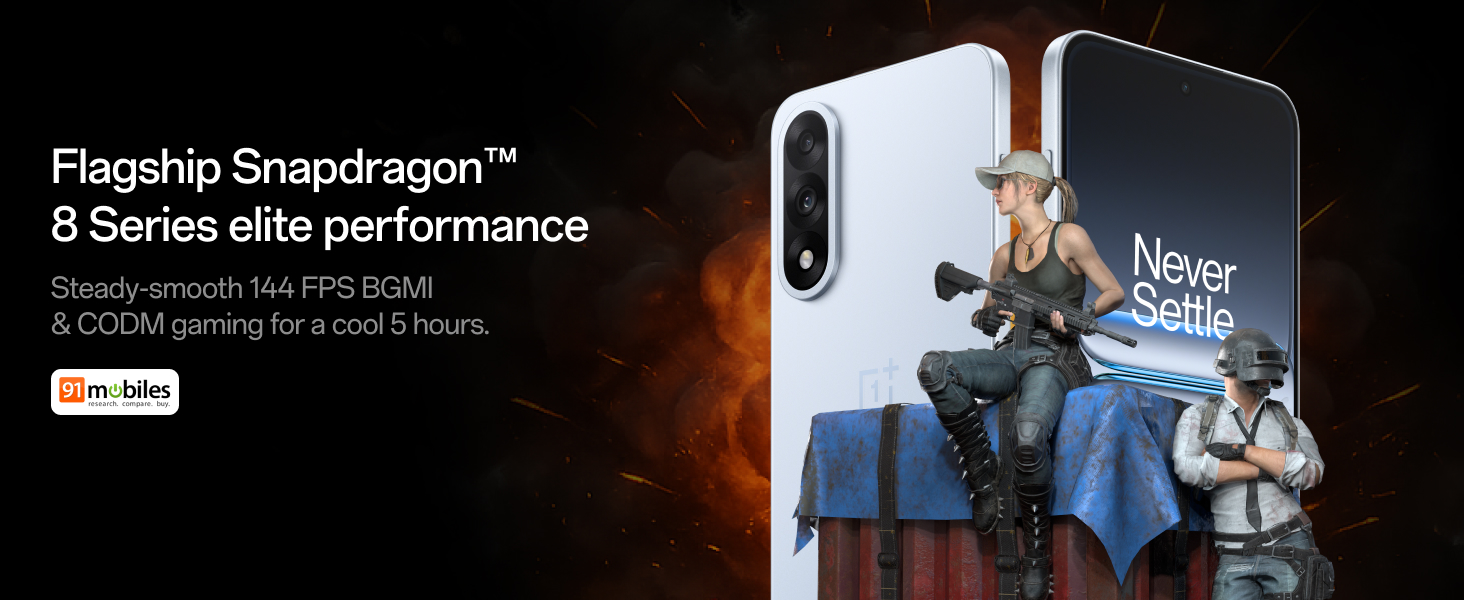
Figure 4: Snapdragon 8s Gen 3 processor for elite performance.
Video 2: Demonstration of gaming performance on the OnePlus Nord 5.
4.2 የካሜራ ባህሪያት
The device features a dual 50MP camera system, including a 50MP front camera (ISOCELL JN5 with hardware autofocus) and a 50MP Sony LYT-700 back camera with Optical Image Stabilization (OIS). It supports 4K 60 FPS video capture.
AI Camera Enhancements:
- AI ማጥፊያ፡ Removes unwanted objects or people from photos.
- AI Detail Boost: የምስል ግልጽነትን እና ዝርዝር ሁኔታን ያሻሽላል።
- AI Unblur: Corrects blurry images.
- የAI ዳግም ፍሬም፦ Suggests improved compositions for photos.
- ፍጹም የሆነ የ AI ሾት፦ Adjusts facial expressions and corrects blinked eyes in group photos.

Figure 5: Dual 50MP camera system overview.

Figure 6: AI features for photo enhancement.
4.3 ባትሪ እና ኃይል መሙያ
The OnePlus Nord 5 features a 6800 mAh battery and supports 80W ultra-fast charging. It also includes an all-new Bypass Charging feature, which powers the phone directly from the charger during gaming to reduce heat and maintain performance.

Figure 7: Illustration of Bypass Charging technology.
4.4 ማሳያ
Experience visuals on a 144Hz 1.5K AMOLED display with Aqua Touch 2.0 technology, offering a resolution of 2800 x 1272 pixels and up to 1400 nits brightness. Aqua Touch 2.0 improves touch responsiveness, even with wet or oily fingers.

Figure 8: Details of the 144Hz AMOLED display.
4.5 AI ባህሪያት
The OnePlus Nord 5 integrates various AI functionalities to enhance user experience:
- የAI ድምጽ ስክሪብ፡ Transcribe, translate, and summarize meetings or content.
- ለመፈለግ ክበብ ይዘትን በማያ ገጽዎ ላይ በማዞር በፍጥነት መረጃ ይፈልጉ።
- ጀሚኒ በቀጥታ፦ An AI assistant for queries and information.
- AI ፍለጋ፡ Intuitively understands natural language prompts for searching device content.

Figure 9: AI VoiceScribe interface.
4.6 Multitasking with Open Canvas
The Open Canvas feature allows for enhanced split-screen multitasking, enabling flexible resizing of applications and drag-and-drop functionality between apps. This improves productivity by extending split-screen capabilities beyond physical display limits.
Video 3: Demonstration of multitasking features on the OnePlus Nord 5.

Figure 10: Open Canvas for advanced multitasking.
4.7 ግንኙነት
The Nord 5 supports 5G-Advanced networking, offering faster internet speeds and improved signal stability, particularly in congested areas.

Figure 11: 5G-Advanced network features.
4.8 ሶፍትዌር
The device runs on OxygenOS 15, based on Android 15. It is guaranteed to receive 4 Android version upgrades and 6 years of security updates, ensuring long-term software support and system smoothness.
5. ጥገና
- የሶፍትዌር ማሻሻያ Regularly install system updates to ensure optimal performance, security, and access to new features.
- የባትሪ እንክብካቤ To prolong battery life, avoid extreme temperatures and frequent full discharges. The device includes a 4-year healthy battery promise.
- ማጽዳት፡ ማያ ገጹን እና ገላውን ለማፅዳት ለስላሳ ፣ ከጥጥ ነፃ የሆነ ጨርቅ ይጠቀሙ። ገላጭ ቁሶችን ወይም ኃይለኛ ኬሚካሎችን ያስወግዱ.
- የማከማቻ አስተዳደር፡ በየጊዜው ማጽዳት አላስፈላጊ files እና መተግበሪያዎች የመሳሪያውን ፍጥነት ለመጠበቅ እና የማከማቻ ቦታ ለማስለቀቅ።
6. መላ መፈለግ
If you encounter issues with your OnePlus Nord 5, consider the following general troubleshooting steps:
- መሣሪያውን እንደገና ያስጀምሩ ቀላል ዳግም ማስጀመር ብዙ ጥቃቅን የሶፍትዌር ስህተቶችን መፍታት ይችላል።
- ዝማኔዎችን ያረጋግጡ፡ የመሳሪያዎ ሶፍትዌር የተዘመነ መሆኑን ያረጋግጡ።
- መሸጎጫ አጽዳ፡ For app-specific issues, try clearing the app's cache in Settings.
- ፍቅር: እንደ የመጨረሻ አማራጭ፣ የፋብሪካ ዳግም ማስጀመር የማያቋርጥ የሶፍትዌር ችግሮችን መፍታት ይችላል። ማስጠንቀቂያ፡- ይህ በመሣሪያዎ ላይ ያለውን ሁሉንም ውሂብ ይሰርዛል። ከመቀጠልዎ በፊት አስፈላጊ መረጃን ያስቀምጡ.
- ድጋፍ ሰጪን ያነጋግሩ፡ If the issue persists, refer to the support section for contact information.
7. ዝርዝሮች
| ባህሪ | ዝርዝር |
|---|---|
| ስርዓተ ክወና | አንድሮይድ 15፣ ኦክሲጅን ኦኤስ 15 |
| ፕሮሰሰር | Snapdragon 8s Gen 3 (CPU Speed: 2, 2.8, 3 GHz) |
| ራም | 12 ጊባ (በአሁኑ ሞዴል መሠረት) |
| ማሳያ | 144Hz 1.5K AMOLED, 2800 x 1272 Resolution |
| የኋላ ካሜራ | 50 ሜፒ ሶኒ LYT-700 ከ OIS ጋር |
| የፊት ካሜራ | 50MP ISOCELL JN5 with Autofocus |
| ባትሪ | 6800 ሚአሰ፣ 80 ዋ ፈጣን ባትሪ መሙላት |
| ግንኙነት | 5G-Advanced, Bluetooth, NFC, USB, Wi-Fi |
| መጠኖች | 16.41 x 7.7 x 0.81 ሴ.ሜ |
| ክብደት | 211 ግ |
| የሞዴል ቁጥር | ሲፒኤች2707 |
| አምራች | ኦፖ ሞባይልስ ህንድ ፕራይቬት ሊሚትድ |
8. ዋስትና እና ድጋፍ
The OnePlus Nord 5 comes with a Lifetime Display Warranty, covering green line issues. For detailed terms and conditions, please refer to the official OnePlus website or the warranty card included in the box.

Figure 12: Lifetime Display Warranty information.
For customer service and technical support, you can contact OnePlus using the following information:
- የደንበኛ አገልግሎት የእውቂያ ቁጥር፡ 1800 102 8411
- WhatsApp ድጋፍ: + 91-9289606888
- የአምራች አድራሻ፡- ፕሎት-ቁጥር 1፣ ሴክተር ኢኮቴክ-VII፣ ግሬትተር፣ ኖይዳ፣ ኡትታር ፕራዴሽ፣ ህንድ-201306


