ቦሴ 2025

Bose QuietComfort Wireless Noise Cancelling Headphones (Model 2025)

መመሪያ መመሪያ

መግቢያ

Welcome to your Bose QuietComfort Wireless Noise Cancelling Headphones. These headphones are designed to provide high-fidelity audio and legendary noise cancellation, allowing you to immerse yourself in your audio experience or stay aware of your surroundings. This manual will guide you through the setup, operation, and maintenance of your new headphones.

በሣጥኑ ውስጥ ያለው

  • Bose QuietComfort Bluetooth Headphones
  • Green Extreme 20W 2-Port USB-C/USB-A Wall Charger, White
  • Audio cable with in-line microphone
  • ዩኤስቢ-ኤ ወደ ዩኤስቢ-ሲ የኃይል መሙያ ገመድ
  • መያዣ
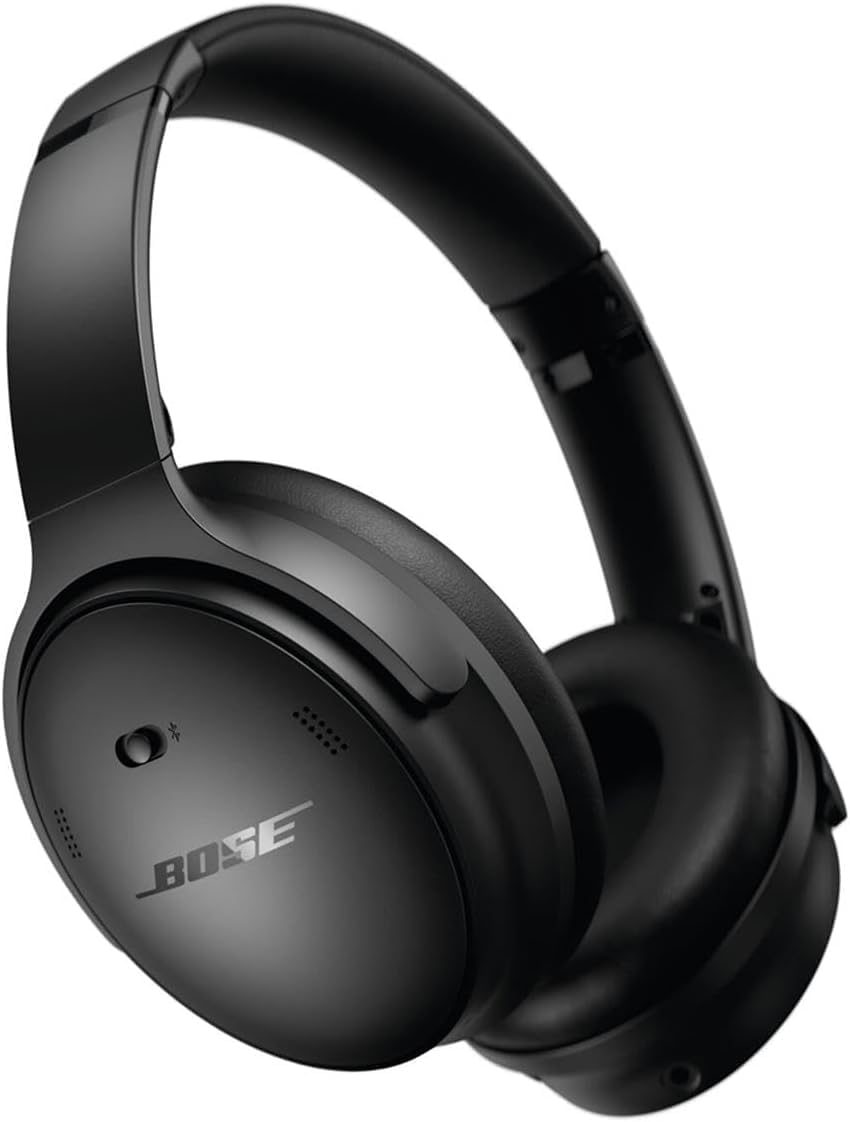
የቦዝ ኩዊትኮምፎርት ገመድ አልባ ጫጫታ ማቋረጥ የጆሮ ማዳመጫዎች በጥቁር ቀለም

Image: Bose QuietComfort Wireless Noise Cancelling Headphones in black.
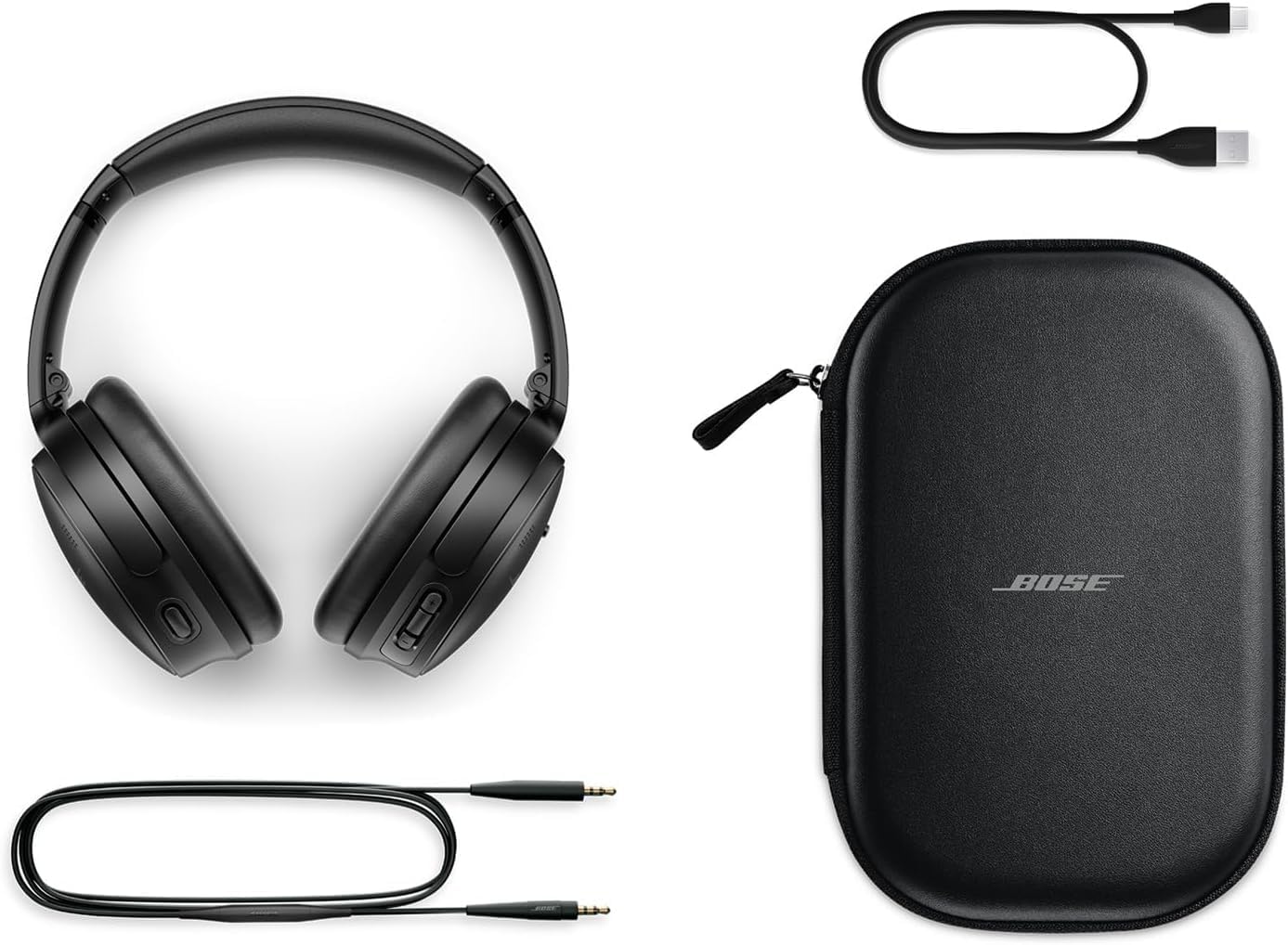
Bose QuietComfort headphones with included accessories: USB-C charging cable, 3.5mm audio cable, and carrying case

Image: Bose QuietComfort headphones with included accessories: USB-C charging cable, 3.5mm audio cable, and carrying case.

ማዋቀር

የጆሮ ማዳመጫዎችን መሙላት

Before first use, fully charge your Bose QuietComfort headphones. Connect the included USB-A to USB-C charging cable to the headphones and the Green Extreme 20W 2-Port USB-C/USB-A Wall Charger. A 15-minute charge provides up to 2.5 hours of additional play time. A full charge offers up to 24 hours of battery life.
Close-up of the right earcup of the Bose QuietComfort headphones, showing the USB-C charging port and control buttons.
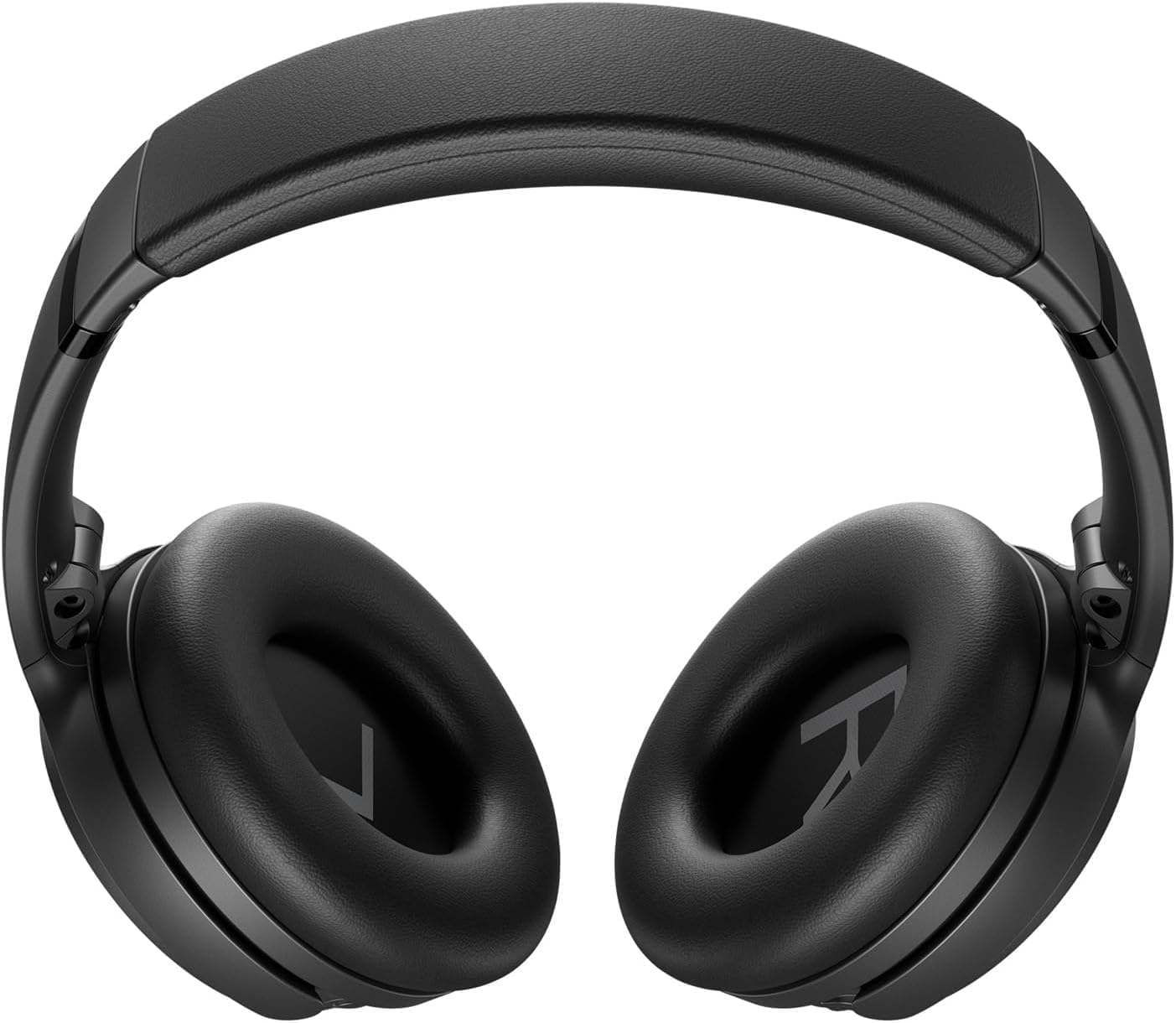
Image: Close-up of the right earcup of the Bose QuietComfort headphones, showing the USB-C charging port and control buttons.

Green Extreme 20W 2-Port USB-C/USB-A Wall Charger, White, being held in a hand.

Image: Green Extreme 20W 2-Port USB-C/USB-A Wall Charger, White, being held in a hand.

የብሉቱዝ ማጣመር

የጆሮ ማዳመጫዎችዎን ከመሳሪያ ጋር ለማጣመር፡-

  1. Slide the Power/Bluetooth switch to the Bluetooth symbol and hold until the indicator light blinks blue.
  2. On your device, open Bluetooth settings and select "Bose QuietComfort" from the list of available devices.
  3. Once connected, the indicator light will glow solid blue.
The headphones support multipoint Bluetooth, allowing seamless switching between connected devices.

የአሠራር መመሪያዎች

የድምጽ ስረዛ ሁነታዎች

Your Bose QuietComfort headphones feature two primary listening modes:

  • ጸጥታ ሁነታ: Provides full noise cancellation, ideal for eliminating distractions and focusing on your audio.
  • የማወቅ ሁነታ፦ በድምጽዎ እየተደሰቱ አካባቢዎን እንዲያዳምጡ ያስችልዎታል፣ ይህም የሁኔታ ግንዛቤን ያሻሽላል።
You can toggle between these modes using the dedicated button on the earcup. For advanced customization, use the Bose Music app to create custom modes.

የድምጽ መልሶ ማጫወት እና ጥሪዎች

Use the media control buttons on the earcup to manage playback (play/pause, skip tracks) and handle calls. The integrated microphone ensures clear communication. An included audio cable with an in-line microphone allows for wired connection, even when the battery is depleted.
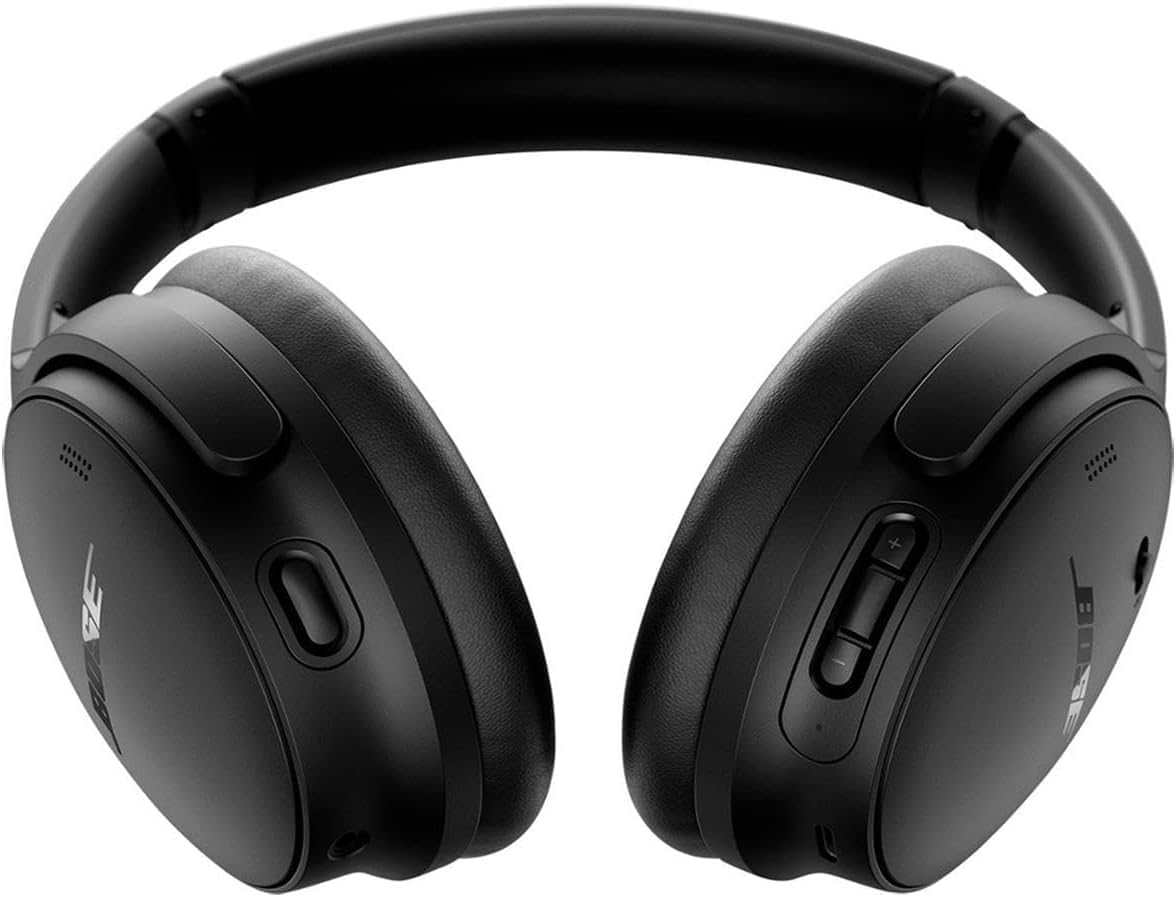
ፊት ለፊት view of the Bose QuietComfort headphones, showing the control buttons on the right earcup.

ምስል፡ ፊት ለፊት view of the Bose QuietComfort headphones, showing the control buttons on the right earcup.

ጥገና

ማጽዳት

Wipe the headphones with a soft, dry cloth. Do not use abrasive cleaners or solvents. Ensure charging ports are free of debris.

ማከማቻ

When not in use, store the headphones in their provided carrying case to protect them from dust and damage.

መላ መፈለግ

ኃይል የለም

የብሉቱዝ ግንኙነት ጉዳዮች

ደካማ የድምፅ ጥራት ወይም የድምጽ መሰረዝ

ዝርዝሮች

ባህሪዝርዝር
የሞዴል ስምየቦዝ ኩዊትኮምፎርት ገመድ አልባ ጫጫታ ማቋረጥ የጆሮ ማዳመጫዎች
የሞዴል ቁጥር2025
የግንኙነት ቴክኖሎጂብሉቱዝ 5.1፣ ባለገመድ (3.5 ሚሜ ጃክ)
የድምጽ መቆጣጠሪያንቁ የጩኸት ስረዛ (ጸጥ ያለ ሁነታ፣ የማወቅ ሁነታ)
የባትሪ ህይወትእስከ 24 ሰዓታት ድረስ
የኃይል መሙያ ጊዜ15 ደቂቃዎች ለ 2.5 ሰዓታት የጨዋታ ጊዜ
የጆሮ አቀማመጥከጆሮ በላይ
ቁሳቁስጨርቅ
የተካተተ ኃይል መሙያግሪን ኤክስትሪም 20 ዋ ባለ 2-ፖርት ዩኤስቢ-ሲ/ዩኤስቢ-ኤ የግድግዳ ቻርጀር

ዋስትና እና ድጋፍ

የዋስትና መረጃ

For detailed warranty information, please refer to the documentation included with your product or visit the official Bose support webጣቢያ.

የደንበኛ ድጋፍ

For further assistance, technical support, or to download the Bose Music app, please visit the የ Bose ድጋፍ Webጣቢያ.

ተዛማጅ ሰነዶች - 2025

ቅድመview የቦዝ ኖይዝ ማቋረጥ የጆሮ ማዳመጫዎች 700፡ ባህሪያት፣ የድምጽ ረዳቶች እና ተደጋጋሚ ጥያቄዎች
የBose Noise Cancelling Headphones 700 ባህሪያትን ያስሱ፣ ይህም የBose AR፣ የGoogle Assistant እና የAlexa ውህደትን ያካትታል። ስለ ባትሪ፣ ክልል፣ ማጣመር፣ ማይክሮፎኖች እና የጫጫታ ማስወገጃ የተለመዱ ጥያቄዎች መልስ ያግኙ። ከQuietComfort 35 ጋር ያወዳድሩ።
ቅድመview የቦዝ ኩዊትኮምፎርት አልትራ የጆሮ ማዳመጫዎች መላ መፈለግ፡ ዳግም ማስጀመር፣ ወደነበረበት መመለስ እና ማዘመን
የBose QuietComfort Ultra የጆሮ ማዳመጫዎችዎን መላ ለመፈለግ አጠቃላይ መመሪያ። ግልጽ እና ደረጃ በደረጃ መመሪያዎችን በመጠቀም እንዴት ዳግም ማስጀመር፣ ወደ ፋብሪካ ቅንብሮች መመለስ እና firmware ማዘመን እንደሚችሉ ይወቁ።
ቅድመview የቦዝ ኩዊትኮምፎርት 2 አኮስቲክ ኖይዝ ሰርዚሊንግ የጆሮ ማዳመጫዎች የተጠቃሚ መመሪያ እና የዋስትና መረጃ
ለ Bose QuietComfort 2 አኮስቲክ ኖይዝ ሰርሲሊንግ የጆሮ ማዳመጫዎች የተሟላ የተጠቃሚ መመሪያ፣ ማዋቀርን፣ አጠቃቀምን፣ እንክብካቤን፣ መላ መፈለግን እና የተወሰነ የዋስትና መረጃን ይሸፍናል። ከፍተኛ የድምፅ እና የጫጫታ ስረዛን እንዴት መደሰት እንደሚችሉ ይወቁ።
ቅድመview የቦዝ ኩዊትኮምፎርት ኤስሲ የጆሮ ማዳመጫዎች፡ የተጠቃሚ መመሪያ እና የደህንነት መመሪያ
የBose QuietComfort SC ጫጫታ ማስወገጃ የጆሮ ማዳመጫዎችን ያግኙ። ይህ መመሪያ ለBose QuietComfort SC የጆሮ ማዳመጫዎችዎ አስፈላጊ የደህንነት መመሪያዎችን፣ የማዋቀር ዝርዝሮችን፣ የቁጥጥር ማብራሪያዎችን፣ የብሉቱዝ ግንኙነትን፣ የመተግበሪያ ውህደትን፣ የእንክብካቤ ምክሮችን እና መላ መፈለግን ያቀርባል።
ቅድመview የቦዝ ኩዊትኮምፎርት ኤስሲ የጆሮ ማዳመጫዎች ፈጣን ጅምር መመሪያ
የቦዝ ኩዊትኮምፎርት ኤስሲ ኦቨር-ጆር የጆሮ ማዳመጫዎችን ለማዋቀር፣ ለማጣመር፣ ለመሙላት እና ለመጠቀም አጭር እና በSEO የተመቻቸ የኤችቲኤምኤል መመሪያ፣ መቆጣጠሪያዎችን፣ የጫጫታ ማስወገጃን፣ የድምጽ ረዳቶችን እና የመተግበሪያ ባህሪያትን ጨምሮ።
ቅድመview የ Bose QuietComfort የጆሮ ማዳመጫዎች-
የ Bose QuietComfort የጆሮ ማዳመጫዎች-ጆሮ ማዳመጫ ብሉቱዝ ፣ ብሉቱዝ ፣ ብሉቱዝ ፣ ብሉቱዝ ፣ ፒሲፒ მართვის ሽንብራ፣ ጂጂንግ ቦዝ ሙዚቃ።