መግቢያ
Thank you for choosing the boAt Aavante 2.1 1600D Soundbar. This manual provides essential information for setting up, operating, and maintaining your soundbar to ensure a high-quality audio experience. Please read these instructions carefully before use and retain them for future reference.
በሣጥኑ ውስጥ ያለው
ማሸጊያውን ሲከፍቱ፣እባክዎ የሚከተሉት እቃዎች መኖራቸውን ያረጋግጡ፡-
- የድምጽ አሞሌ
- Subwoofer
- Cable (Power Cable, Audio Cables depending on model)
- የርቀት መቆጣጠሪያ (ከ2 AA ባትሪዎች ጋር)

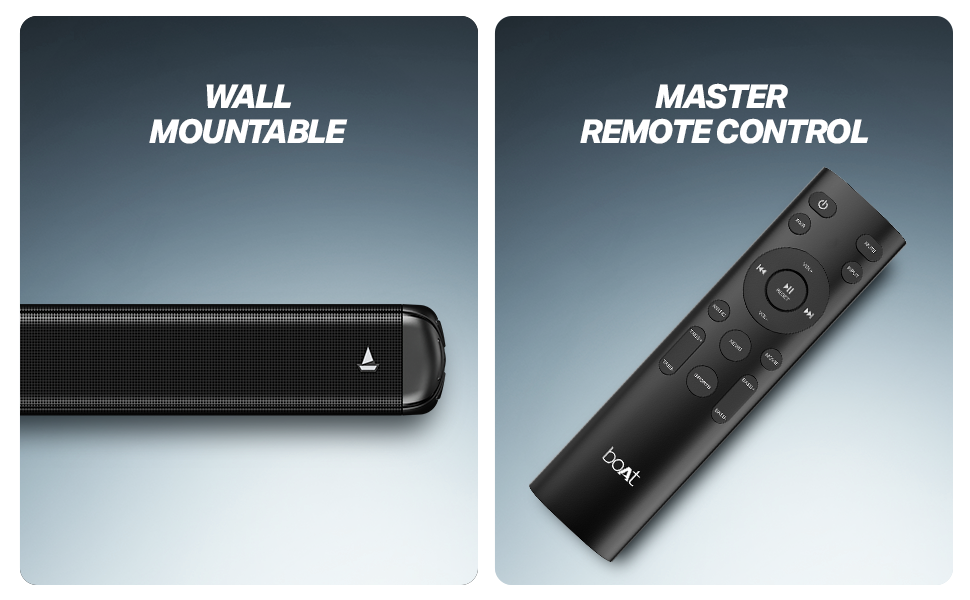
ምስል 1፡ Soundbar, remote control, and wall-mountable feature overview.
ማዋቀር
አቀማመጥ
Place the soundbar centrally below your television. The wired subwoofer should be placed on the floor near the soundbar for optimal bass response. Ensure there is adequate ventilation around both units.
The soundbar is also wall-mountable. Refer to the included mounting template (if applicable) for proper installation.
ምስል 2፡ Recommended placement of the soundbar and subwoofer for an immersive audio experience.
ግንኙነቶች
- የኃይል ግንኙነት; Connect the power cable to the soundbar and subwoofer, then plug them into a wall outlet.
- Subwoofer ግንኙነት፡- በተሰጠው ገመድ በመጠቀም የተገጠመውን ንዑስ-ሰዋወር ከድምጽ አሞሌው ጋር ያገናኙ።
- የድምጽ ግቤት፡- የድምጽ ምንጭዎን ለማገናኘት ከሚከተሉት ዘዴዎች ውስጥ አንዱን ይምረጡ፡
- ኤችዲኤምአይ (አርአክ) ለተሻለ የድምጽ ጥራት እና ቁጥጥር፣ ከቴሌቪዥንዎ HDMI ARC ወደብ የኤችዲኤምአይ ገመድን ከድምጽ አሞሌው HDMI ARC ወደብ ጋር ያገናኙ።
- ኦፕቲካል፡ የኦፕቲካል ገመድ ከቴሌቪዥንዎ የኦፕቲካል ውፅዓት ወደ የድምፅ አሞሌው የኦፕቲካል ግብዓት ያገናኙ።
- AUX፡ Use a 3.5mm audio cable to connect your device to the soundbar's AUX input.
- ዩኤስቢ፡ የዩኤስቢ ድራይቭን ከድምጽ ጋር ያስገቡ fileወደ የድምጽ አሞሌው የዩኤስቢ ወደብ ይገባል።
የአሠራር መመሪያዎች
ኃይል አብራ/ አጥፋ
መሣሪያውን ለማብራት ወይም ለማጥፋት በድምጽ አሞሌው ወይም በርቀት መቆጣጠሪያው ላይ ያለውን የኃይል ቁልፍ ይጫኑ።
ምንጭ ምርጫ
Use the 'Input' or 'Source' button on the remote control to cycle through available input modes: Bluetooth, AUX, USB, Optical, and HDMI (ARC).
የድምጽ መቆጣጠሪያ
Adjust the volume using the 'Volume +' and 'Volume -' buttons on the remote control or the soundbar.
የብሉቱዝ ማጣመር
- Select Bluetooth mode on the soundbar. The LED indicator will flash.
- በመሳሪያዎ ላይ ብሉቱዝን ያንቁ (ስማርትፎን፣ ታብሌት፣ ወዘተ)።
- ፈልግ 'boAt Aavante 1600D' in your device's Bluetooth list and select it to pair.
- አንዴ ከተጣመረ በኋላ የ LED አመልካች ብልጭ ድርግም ብሎ ይቆማል እና ጠንካራ ሆኖ ይቆያል።
የ EQ ሁነታዎች
The soundbar features multiple EQ modes to optimize audio for different content types. Use the dedicated buttons on the remote control to select:
- ሙዚቃ፡ ለሙዚቃ መልሶ ማጫወት የተሻሻለ።
- ፊልሞች፡- Optimized for cinematic soundscapes.
- ዜና፡ Clearer dialogue for news and spoken content.
- 3D: Creates a more immersive, spatial audio effect.
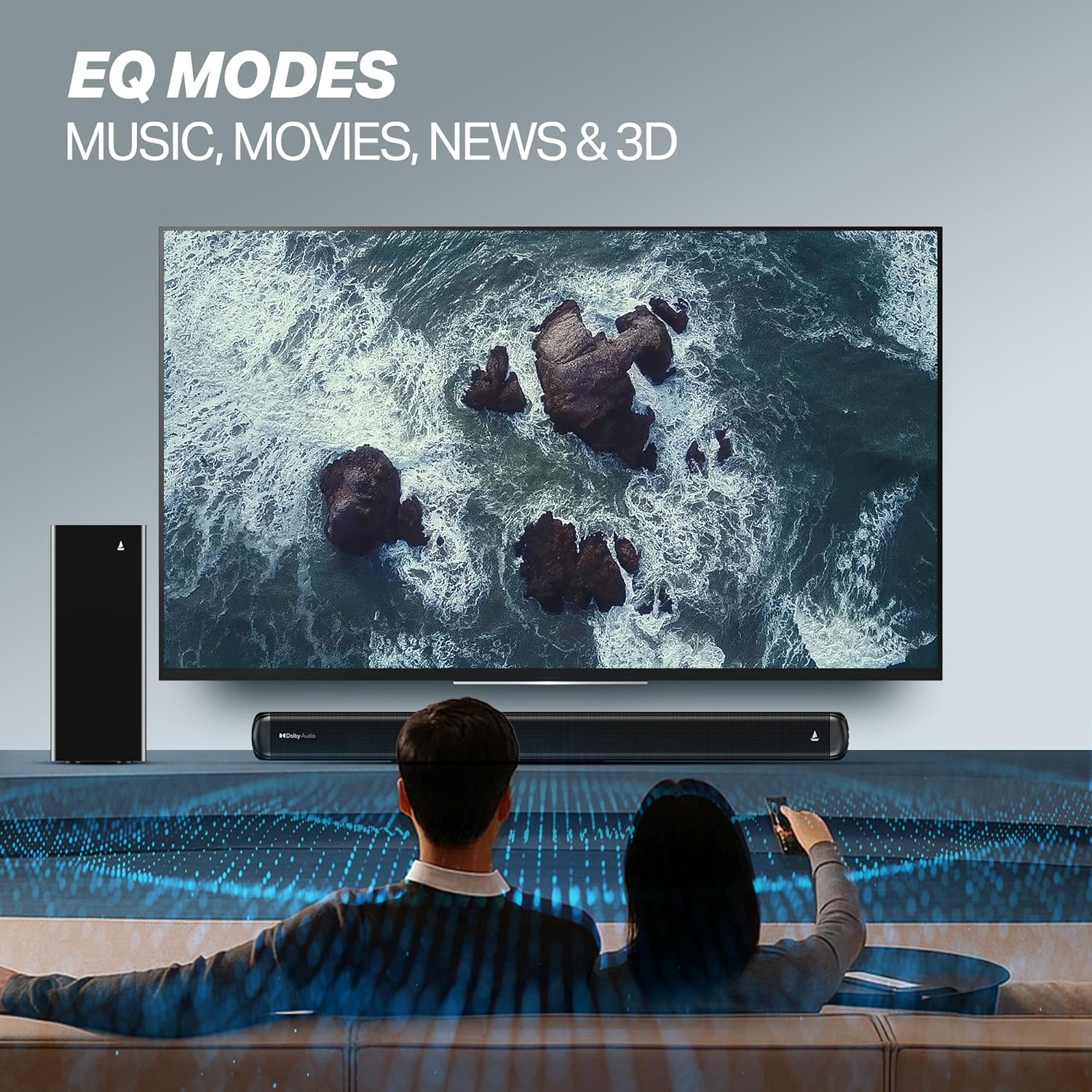
ምስል 3፡ EQ Modes for various content types.
ጥገና
ማጽዳት
- ከማጽዳትዎ በፊት ሁል ጊዜ የድምጽ አሞሌውን እና ንዑስ ድምጽ ማጉያውን ከኃይል ማሰራጫው ያላቅቁ።
- ንጣፎችን ለማጽዳት ለስላሳ እና ደረቅ ጨርቅ ይጠቀሙ።
- ፈሳሽ ማጽጃዎችን፣ ኤሮሶሎችን ወይም ጠለፋ ቁሳቁሶችን አይጠቀሙ፣ ምክንያቱም ጨርቁን ሊያበላሹ ይችላሉ።
ማከማቻ
መሳሪያውን ለረጅም ጊዜ ካከማቹ፣ ንጹህ፣ ደረቅ እና ቀዝቃዛና አየር በሚገባበት ቦታ ላይ ከፀሐይ ብርሃን እና ከፍተኛ የሙቀት መጠን ርቆ እንዲቆይ ያድርጉ።
መላ መፈለግ
| ችግር | ሊሆን የሚችል ምክንያት | መፍትሄ |
|---|---|---|
| ኃይል የለም | የኃይል ገመድ አልተገናኘም; የኃይል ማመንጫው አይሰራም | Ensure power cables are securely connected; Try a different power outlet. |
| ድምጽ የለም። | Incorrect input source; Volume too low; Mute activated; Audio cable not connected properly | Select the correct input source; Increase volume; Deactivate mute; Check audio cable connections. |
| የብሉቱዝ ማጣመር ጉዳዮች | መሳሪያው በጣም ሩቅ ነው፤ የድምፅ አሞሌ በማጣመር ሁነታ ላይ አይደለም፤ ጣልቃ ገብነት | Move device closer; Ensure soundbar is in Bluetooth pairing mode; Turn off other Bluetooth devices. |
| የርቀት መቆጣጠሪያ አይሰራም | ባትሪዎች ተሟጠዋል; በርቀት እና በድምፅ አሞሌ መካከል መሰናክል | ባትሪዎችን ይተኩ፤ ማንኛውንም እንቅፋት ያስወግዱ። |
ዝርዝሮች
| የሞዴል ስም | አቫንቴ |
| የሞዴል ቁጥር | HA0127 |
| የድምጽ ማጉያ አይነት | የድምጽ አሞሌ |
| የድምጽ ውፅዓት ሁኔታ | 2.1 ቻናል |
| የድምጽ ማጉያ ከፍተኛ የውጤት ኃይል | 160 ዋት |
| የግንኙነት ቴክኖሎጂ | ብሉቱዝ v5.4፣ AUX፣ USB፣ ኦፕቲካል፣ HDMI (ARC) |
| የብሉቱዝ ክልል | 10 ሜትር |
| የዙሪያ ድምጽ ቻናል ውቅር | 2.1 |
| የመቆጣጠሪያ ዘዴ | የርቀት |
| የምርት ልኬቶች | 80D x 6.6W x 7.5H ሴንቲሜትር |
| የእቃው ክብደት | 6 ኪ.ግ |
| የኃይል ምንጭ | ባለገመድ |
| ባትሪዎች ያስፈልጋሉ (ለርቀት መቆጣጠሪያ) | 2 AA ባትሪዎች (ተጨምሯል) |
| አምራች | አስቡት ማርኬቲንግ Ltd. |
| የትውልድ ሀገር | ቻይና |
ዋስትና እና ድጋፍ
የዋስትና መረጃ
This product comes with a Limited Warranty. Please refer to the warranty card included in your package or visit the official boAt webየዋስትና ሽፋን እና የይገባኛል ጥያቄዎችን በተመለከተ ዝርዝር ውሎችን እና ሁኔታዎችን ለማግኘት ድህረ ገጽ።
የደንበኛ ድጋፍ
For any technical assistance, product inquiries, or support, please visit the official boAt support page or contact their customer service. You can find contact details on the boAt webጣቢያ፡ boAt Official Store