1. መግቢያ
Welcome to your new SHareconn 6ft Prelit Artificial Christmas Tree. This manual provides detailed instructions for assembly, operation, maintenance, and troubleshooting to ensure you enjoy your tree for many seasons.
2. ጠቃሚ የደህንነት መረጃ
- ለቤት ውስጥ አገልግሎት ብቻ.
- ከሙቀት ምንጮች እና ክፍት እሳቶች ይራቁ.
- የኤሌክትሪክ ማሰራጫዎችን ከመጠን በላይ አይጫኑ.
- Ensure all connections are secure before plugging in.
- ይህ ምርት አሻንጉሊት አይደለም. ልጆች እና የቤት እንስሳት በማይደርሱበት ቦታ ያስቀምጡ.
- Unplug the tree when not in use or before cleaning.
3. የጥቅል ይዘቶች
ከመሰብሰቡ በፊት ሁሉም አካላት መገኘታቸውን ያረጋግጡ፡-
- Tree Sections (A, B, C - typically 3 sections for a 6ft tree)
- የብረት ማቆሚያ
- Remote Control (with built-in button battery)
- የኃይል አስማሚ
- Stand Screw (1)
4. የማዋቀር መመሪያዎች
Assemble the Tree Stand
Unfold the metal stand and place it on a flat, stable surface. Insert the provided screw into the designated hole on the stand and tighten it to secure the legs.

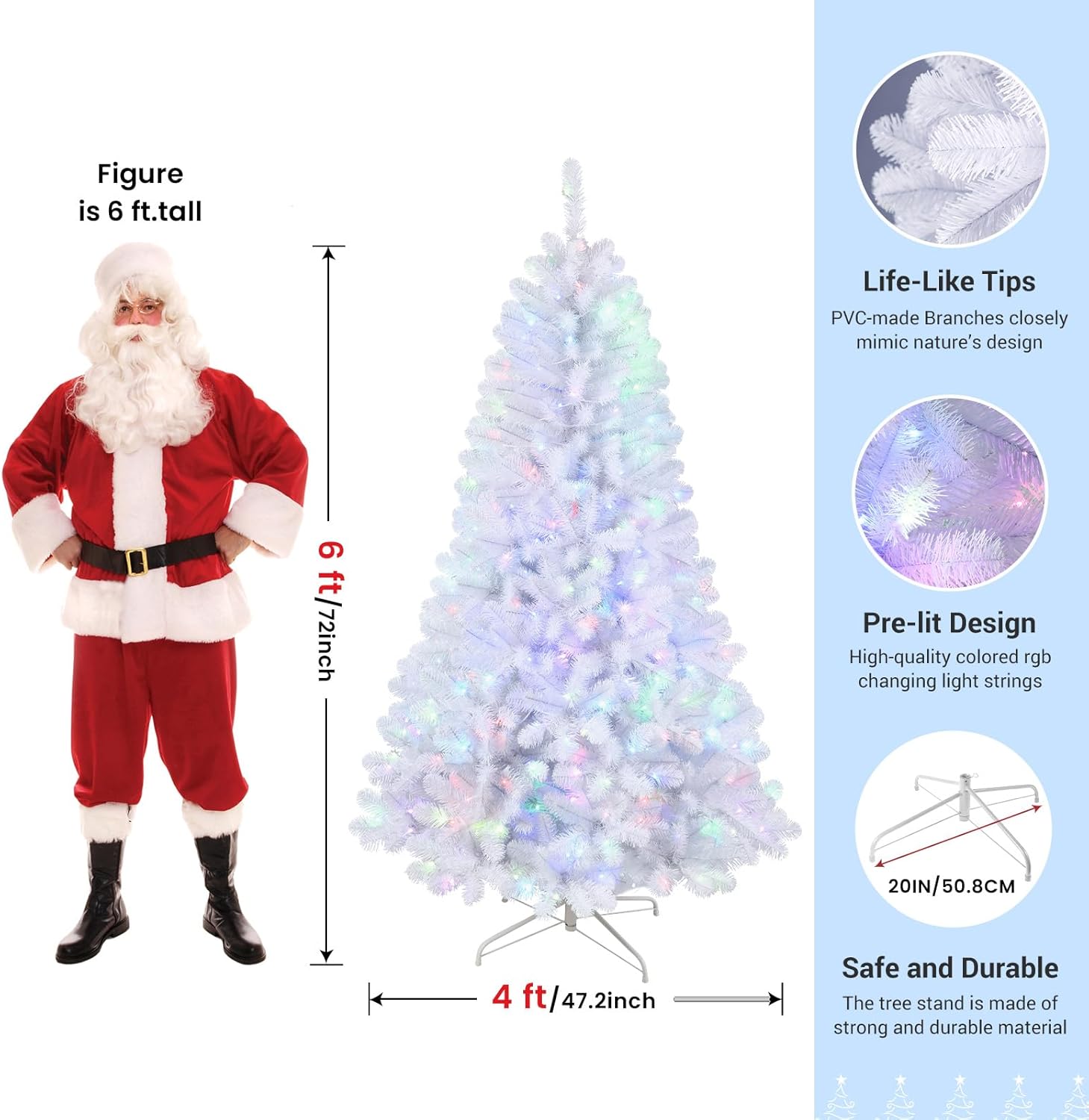
This image illustrates the overall size of the 6ft tree and includes an inset showing the metal stand. The stand is designed for stability and easy assembly.
የዛፍ ክፍሎችን አስገባ
Carefully insert the bottom section (Section A) of the tree into the assembled stand. Ensure it is firmly seated.
Next, insert the middle section (Section B) into the top of Section A.
Finally, insert the top section (Section C) into Section B.
This video demonstrates the simple, three-section assembly process of the Christmas tree, showing how each section connects to the next.
Connect Light Wires
Locate the light connectors between each tree section. Align the arrows on the connectors and push them firmly together until they click into place. Twist to secure. Ensure all connections are tight to prevent lights from malfunctioning.
This video shows the process of connecting the light wires between tree sections, highlighting the importance of firm connections for proper illumination.
ቅርንጫፎቹን ያጥፉ
Starting from the bottom, gently pull apart and shape each branch to create a full and natural appearance. Work your way up to the top section.
This image demonstrates the appearance of the tree branches after proper fluffing, showcasing the density and realistic texture.

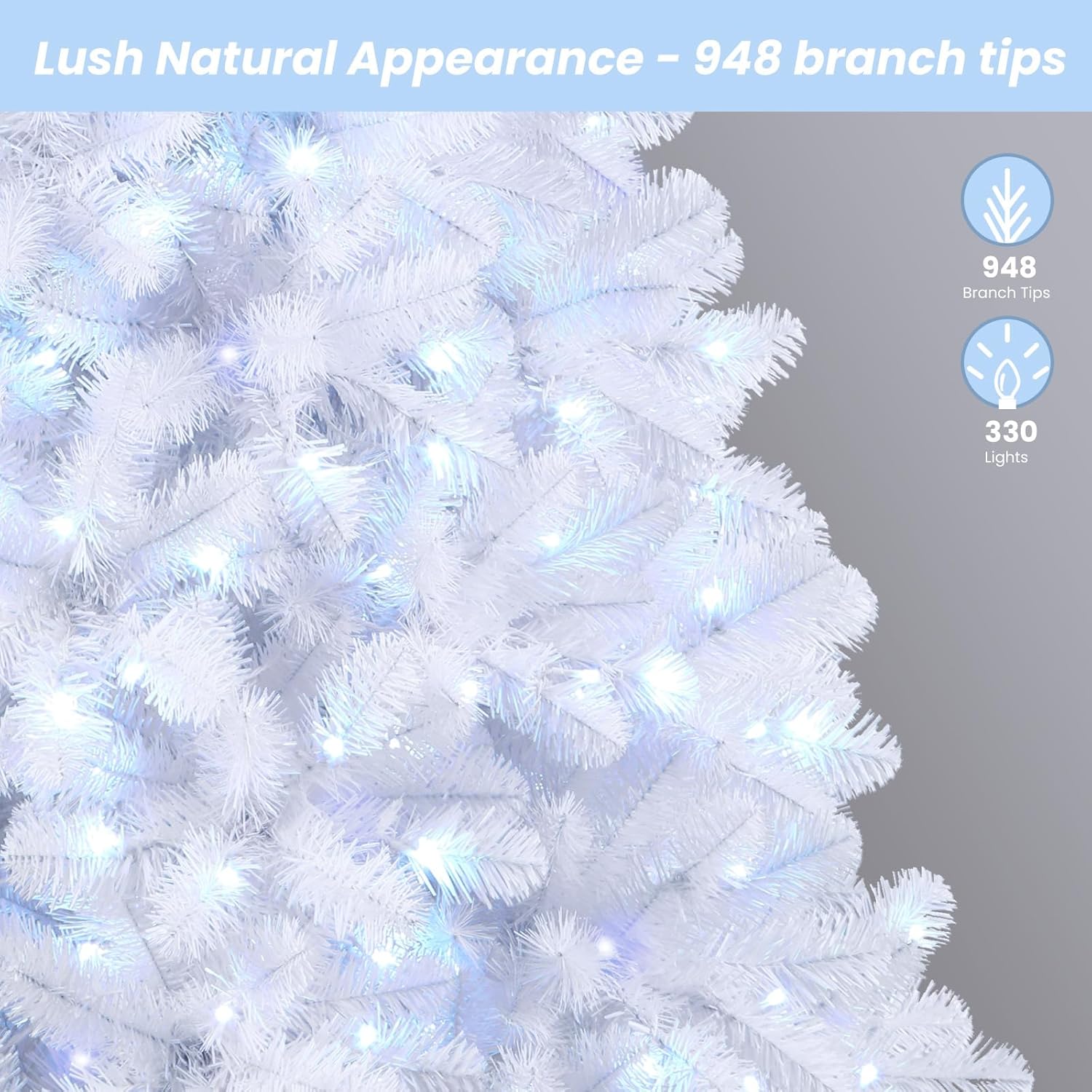
This close-up image highlights the life-like PVC branch tips and the integrated RGB lights, emphasizing the pre-lit design.
ከኃይል ጋር ይገናኙ
Plug the power adapter into a wall outlet. The tree is now ready for operation.
5. የአሠራር መመሪያዎች
የርቀት መቆጣጠሪያ ተግባራት
Your SHareconn Christmas tree comes with a remote control for easy management of the lights.

This image displays the remote control, detailing its various buttons for light modes, colors, brightness, speed, and timer functions.
- አብራ/አጥፋ፡ መብራቶቹን ያበራል ወይም ያጠፋል.
- RGB/W Buttons: Select specific colors (Red, Green, Blue, White) or combinations.
- የቀለም ቤተ-ስዕል ከ16 የተለያዩ የማይንቀሳቀሱ ቀለሞች ይምረጡ።
- አቅጣጫዎች: Cycle through 98 different lighting modes (e.g., steady, twinkle, fade, jump, waves, strobe, breathing).
- ፍጥነት +/-: Adjust the speed of dynamic lighting modes (4 levels).
- ብሩህነት +/-: Adjust the brightness of the lights (4 levels).
- TIMER (4H/6H/8H): Set the lights to turn off automatically after 4, 6, or 8 hours.
- ሰዓት አጥፋ የሰዓት ቆጣሪውን ተግባር ያሰናክላል።
- የማህደረ ትውስታ ተግባር The lights will return to the last selected mode when turned back on.
Light Modes Overview
This image illustrates different lighting options, including lights off, monochromatic (single color) modes, and various multicolor modes.
This video demonstrates the remote control functionality, showcasing how to change light colors and modes on the Christmas tree.
6. ጥገና
- ማጽዳት፡ Dust the tree gently with a soft, dry cloth. Do not use liquid cleaners.
- የብርሃን ምትክ; The LED lights are integrated and not user-replaceable. If a section of lights goes out, check the connections as described in the Troubleshooting section.
- ማከማቻ፡ When not in use, disassemble the tree by reversing the setup steps. Store all sections and the stand in a cool, dry place, preferably in the original packaging or a tree storage bag, to protect it from dust and damage.
7. መላ መፈለግ
| ችግር | ሊሆን የሚችል ምክንያት | መፍትሄ |
|---|---|---|
| መብራቶች አይበሩም። | ልቅ የኃይል ግንኙነት | Ensure the power adapter is securely plugged into the wall and all tree section connectors are firmly attached. |
| አንዳንድ መብራቶች አይሰሩም | Loose connection between sections | Check the light connectors between each tree section. Ensure they are fully inserted and twisted to lock. |
| የርቀት መቆጣጠሪያ አይሰራም | የባትሪ ችግር ወይም እንቅፋት | Ensure the remote control's battery is functional. Point the remote directly at the tree's receiver (usually near the base or power adapter) without obstruction. |
| Tree is wobbly | Stand not properly secured | Ensure the metal stand is fully unfolded and the screw is tightened. Place the tree on a flat, stable surface. |
8. ዝርዝሮች
- የምርት ስም፡ ሼርኮን
- የሞዴል ቁጥር፡- JT-EL/FC290V0300-BT3
- ቁመት፡- 6 ጫማ (72 ኢንች)
- ቁሳቁስ፡ Eco-friendly PVC, Metal (stand)
- የቅርንጫፍ ምክሮች፡- 952
- መብራቶች፡ 250 Multi-Color LED (RGB)
- የብርሃን ተግባራት; 98 modes, 16 colors, 4 brightness levels, 4 speed levels, 3 timer functions
- የኃይል ምንጭ፡- Plug-in (Power Adapter included)
- ቁጥጥር፡- የርቀት መቆጣጠሪያ
- የሚመከር አጠቃቀም፡- የቤት ውስጥ
9. ዋስትና እና ድጋፍ
For warranty information or technical support, please contact SHareconn customer service. Refer to your purchase documentation for specific warranty terms and contact details.


