1. መግቢያ
The Nothing Ear (3) wireless earbuds are designed to provide a high-quality audio experience with advanced features for various activities. This manual provides essential information for setting up, operating, and maintaining your earbuds.
2. በሳጥኑ ውስጥ ያለው
- Nothing Ear (3) Earbuds
- የገመድ አልባ ባትሪ መሙያ መያዣ
- USB-C ወደ USB-C ገመድ
- Eartips (XS / S / L)
- የተጠቃሚ መመሪያ
- የደህንነት እና የዋስትና መረጃ

Image: All items included in the Nothing Ear (3) product packaging.
3. ማዋቀር
3.1 የመጀመሪያ ማጣመር
- Ensure your Nothing Ear (3) earbuds are in the charging case and the case is charged.
- Open the charging case lid. The indicator light should begin to flash, indicating pairing mode.
- On your device (smartphone, tablet, laptop), go to Bluetooth settings and select "Nothing Ear (3)" from the list of available devices.
- የማጣመሪያ ሂደቱን ለማጠናቀቅ ማንኛውንም የስክሪን ላይ ጥያቄዎችን ይከተሉ።
3.2 Nothing X App Installation
For full functionality and customization, download the Nothing X app from your device's app store. The app allows you to adjust EQ settings, manage Active Noise Cancellation, customize controls, and access other advanced features.

Image: The Nothing X App provides comprehensive control over your Ear (3) earbuds.
4. የአሠራር መመሪያዎች
4.1 የንክኪ መቆጣጠሪያዎች
The Nothing Ear (3) features intuitive pinch controls on the earbud stems. These controls can be customized via the Nothing X app.
- Single Pinch: ኦዲዮን አጫውት/ ለአፍታ አቁም፣ መልስ/ጥሪውን ጨርስ።
- Double Pinch: Skip forward, Decline incoming call.
- Triple Pinch: ወደ ኋላ ይዝለሉ።
- Pinch & Hold: Toggle Noise Control (ANC/Transparency/Off).
- Double Pinch & Hold: Volume down (customizable).
4.2 ገባሪ የድምጽ ስረዛ (ኤኤንሲ) እና ግልጽነት ሁነታ
The earbuds offer up to 45 dB of Smart Hybrid ANC to reduce ambient noise. Transparency Mode allows you to hear your surroundings without removing the earbuds.
- የመቀያየሪያ ሁነታዎች፡ Use the Pinch & Hold gesture on either earbud to cycle through ANC, Transparency, and Off modes.
- የሚለምደዉ ኤኤንሲ፡ The Nothing X app allows for adaptive ANC settings, adjusting noise cancellation levels based on your environment.

Image: Visualizing the noise control features of Nothing Ear (3).
4.3 Super Mic Feature
The charging case integrates a dual-microphone system, called Super Mic, designed to enhance voice clarity by targeting your voice and reducing background noise up to 95 dB during calls.
- ማግበር፡- Press and hold the 'TALK' button on the charging case. For optimal clarity in loud settings, hold the case within 5cm of your mouth.
- Quick Commands: Hold the 'TALK' button for quick commands.
- Extended Conversations: Double-tap the 'TALK' button to lock it for longer conversations.
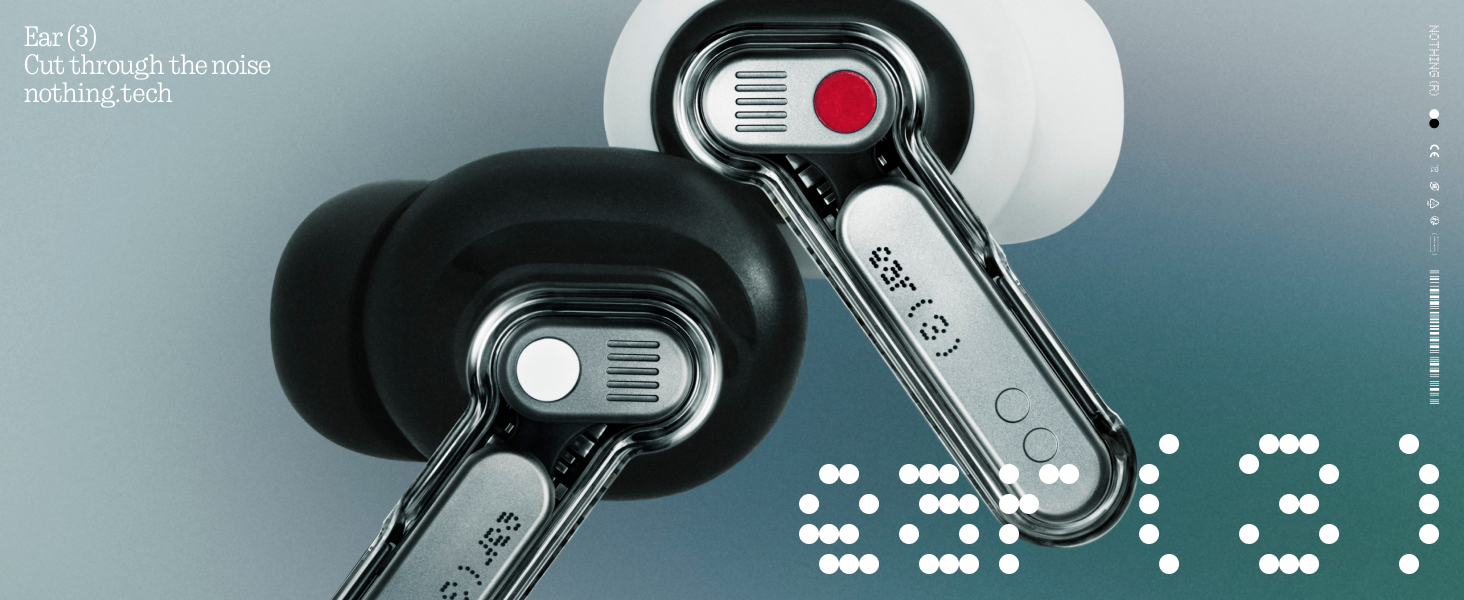
Image: The Super Mic feature in use for clear communication.
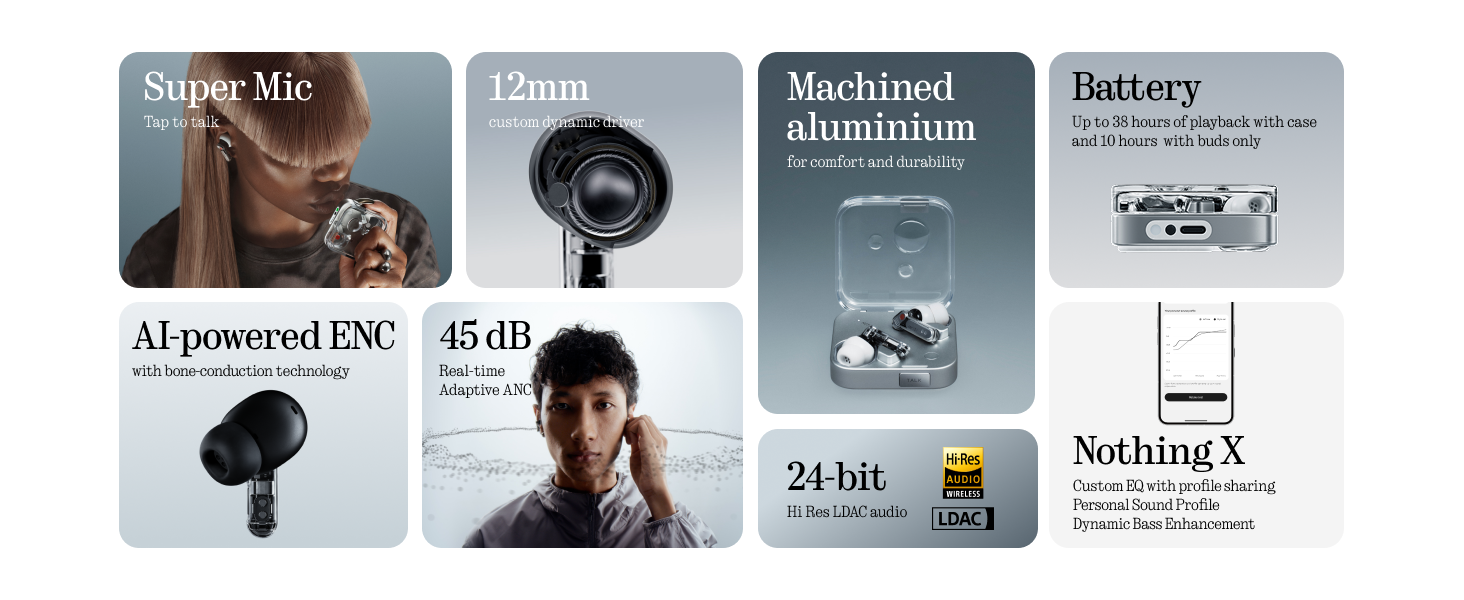
Image: The 'TALK' button on the charging case for Super Mic activation.
4.4 የቦታ ኦዲዮ
Experience immersive sound with Spatial Audio. This feature can be toggled between 'Fixed' and 'Off' modes within the Nothing X app.
4.5 Low Lag Mode (Gaming)
Activate Low Lag Mode via the Nothing X app for optimized audio synchronization during gaming sessions on compatible devices.
4.6 ድርብ ግንኙነት
The earbuds support Bluetooth 5.4 with Dual Connect, allowing seamless switching between two paired devices (e.g., phone and laptop).
5. ባትሪ መሙላት እና ባትሪ
The Nothing Ear (3) provides up to 10 hours of continuous playback, with a total of 38 hours using the charging case. A quick 10-minute charge can provide an additional 10 hours of use.
- ባለገመድ መሙላት; Use the provided USB-C to USB-C cable to charge the case.
- ገመድ አልባ ባትሪ መሙላት; የኃይል መሙያ መያዣው ገመድ አልባ ባትሪ መሙላትን ይደግፋል።

Image: Battery life and charging capabilities of Nothing Ear (3).
6. ጥገና እና እንክብካቤ
- የውሃ መቋቋም; The earbuds have an IP54 rating, making them water resistant and suitable for workouts and light rain. The charging case also has an IP54 rating.
- ማጽዳት፡ Regularly clean the earbuds and charging case with a soft, dry cloth. Ensure no moisture enters the charging ports or speaker grilles.
- ጆሮዎች፡- Remove and clean eartips periodically. Replace them if they show signs of wear or damage.
7. መላ መፈለግ
- ድምጽ የለም፡ የጆሮ ማዳመጫዎች ቻርጅ መደረጉን፣ በአግባቡ መገናኘታቸውን እና በጆሮ ማዳመጫዎቹም ሆነ በመሳሪያዎ ላይ ያለው ድምጽ መጨመሩን ያረጋግጡ።
- የማጣመሪያ ጉዳዮች፡- Place earbuds back in the case, close the lid, then open it again to re-enter pairing mode. Forget the device on your phone's Bluetooth settings and try pairing again.
- ኤኤንሲ አይሰራም፡ Check ANC settings in the Nothing X app. Ensure eartips provide a good seal.
- ደካማ የጥሪ ጥራት፡ Ensure Super Mic is activated correctly in noisy environments. Check earbud microphone grilles for obstructions.
- የመተግበሪያ ጉዳዮች፡- Ensure the Nothing X app is updated to the latest version. Restart the app or your device if problems persist.
8. ዝርዝሮች
| የሞዴል ስም | Nothing Ear (3) |
| የንጥል ሞዴል ቁጥር | ብ173 |
| የድምጽ መቆጣጠሪያ | ድቅል ገባሪ ድምጽ ስረዛ (እስከ 45 ዲባቢቢ) |
| የግንኙነት ቴክኖሎጂ | ብሉቱዝ 5.4, ገመድ አልባ |
| የድምጽ ነጂ መጠን | 12 ሚሊሜትር ዳይናሚክ ድራይቨር |
| የውሃ መቋቋም ደረጃ | IP54 (Earbuds & Case) |
| የባትሪ ህይወት (የጆሮ ማዳመጫዎች) | እስከ 10 ሰዓታት ድረስ |
| ጠቅላላ የባትሪ ህይወት (ከጉዳይ ጋር) | እስከ 38 ሰዓታት ድረስ |
| ፈጣን ባትሪ መሙላት | ለ10 ሰዓታት መልሶ ማጫወት 10 ደቂቃ ክፍያ |
| ገመድ አልባ ባትሪ መሙላት | የሚደገፍ |
| ማይክሮፎኖች | 6 HD Microphones (earbuds), Dual-Microphone System (case for Super Mic) |
| ቁሳቁስ | አሉሚኒየም, ፕላስቲክ |
| የእቃው ክብደት | 71.4 Grams (Case) |
9. ይፋዊ የምርት ቪዲዮ
ቪዲዮ፡ አንድ ባለሥልጣን አብቅቷል።view of the Nothing Ear (3) Wireless Earbuds, highlighting key features like 45dB Hybrid ANC.
10. ዋስትና እና ድጋፍ
For warranty information and customer support, please refer to the 'Safety and Warranty Information' document included in your product packaging or visit the official Nothing webጣቢያ.


