መግቢያ
This manual provides essential instructions for the setup, operation, and maintenance of your SANZUCO 60D Wireless Intercom System. Please read this manual thoroughly before using the product to ensure safe and efficient operation.
ምርት አልቋልview
The SANZUCO 60D Wireless Intercom System offers hands-free, full-duplex two-way communication with a range of up to 1400 feet. It supports up to 18 local numbers across two independent group channels (A/B) and features auto-answer, mute mode, and group call functionality.

Figure 1: SANZUCO 60D Wireless Intercom Unit. This image shows the main intercom unit with its keypad, display, and volume controls.
የጥቅል ይዘቶች
ሁሉም እቃዎች በጥቅልዎ ውስጥ መኖራቸውን ያረጋግጡ፡-
- Full Duplex Intercom User Manual x 1
- Hands Free Intercom (black) x 3
- Home Intercom Charging Cables x 3 (USB Type C)
- Intercoms for home Chargers x 3
Video 1: SANZUCO Intercom Unboxing Video. This video demonstrates the unboxing process and shows all included components of the SANZUCO 60D intercom system.
ማዋቀር
1. የመጀመሪያ ኃይል-አፕ
The intercom units are pre-paired and ready for use out of the box. Simply plug each unit into a power outlet using the provided USB Type-C charging cable and charger.

Figure 2: SANZUCO 60D Intercom with dimensions. This image highlights the physical dimensions of the intercom unit and its main functions.
2. Channel and Local Number Configuration
Each intercom unit operates on a specific group channel (A or B) and has a unique local number (1-9, 11-19). For group calls, all units must be set to the same group. Each intercom within a group must have a different local number to function correctly.
Video 2: How to Modify Intercom Channels. This video provides a step-by-step guide on how to change the group channel (A/B) and local number (1-9, 11-19) for your intercom units.
To change the group channel or local number, refer to the video above or the detailed instructions in the included user manual.
3. የአቀማመጥ መመሪያዎች
Place intercom units at least 8 feet apart to prevent audio feedback (screeching) during calls. Ensure units are within the 1400-foot range for optimal performance.

Figure 3: Optimal placement of intercom units. This image illustrates the recommended minimum distance between two intercom units to avoid audio interference.
የአሠራር መመሪያዎች
1. Making a One-to-One Call
To call a specific intercom unit:
- Enter the local number of the desired recipient unit using the keypad.
- የሚለውን ይጫኑ አረንጓዴ ጥሪ አዝራር።
The recipient unit will ring. If the auto-answer feature is enabled, the call will connect automatically after two rings. Otherwise, the recipient must press the አረንጓዴ ጥሪ ለመመለስ አዝራር.
Video 3: How to Use Hands-Free Intercom. This video demonstrates how to initiate a one-to-one call and utilize the hands-free auto-answer feature.
2. Making a Group Call
To broadcast a message to all intercom units in the same group:
- ተጭነው ይያዙት። ቡድን በሚናገርበት ጊዜ አዝራር።
All units in the same group will hear your broadcast. Release the ቡድን button to end the broadcast.
Video 4: Pick Your Intercom Calling Mode. This video demonstrates how to use the group call function to broadcast messages to multiple units.
3. Auto-Answer Function
The auto-answer feature allows the recipient unit to automatically answer an incoming call after two rings, without needing to press any button. This feature is disabled by default.
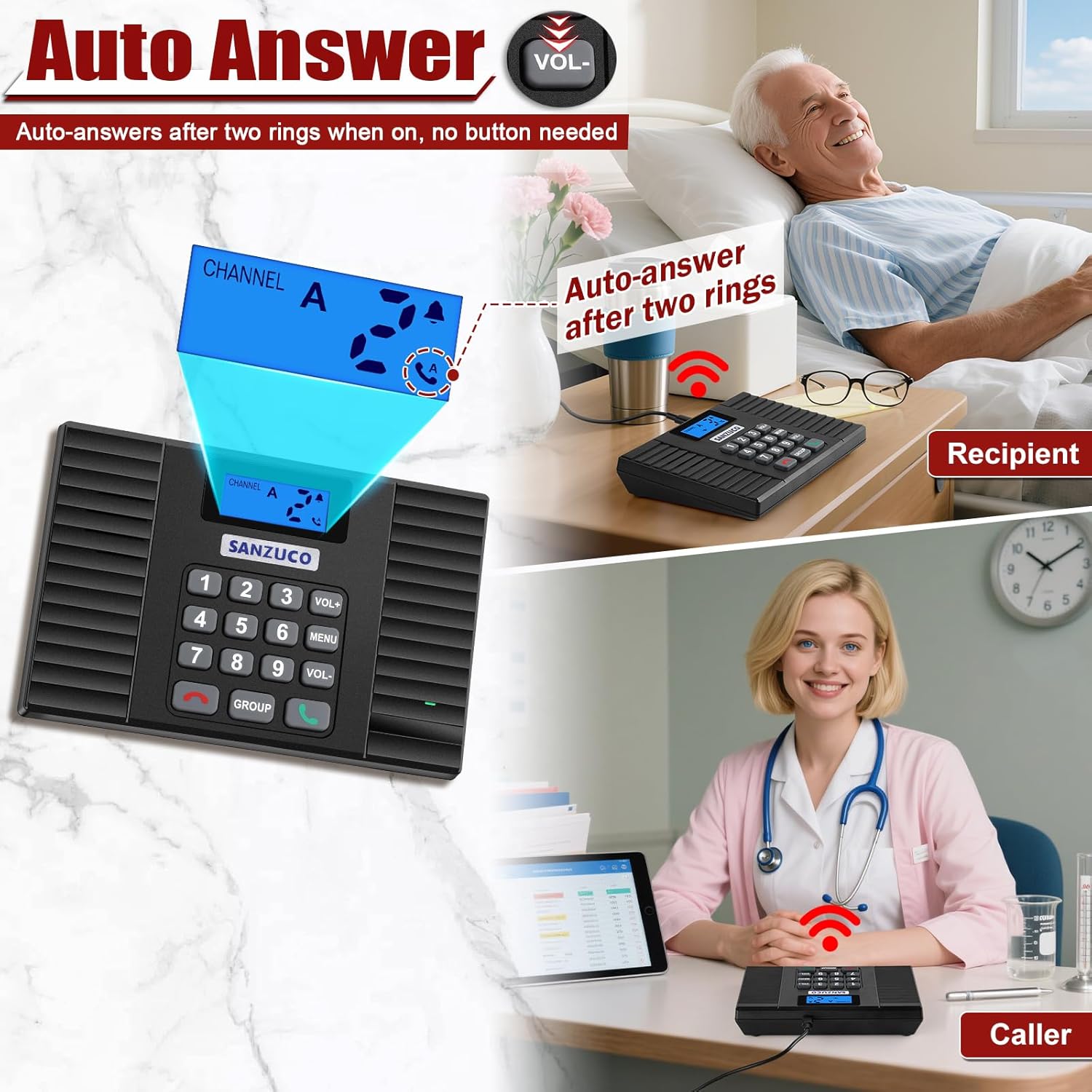
Figure 4: Auto-Answer feature in action. This image shows the intercom unit automatically answering a call, indicated by the display.
To enable or disable auto-answer, refer to the detailed instructions in the included user manual.
4. ድምጸ -ከል ተግባር
When the mute function is activated, the unit will not produce a ringtone for incoming calls. This feature is useful for quiet environments and is disabled by default.
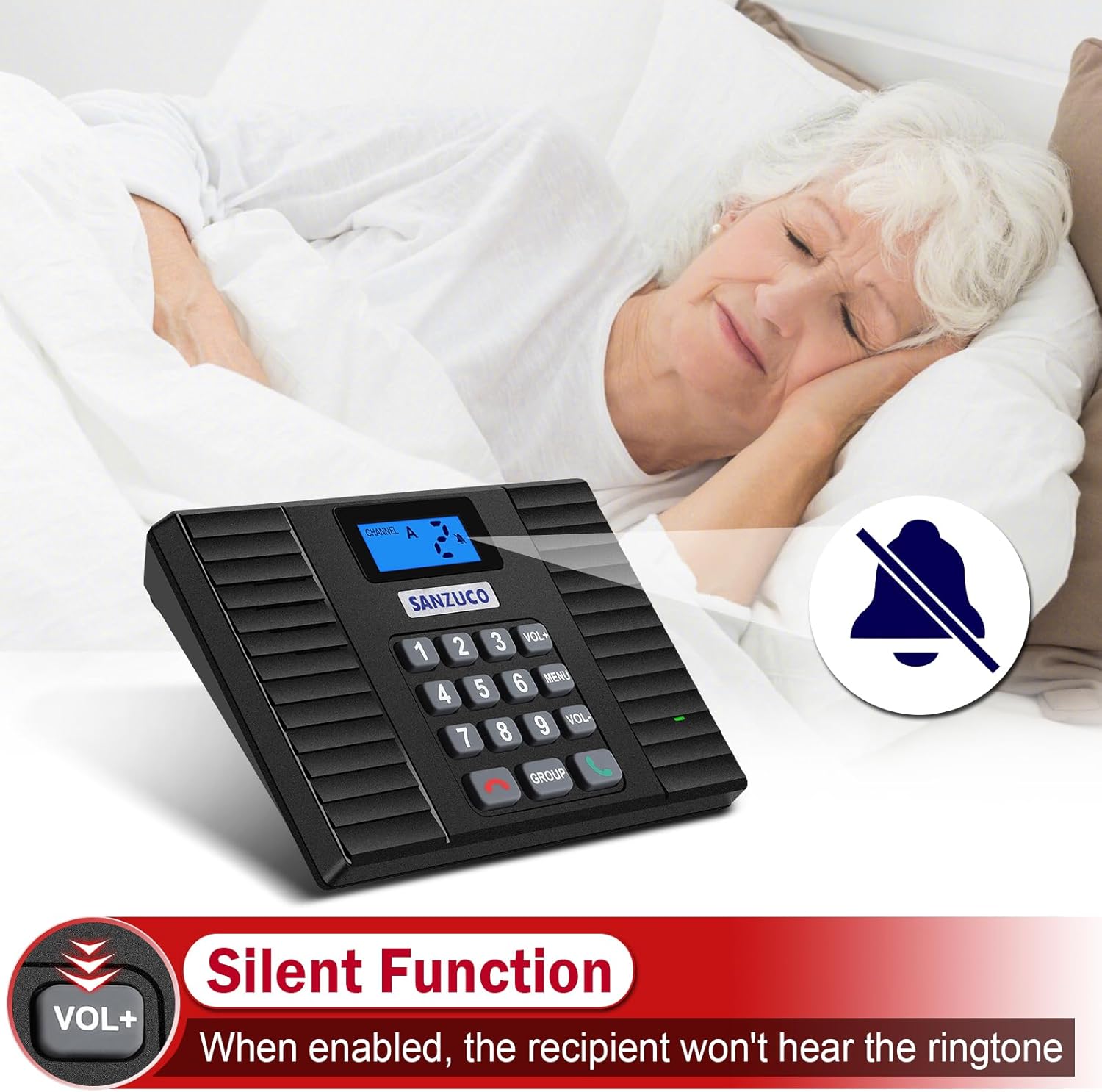
Figure 5: Silent Function indicator on the intercom. This image shows the display indicating that the silent function is active, meaning no ringtone will sound for incoming calls.
To enable or disable the mute function, refer to the detailed instructions in the included user manual.
5. Replay Function
The replay function allows you to quickly redial the last number called. Simply press the አረንጓዴ ጥሪ button without entering a number, and the unit will automatically call the last dialed intercom.
Video 5: How to Use Hands-Free Intercom (Preview). This short video demonstrates the replay function, allowing users to quickly redial the last contact.
6. የድምጽ መጠን ማስተካከል
የሚለውን ተጠቀም ቮል+ እና ድምጽ- buttons on the keypad to adjust the speaker volume during a call or when idle.
ጥገና
- Keep the intercom units clean by wiping them with a soft, dry cloth.
- Avoid exposing units to excessive moisture or extreme temperatures.
- Ensure power cables are not damaged and are securely connected.
መላ መፈለግ
| ችግር | ሊሆን የሚችል ምክንያት | መፍትሄ |
|---|---|---|
| No communication between units. | Units are on different group channels or have duplicate local numbers. | Ensure all units are on the same group channel (A or B) and each has a unique local number. Refer to the "Channel and Local Number Configuration" section. |
| Audio feedback (screeching) during calls. | Units are too close to each other. | Increase the distance between units to at least 8 feet. Adjust volume levels. |
| Unit not ringing for incoming calls. | Mute function is enabled. | Disable the mute function. Refer to the "Mute Function" section. |
| ደካማ የድምፅ ጥራት ወይም የማይንቀሳቀስ። | Interference or units are out of range. | Relocate units to minimize interference. Ensure units are within the 1400-foot range. Adjust volume. |
| Auto-answer not working. | Auto-answer function is disabled. | Enable the auto-answer function. Refer to the "Auto-Answer Function" section. |
ዝርዝሮች
- የምርት ስም፡ ሳንዙኮ
- ሞዴል፡ ZNN 3BK-60D (60D)
- ቀለም፡ ጥቁር
- የኃይል ምንጭ፡- ባለገመድ ኤሌክትሪክ
- የግንኙነት ቴክኖሎጂ; ገመድ አልባ
- ከፍተኛው ክልል፡ 1400 ጫማ
- ቻናሎች፡ 18 (9 per Group A/B)
- የመቆጣጠሪያ ዘዴ፡- የቁልፍ ሰሌዳን ይንኩ።
- የንጥል መጠኖች (L x W x H)፦ 7.3 x 7.9 x 5.1 ኢንች
- የእቃው ክብደት፡ 2.29 ፓውንድ
- የማገናኛ አይነት፡ የዩኤስቢ ዓይነት C
- የሚያስፈልጉ ባትሪዎች፡- አይ
ዋስትና እና ድጋፍ
Sanzuco offers a 1-year warranty on this product. For any issues, questions, or support needs, please contact SANZUCO customer service. You can typically find contact information on the product packaging or the official SANZUCO webጣቢያ.
If you purchased through Amazon, you can also reach out to the seller "ZNN- SANZUCO" via the Amazon platform for assistance.

Figure 6: Steps to contact SANZUCO customer support via Amazon. This image provides a visual guide on how to find and contact the seller for support.


