1. መግቢያ እና በላይview
The Belkin USB-C Car Charger 75W (Model CCC001) is designed to provide efficient and versatile charging for multiple devices in your vehicle. Featuring a built-in 30-inch (75cm) retractable USB-C cable, along with additional USB-C and USB-A ports, this charger delivers a maximum output of 75W. It supports fast charging for a wide range of devices, including smartphones, tablets, and laptops, ensuring your devices are powered up quickly and conveniently on the go.
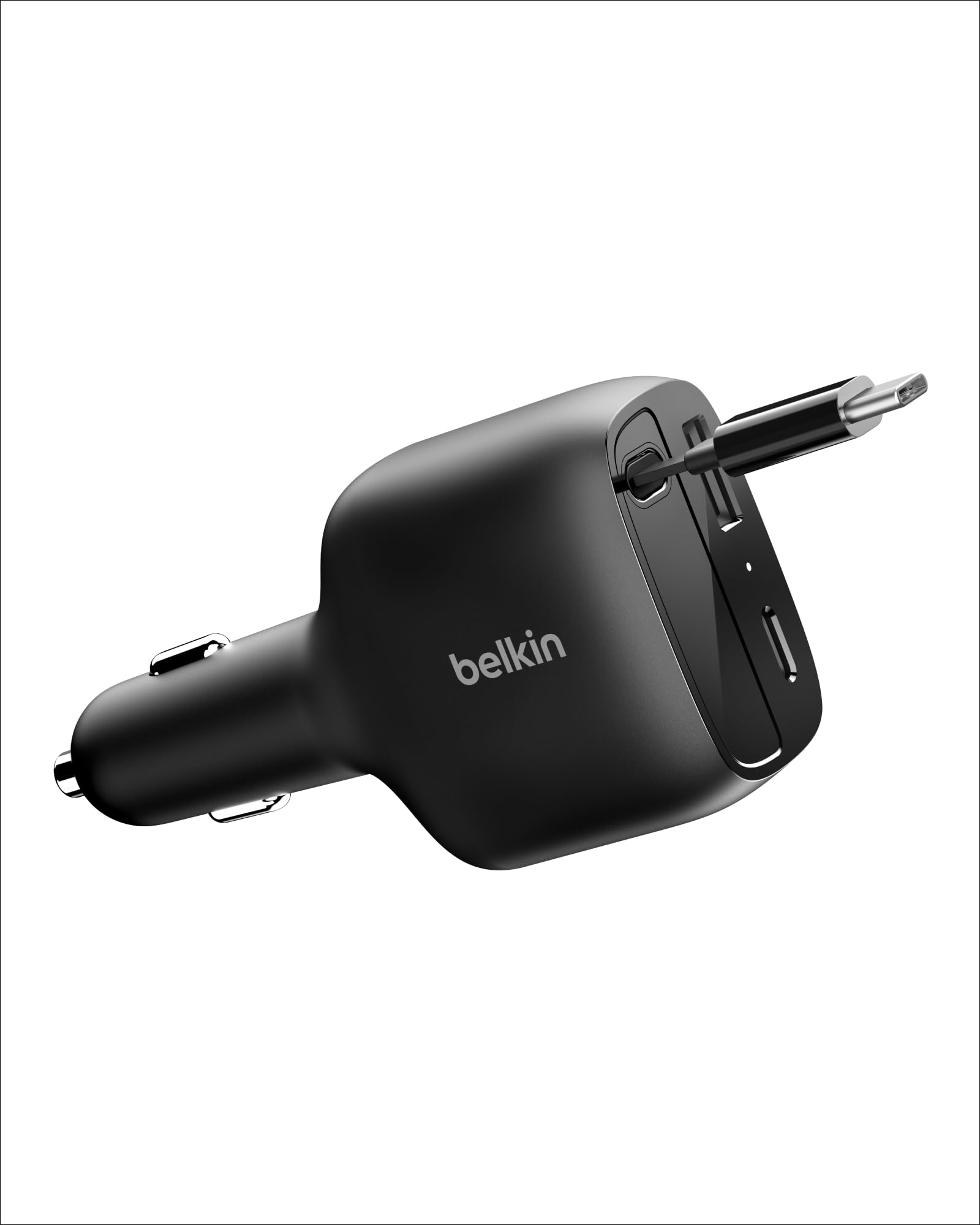
Image 1.1: The Belkin USB-C Car Charger 75W, showcasing its compact design and integrated retractable cable.
2. የምርት ባህሪዎች
- ሊመለስ የሚችል የዩኤስቢ-ሲ ገመድ፡ A convenient, built-in 30-inch (75cm) tangle-free USB-C cable for organized charging.
- ፈጣን የኃይል መሙያ ቴክኖሎጂ; Rapidly charges compatible devices. For example, an iPhone 16 Pro can charge from 0-50% in approximately 27 minutes, and a Galaxy S25 in approximately 31 minutes.
- በተመሳሳይ ጊዜ መሙላት; Features a 75W max output (60W from retractable cable), one additional USB-C port, and one USB-A port, allowing up to three devices to charge concurrently.
- ሁለንተናዊ ተኳኋኝነት Supports fast charging for all Power Delivery (PD)-enabled devices, including laptops, tablets, smartphones, smartwatches, earbuds, and power banks.
- ቄንጠኛ፣ ውሱን ዲዛይን፦ ዝቅተኛ-ፕሮfile form factor integrates seamlessly into your car's interior, keeping cables organized and accessible.
- Belkin SmartProtect: ኦቨርቮልን ያካትታልtage protection and rigorous safety testing for dependable performance and dynamic power distribution.
- ዘላቂ ንድፍ; Constructed with a minimum of 90% post-consumer recycled plastic (excluding cable) and packaged in 100% plastic-free materials.

Image 2.1: Illustration of the charger's 75W maximum output and fast charging capabilities for various devices.

Image 2.2: Visual representation of the charger's versatile power distribution across its ports for different usage scenarios.
3. ማዋቀር
- Insert into Vehicle Power Outlet: Plug the Belkin USB-C Car Charger firmly into your vehicle's 12V power outlet (cigarette lighter socket). Ensure it is securely seated.
- የኃይል አመልካች፡- The charging status indicator light on the charger will illuminate to confirm it is receiving power.
Video 3.1: An official video from Belkin Inc. demonstrating the insertion of the BoostCharge USB-C Retractable Car Charger into a vehicle's power outlet and its use.
4. የአሠራር መመሪያዎች
4.1 ሊመለስ የሚችል የዩኤስቢ-ሲ ገመድ መጠቀም
- Extend Cable: Gently pull the USB-C connector end of the retractable cable to extend it to the desired length (up to 30 inches / 75 cm).
- መሣሪያን ያገናኙ; Plug the USB-C connector into your compatible device.
- የማፈግፈግ ገመድ፡ When finished charging, gently pull the cable again until it clicks, then release it to allow it to retract back into the charger housing. This mechanism helps prevent tangles and keeps your car interior tidy.
4.2 Using Additional Ports
- Connect USB-C Device: Plug a compatible USB-C charging cable (not included) into the additional USB-C port on the charger, then connect it to your device.
- Connect USB-A Device: Plug a compatible USB-A charging cable (not included) into the USB-A port on the charger, then connect it to your device.
The charger intelligently distributes power to connected devices, optimizing charging speed up to its 75W maximum output.

Image 4.1: Demonstrating the convenient pull-to-extend and pull-to-retract mechanism of the integrated USB-C cable.

Image 4.2: The car charger actively charging an iPhone, AirPods, and a tablet concurrently, highlighting its multi-device capability.

Image 4.3: A visual comparison illustrating how the retractable cable contributes to a clutter-free and organized car environment.
5. ተኳሃኝነት
The Belkin USB-C Car Charger offers universal compatibility with a wide range of devices that support USB-C and USB-A charging standards, especially those utilizing Power Delivery (PD) technology.
- ተስማሚ የስልክ ሞዴሎች Supports Apple (iPhone 15 series and later), Samsung (Galaxy S25 series), Google Pixel phones, and many other USB-C powered smartphones.
- ተስማሚ መሣሪያዎች Includes laptops (e.g., MacBook, Chromebook), tablets (e.g., iPad Air 13), smartwatches, earbuds (e.g., AirPods), power banks, and other USB-C accessories.

ምስል 5.1፡ አጠቃላይ አጠቃላይview of devices compatible with the Belkin USB-C Car Charger, including various smartphones, tablets, and laptops.
6. የደህንነት መረጃ
The Belkin USB-C Car Charger is equipped with Belkin SmartProtect technology to ensure the safety of your devices and the charger itself. This includes:
- ከመጠን በላይ መጨናነቅtagሠ ጥበቃ፡ ከመጠን በላይ ውፍረት ከሚያስከትለው ጉዳት ይከላከላልtage.
- የሙቀት መከላከያ; ከመጠን በላይ ሙቀትን ለመከላከል የሙቀት መጠኑን ይቆጣጠራል እና ይቆጣጠራል።
- Rigorous Safety Testing: Undergoes extensive testing to meet safety standards.
- Dynamic Power Distribution: Maximizes charging efficiency while safeguarding connected equipment.
Always ensure the charger is properly connected to your vehicle's power outlet and that cables are securely attached to devices.

ምስል 6.1: ውስጣዊ view of the charger highlighting the Belkin SmartProtect features for device safety.
7. ዝርዝሮች
| የሞዴል ቁጥር | ሲሲሲ001 |
| የምርት ልኬቶች | 3.86 x 1.95 x 1.14 ኢንች (98 x 49.5 x 29 ሚሜ) |
| የእቃው ክብደት | 3.52 አውንስ |
| ግብዓት Voltage | 12 - 24 ቪ ዲ.ሲ |
| ጠቅላላ ዋትtagሠ ውፅዓት | 75W ማክስ |
| Retractable USB-C Cable Output | 60W Max (5V/3A, 9V/3A, 12V/3A, 15V/3A, 20V/3A) PPS 5-16V/3A |
| Additional USB-C Port Output | 30W Max (5V/3A, 9V/3A, 15V/2A) PPS 5-11V/3A |
| የዩኤስቢ-ኤ ወደብ ውፅዓት | 12W Max (5V/2.4A) |
| የተዋሃደ የኬብል ርዝመት | 30 ኢንች (75 ሴሜ) |
| ልዩ ባህሪያት | Charging Status Indicator, Fast Charging, Retractable Cable, Travel-friendly |
| በሣጥኑ ውስጥ ያለው | 1 x Belkin USB-C Car Charger 75W w/ 30in Retractable USB-C Cable |
8. መላ መፈለግ
- ኃይል/ኃይል መሙላት የለም፦
- Ensure the car charger is fully inserted into the vehicle's 12V power outlet.
- Check if your vehicle's power outlet is active (some vehicles require the ignition to be on).
- የኃይል መሙያ ገመዱ ከቻርጀሩም ሆነ ከመሳሪያዎ ጋር ደህንነቱ በተጠበቀ ሁኔታ መገናኘቱን ያረጋግጡ።
- የመሳሪያ/ኬብል ችግሮችን ለማስወገድ በተለየ መሳሪያ ወይም ገመድ ይሞክሩ።
- ቀስ ብሎ መሙላት፡
- መሳሪያዎ ፈጣን ባትሪ መሙላትን እንደሚደግፍ እና ተኳሃኝ የሆነ ገመድ እየተጠቀሙ መሆኑን ያረጋግጡ።
- Charging multiple devices simultaneously may distribute the total wattage, potentially reducing individual device charging speeds.
- Check the power requirements of your device against the charger's output specifications.
- Retractable Cable Not Functioning:
- Gently pull the cable to its full extension and then release it to allow the retraction mechanism to reset.
- Avoid forcing the cable or pulling it at an extreme angle.
9. ዋስትና እና ድጋፍ
The Belkin USB-C Car Charger 75W (Model CCC001) comes with a 2-year warranty. Additionally, Belkin offers a Connected Equipment Warranty (CEW) of up to $2,500. This warranty covers electronic devices damaged by an electrical charge while properly connected to this product.
For detailed warranty information, product support, or to register your product, please visit the official Belkin webጣቢያ፡ belkin.com/cew.


