1. መግቢያ
This manual provides essential information for the setup, operation, and maintenance of your MSI MPG Infinite X3 AI 2NVR7-091JP AI Gaming Desktop PC. Please read this manual thoroughly before using the product to ensure proper and safe operation. Keep this manual for future reference.
The MSI MPG Infinite X3 AI 2NVR7-091JP is a high-performance AI gaming desktop PC equipped with an Intel® Core™ Ultra 7 265K processor and NVIDIA® GeForce RTX™ 5070 Ti graphics. It is designed to deliver exceptional performance for gaming, AI processing, video editing, and streaming, supporting high-resolution and high-frame-rate visuals with technologies like DLSS 4 and ray tracing. It also features high-speed connectivity with 5Gbps LAN and Wi-Fi 6E, and a visually appealing design with RGB lighting and a glass side panel.
2. የደህንነት መረጃ
- Always disconnect the power cord from the electrical outlet before cleaning or performing any maintenance.
- Do not expose the device to rain or moisture to prevent fire or shock hazards.
- Ensure proper ventilation to prevent overheating. Do not block any ventilation openings.
- Use only the power adapter and cables provided or recommended by MSI.
- መሳሪያውን ባልተረጋጉ ቦታዎች ላይ ከማስቀመጥ ይቆጠቡ።
- ምርቱን እራስዎ ለማቅረብ አይሞክሩ. ሁሉንም አገልግሎቶች ብቁ ለሆኑ የአገልግሎት ሰራተኞች ያመልክቱ።
3. የጥቅል ይዘቶች
Verify that all items listed below are included in your product package. If any item is missing or damaged, contact your retailer.
- MSI MPG Infinite X3 AI 2NVR7-091JP Desktop PC
- የኃይል ገመድ x1
- Wi-Fi አንቴና x2
- ፈጣን ጅምር መመሪያ x1

Image: Included Accessories. This image shows one power cable, two Wi-Fi antennas, and a Quick Start Guide.
4. ምርት አብቅቷልview
4.1 ቁልፍ ባህሪያት
- ስርዓተ ክወና፡ ዊንዶውስ 11 ፕሮ
- ፕሮሰሰር፡ Intel Core Ultra 7 265K (20 Cores, 20 Threads)
- ግራፊክስ፡ NVIDIA GeForce RTX 5070 Ti with 16GB GDDR7 VRAM
- ማህደረ ትውስታ፡ 32GB DDR5 RAM (16GB x2)
- ማከማቻ፡ 1 ቴባ ኤም.2 ኤንቪኤምኤስዲ
- አውታረ መረብ፡ 5Gbps LAN, Wi-Fi 6E, Bluetooth
- AI ሞተር፡ Performance optimization utilizing AI for gaming and entertainment modes.
- መብራት፡ Mystic Light compatible RGB lighting.

Image: MSI MPG Infinite X3 AI Gaming Desktop PC. This image shows the desktop PC with RGB lighting, connected to a monitor displaying a game, illustrating high-resolution gaming capabilities.

Image: Intel Core Ultra 7 265K Processor. This image highlights the high-performance Intel Core Ultra 7 265K CPU, excellent for gaming and AI processing.

Image: NVIDIA GeForce RTX 5070 Ti Graphics Card. This image showcases the NVIDIA GeForce RTX 5070 Ti, recommended for WQHD to 4K gaming and AI applications.

Image: DDR5 Memory and M.2 NVMe SSD. This image illustrates the large capacity 32GB DDR5 memory and ultra-fast 1TB M.2 NVMe SSD for superior performance.
4.2 የግቤት / የውጤት ወደቦች
The desktop PC features various ports for connectivity. Refer to the diagrams below for port locations and types.
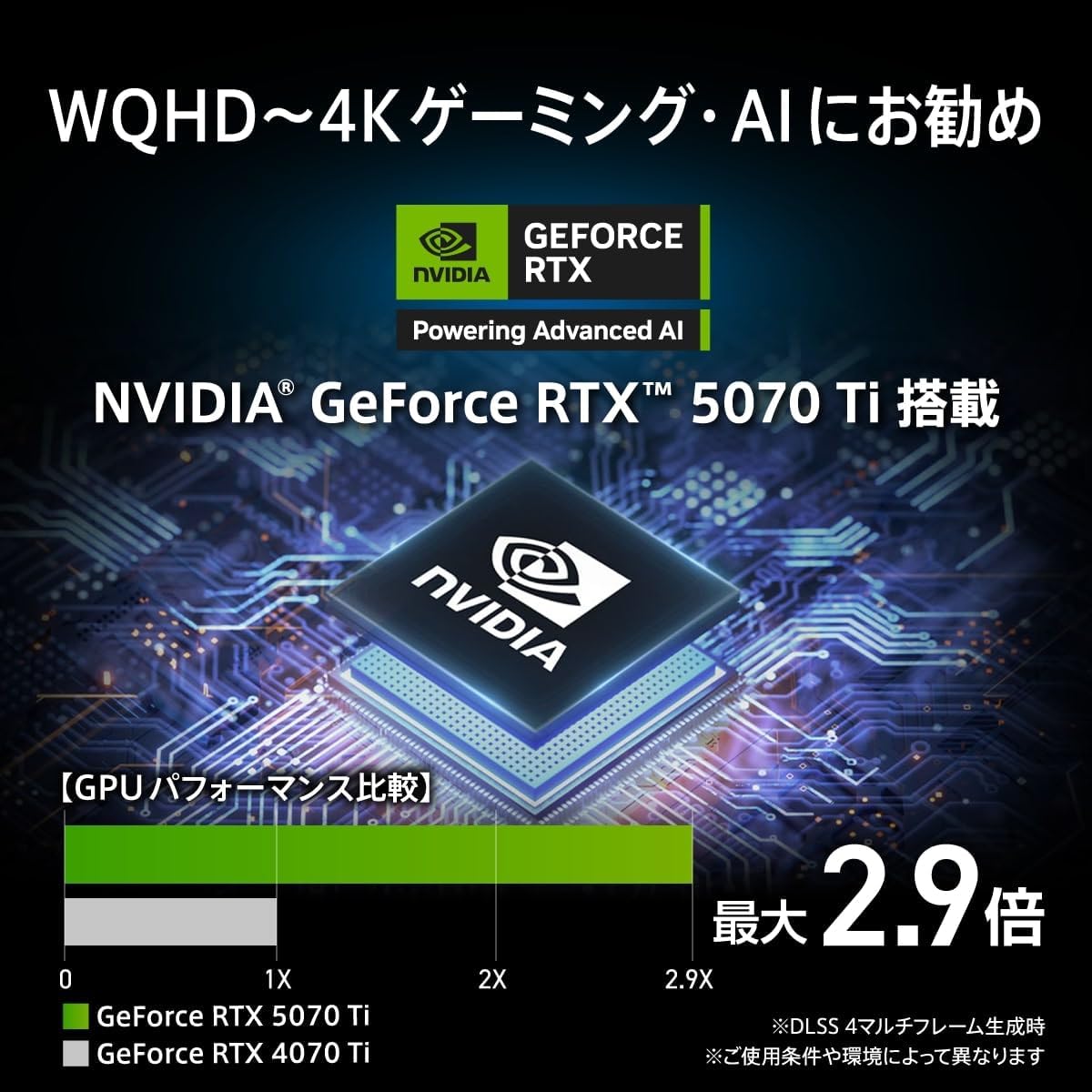
Image: Video Output Terminals. This image displays the rear video output ports, including one HDMI 2.1b port and three DisplayPort 2.1b ports.

Image: Front and Rear Input/Output Terminals. This image details the front ports (USB 3.2 Gen2 Type-C x1, USB 3.2 Gen1 Type-A x1, Headphone/Microphone) and rear ports (USB 2.0 Type-A x2, PS/2, USB 3.2 Gen1 Type-A x2, USB 2.0 Type-A x2, USB 3.2 Gen2 Type-C x1, USB 3.2 Gen2 Type-A x1, Wired LAN, Wi-Fi Antenna connectors, Audio jacks).
4.3 ልኬቶች
The physical dimensions of the desktop PC are as follows:
- ስፋት፡ 235.1 ሚ.ሜ
- ጥልቀት፡- 481.3 ሚ.ሜ
- ቁመት፡- 485 ሚ.ሜ

Image: Product Body Size Diagram. This diagram illustrates the width, depth, and height of the desktop PC.
5. ማዋቀር
5.1 ማሸግ እና አቀማመጥ
- የዴስክቶፕ ፒሲውን እና ሁሉንም መለዋወጫዎች ከማሸጊያው በጥንቃቄ ያስወግዱ።
- Place the PC on a stable, flat surface with adequate ventilation around it. Avoid placing it near heat sources or in direct sunlight.
5.2 ማገናኛ ፔሪፈራል
- ተቆጣጠር፥ Connect your monitor(s) to the graphics card's HDMI or DisplayPort outputs using appropriate cables.
- የቁልፍ ሰሌዳ እና መዳፊት; የቁልፍ ሰሌዳዎን እና መዳፊትዎን ከሚገኙት የዩኤስቢ ወደቦች ጋር ያገናኙ።
- የድምጽ መሳሪያዎች፡- ድምጽ ማጉያዎችን ወይም የጆሮ ማዳመጫዎችን ከድምጽ ውፅዓት መሰኪያዎች ጋር ያገናኙ።
- ዋይ ፋይ አንቴናዎች፡ Screw the two included Wi-Fi antennas onto the corresponding connectors at the rear of the PC.
- አውታረ መረብ (አማራጭ) For a wired connection, connect an Ethernet cable from your router or modem to the LAN port on the PC.
5.3 የኃይል ግንኙነት
- Connect the power cable to the power input on the rear of the PC.
- የኃይል ገመዱን ሌላኛውን ጫፍ ወደ ኤሌክትሪክ መሰኪያ ይሰኩት።
6. የአሠራር መመሪያዎች
6.1 የመጀመሪያ ጅምር
- በፒሲው ፊት ላይ የሚገኘውን የኃይል ቁልፍ ይጫኑ።
- የዊንዶውስ 11 ፕሮ ማዋቀርን ለማጠናቀቅ የማያ ገጽ ላይ መመሪያዎችን ይከተሉ።
6.2 MSI AI Engine
The MSI AI Engine optimizes performance based on your running applications. It automatically recognizes launched applications and adjusts the operating mode, cooling fan speed, and LED lighting effects.
- የጨዋታ ሁኔታ When games are detected, the system switches to a performance-oriented mode, optimizing cooling fan speed and LED lighting for an enhanced gaming experience.
- የመዝናኛ ሁኔታ For applications like music streaming, the system prioritizes quiet operation, reducing fan speed and disabling LED lighting effects.
You can register specific applications to assign custom operating modes. MSI Center 2.0.3.1 or later is required for full functionality.

Image: MSI AI Engine Performance Optimization. This image explains how the MSI AI Engine automatically recognizes applications and optimizes performance, fan speed, and LED lighting for Gaming and Entertainment modes.
6.3 Mystic Light
The PC supports MSI Mystic Light for customizable RGB lighting effects. You can personalize the lighting to match your preferences or synchronize it with other Mystic Light compatible devices.
Settings for Mystic Light functionality may require the pre-installed MSI Center software.

Image: Mystic Light Compatible RGB Lighting. This image shows the desktop PC with vibrant RGB lighting, indicating Mystic Light compatibility.
7. ጥገና
- ማጽዳት፡ የፒሲውን ውጫዊ ክፍል ለማጽዳት ለስላሳ እና ደረቅ ጨርቅ ይጠቀሙ። በአየር ማስገቢያዎች ውስጥ አቧራ እንዲከማች የተጨመቀ አየር ይጠቀሙ። ፈሳሽ ማጽጃዎችን በቀጥታ በፒሲው ላይ አይጠቀሙ።
- የሶፍትዌር ማሻሻያ Regularly update your operating system, drivers, and MSI software (e.g., MSI Center) to ensure optimal performance and security.
- የአየር ማናፈሻ; Ensure that the PC's ventilation openings are not obstructed to maintain proper airflow and prevent overheating.
8. መላ መፈለግ
If you encounter issues with your PC, refer to the following common troubleshooting steps:
- ኃይል የለም፡ Ensure the power cable is securely connected to both the PC and the electrical outlet. Verify the outlet is functional.
- ማሳያ የለም፡ Check that the monitor is properly connected to the graphics card and powered on. Try a different video cable or monitor if possible.
- የበይነመረብ ግንኙነት የለም፡ For wired connections, check the Ethernet cable. For Wi-Fi, ensure antennas are attached, Wi-Fi is enabled in Windows, and you are connected to the correct network. Restart your router/modem.
- የስርዓት መቀነሻ Check for background applications consuming resources. Ensure drivers and OS are up to date. Consider running a malware scan.
- ያልተለመዱ ድምፆች; If you hear unusual fan noises, ensure vents are clear of obstructions. If the noise persists, contact support.
For more complex issues, consult the MSI support webጣቢያ ወይም የደንበኛ አገልግሎትን ያነጋግሩ።
9. ዝርዝሮች
| ባህሪ | ዝርዝር መግለጫ |
|---|---|
| የምርት ስም | MSI |
| የሞዴል ስም | MPG Infinite X3 AI 2NVR7-091JP |
| ስርዓተ ክወና | ዊንዶውስ 11 ፕሮ |
| ሲፒዩ ብራንድ | ኢንቴል |
| የሲፒዩ አይነት | Intel Core Ultra 7 265K |
| የሲፒዩ ፍጥነት | 3.9 ጊኸ |
| ፕሮሰሰር ሶኬት | FCLGA1851 |
| የተጫነው RAM ማህደረ ትውስታ መጠን | 32 GB (16GB x2) |
| የማህደረ ትውስታ አይነት | DDR5 |
| ከፍተኛ የማህደረ ትውስታ አቅም | 128 ጊባ |
| የማከማቻ አቅም | 1 ቲቢ |
| የሃርድ ዲስክ አይነት | ኤስኤስዲ |
| የማከማቻ በይነገጽ | Solid State (M.2 NVMe) |
| ግራፊክስ ኮፕሮሰሰር | NVIDIA® GeForce RTX™ 5070 Ti |
| GPU Brand | NVIDIA |
| ግራፊክስ ካርድ ዓይነት | የተሰጠ |
| VRAM Type | GDDR7 |
| VRAM Capacity | 16 ጊባ |
| ግራፊክስ ካርድ በይነገጽ | PCI ኤክስፕረስ |
| የግንኙነት ቅርጸት | ብሉቱዝ ፣ Wi-Fi |
| የገመድ አልባ አይነት | 802.11a/b/g/n/ac, 802.11ax (Wi-Fi 6E), Bluetooth |
| የዩኤስቢ 2.0 ወደቦች ብዛት | 4 |
| የዩኤስቢ 3.0 ወደቦች ብዛት | 6 |
| የኤችዲኤምአይ ወደቦች ብዛት | 1 |
| የኦፕቲካል ድራይቭ ዓይነት | ምንም |
| የምርት ልኬቶች (W x D x H) | 23.51 x 48.13 x 48.5 ሴ.ሜ |
| የእቃው ክብደት | 13.9 ኪ |
| Product Use/Application | Gaming, Video Editing, Photo Editing |
10. ዋስትና እና ድጋፍ
Your MSI MPG Infinite X3 AI 2NVR7-091JP desktop PC comes with a የ 2 ዓመት የአምራች ዋስትና. This long-term warranty ensures peace of mind after your purchase. In the unlikely event of a problem, domestic repair centers will respond quickly to provide support.
Please note that the manufacturer's warranty for this product applies only to products sold and shipped by "Amazon.co.jp" or "MSI JAPAN Official MSI Store".

Image: MSI 2-Year Domestic Warranty. This image highlights the 2-year manufacturer's warranty and comprehensive domestic support system.
For further assistance, technical support, or warranty claims, please visit the official MSI support website or contact your local MSI service center.


