1. መግቢያ
The Baseus Inspire XP1 Adaptive Noise Cancelling Earbuds are designed to provide a high-fidelity audio experience with advanced noise cancellation capabilities. Featuring Sound by Bose technology and Dolby Spatial Audio, these earbuds offer immersive sound and clear communication. This manual provides instructions for setup, operation, and maintenance to ensure optimal performance.
2. የጥቅል ይዘቶች
ሁሉም እቃዎች በጥቅልዎ ውስጥ መኖራቸውን ያረጋግጡ፡-
- Baseus Inspire XP1 Noise Cancelling Wireless Earbuds
- የመሙያ መያዣ
- Eartips (ኤስ/ኤም/ኤል መጠኖች)
- የዩኤስቢ-ሲ ኃይል መሙያ ገመድ
- የተጠቃሚ መመሪያ

Image: Package contents of the Baseus Inspire XP1 earbuds.
3. ምርት አብቅቷልview
The Baseus Inspire XP1 earbuds feature a contoured in-ear fit with umbrella-shaped liquid silicone tips for comfort and noise isolation. They are equipped with a 6-mic sound sensor array for clear calls and touch-sensitive surfaces for control.

Image: Baseus Inspire XP1 Earbuds.
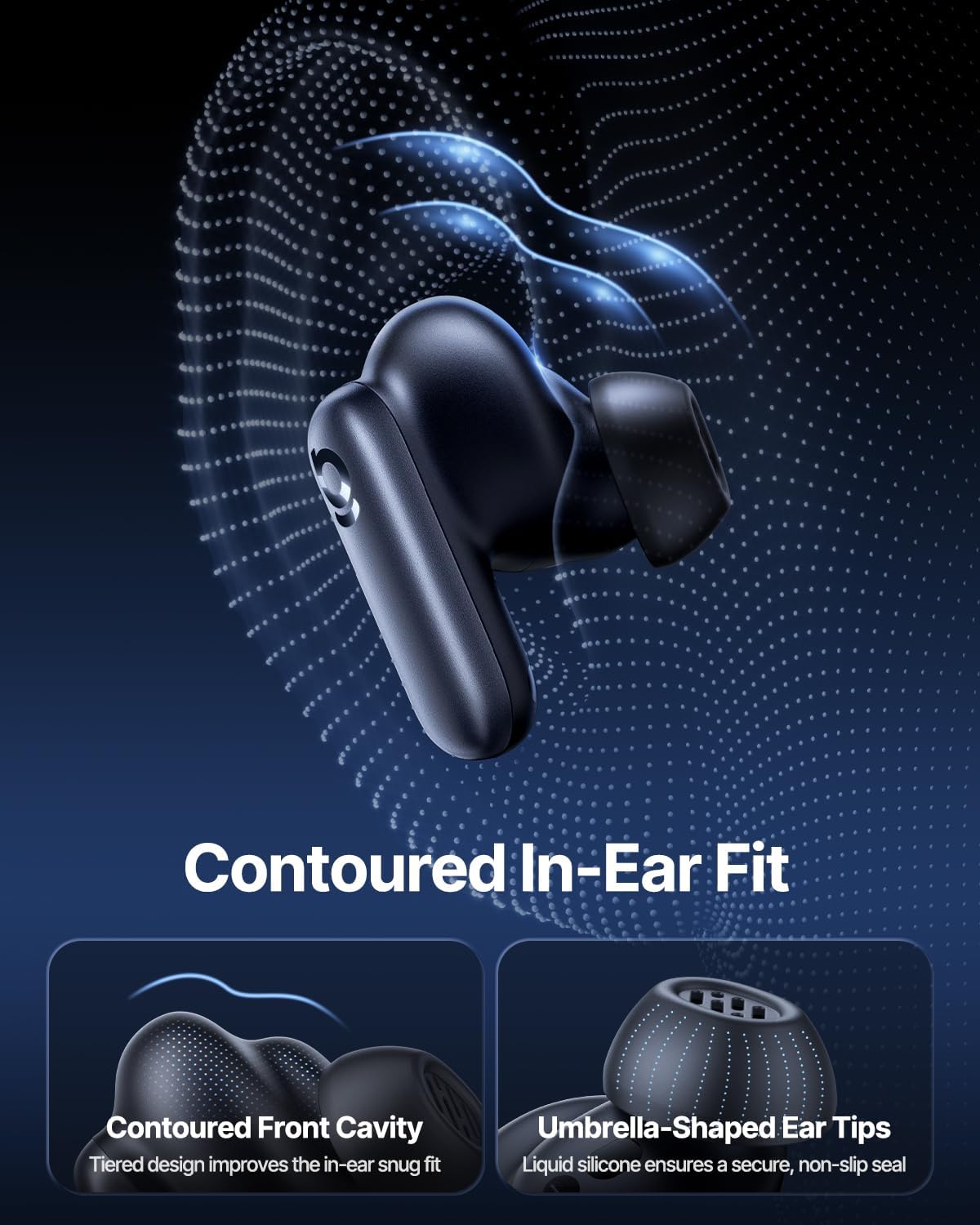
Image: Contoured In-Ear Fit and Umbrella-Shaped Ear Tips.
4. ማዋቀር
4.1 የመጀመሪያ ማጣመር
- የጆሮ ማዳመጫዎችን መሙላት; Place both earbuds into the charging case and close the lid. Connect the USB-C charging cable to the case and a power source. The indicator light on the case will show charging status.
- የማጣመሪያ ሁነታን አግብር፡ የኃይል መሙያ መያዣውን ይክፈቱ። የጆሮ ማዳመጫዎቹ በራስ-ሰር ወደ ማጣመሪያ ሁነታ ይገባሉ፣ በጆሮ ማዳመጫዎች ወይም መያዣው ላይ በሚበራ መብራት ምልክት ይደረግባቸዋል።
- በብሉቱዝ ይገናኙ፡ በመሳሪያዎ ላይ (ስማርትፎን፣ ታብሌት፣ ላፕቶፕ) ወደ የብሉቱዝ ቅንብሮች ይሂዱ እና ብሉቱዝን አንቃ። ፈልግ "Baseus Inspire XP1" in the list of available devices and select it to connect.
- ማረጋገጫ፡- Once connected, a voice prompt will confirm successful pairing, and the indicator light will turn solid or off.
4.2 የቤዝየስ መተግበሪያ ጭነት
For full functionality, including Dolby Audio, custom EQ settings, and adaptive tuning, download the official Baseus App from your device's app store (iOS App Store or Google Play Store). The app allows for personalized control of your listening experience.
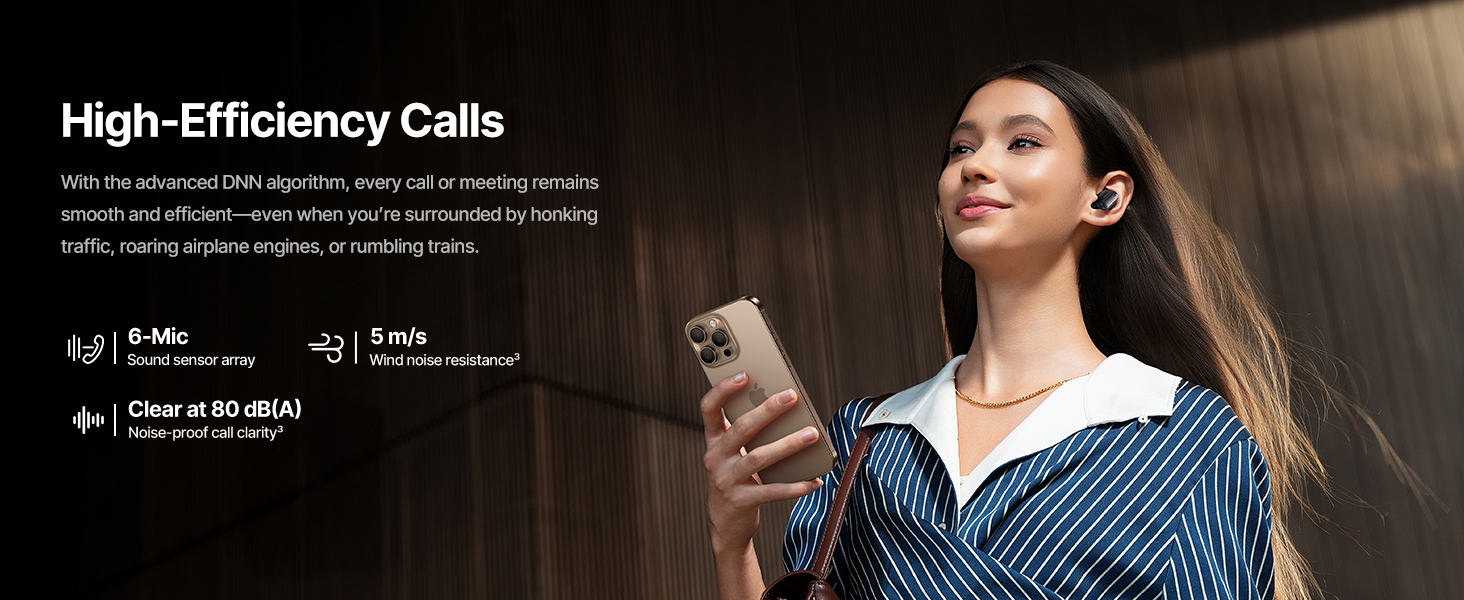
Image: Smart App Control interface.
5. የአሠራር መመሪያዎች
5.1 ማብራት / ማጥፋት
- አብራ፡ የኃይል መሙያ መያዣውን ይክፈቱ እና የጆሮ ማዳመጫው በራስ-ሰር ይበራል እና ከመጨረሻው የተጣመረ መሳሪያ ጋር ለመገናኘት ይሞክራል።
- ኃይል ዝጋ: የጆሮ ማዳመጫውን ወደ ቻርጅ መሙያው ይመልሱ እና ክዳኑን ይዝጉ። እነሱ በራስ-ሰር ያጠፋሉ እና ባትሪ መሙላት ይጀምራሉ።
5.2 የንክኪ መቆጣጠሪያዎች
The earbuds feature touch-sensitive surfaces for various functions:
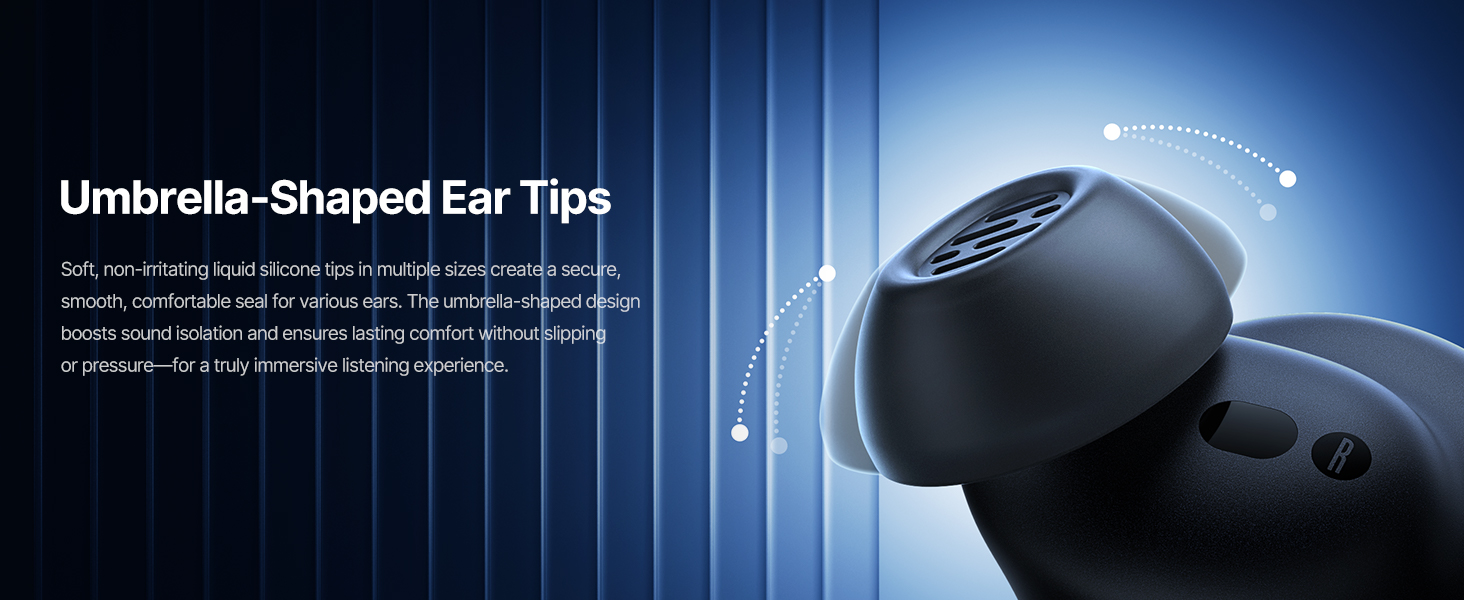
Image: Touch Control Guide.
- ሙዚቃን አጫውት/ ለአፍታ አቁም፡ ሁለቱንም የጆሮ ማዳመጫውን ሁለቴ መታ ያድርጉ።
- ጥሪዎችን ይመልሱ/ጨርስ፡ ሁለቱንም የጆሮ ማዳመጫውን ሁለቴ መታ ያድርጉ።
- ጥሪዎችን አትቀበል፡ የትኛውንም የጆሮ ማዳመጫ ለ1.5 ሰከንድ ነካ አድርገው ይያዙ።
- ኤኤንሲ/ግልጽነት ሁነታን ቀይር፡- የትኛውንም የጆሮ ማዳመጫ ለ1.5 ሰከንድ ነካ አድርገው ይያዙ።
- የድምፅ ረዳት አግብር የጆሮ ማዳመጫውን ሶስት ጊዜ መታ ያድርጉ።
5.3 Adaptive Noise Cancellation (ANC) and Transparency Mode
The Inspire XP1 earbuds feature Premium Adaptive ANC, which dynamically adjusts noise reduction up to -50 dB based on your environment. Transparency Mode allows you to hear your surroundings without removing the earbuds.

Image: Premium Adaptive ANC in use.
Switch between ANC and Transparency Mode by tapping and holding the touch surface for 1.5 seconds, or manage settings via the Baseus App.
5.4 High-Efficiency Clear Calls
Equipped with a 6-mic sound sensor array and AI algorithms, the earbuds provide clear calls by reducing wind noise and environmental distractions up to 80 dB(A).

Image: High-Efficiency Clear Calls.
5.5 የኃይል መሙያ እና የባትሪ ህይወት
The earbuds offer extended playtime with the charging case:
- ኤኤንሲ ጠፍቷል፡ Up to 8 hours per charge, and up to 45 hours with the charging case.
- ኤኤንሲ በ፡ Up to 6 hours per charge, and up to 35 hours with the charging case.
- ፈጣን ክፍያ; 10 ደቂቃ የኃይል መሙያ ጊዜ በግምት 2.5 ሰዓታት የመልሶ ማጫወት እድል ይሰጣል።

Image: Day-and-Night Playtime.
5.6 Instant Multipoint Connection
Utilize Baseus Smart-Connect and Bluetooth 6.1 for seamless switching between two paired devices, such as a phone and a laptop, enabling uninterrupted calls and multitasking.
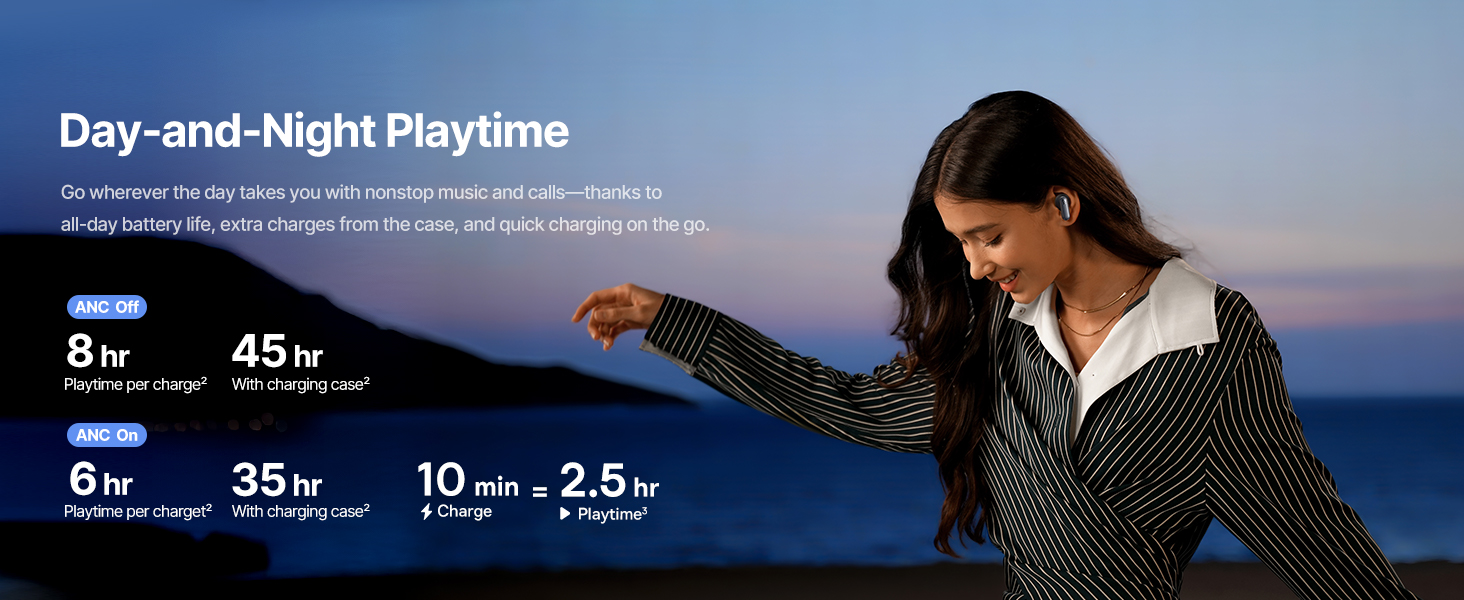
Image: Instant Multipoint Connection.
6. ጥገና
- ማጽዳት፡ በመደበኛነት የጆሮ ማዳመጫውን እና የኃይል መሙያ መያዣውን ለስላሳ ፣ ደረቅ ፣ ከተሸፈነ ጨርቅ ያፅዱ። ሻካራ ቁሶችን ወይም ጠንካራ ኬሚካሎችን አይጠቀሙ።
- ጆሮዎች፡- Remove and clean the silicone eartips with mild soap and water if necessary. Ensure they are completely dry before reattaching.
- የኃይል መሙያ ወደቦች; የዩኤስቢ-ሲ ባትሪ መሙያ ወደብ ከአቧራ እና ከቆሻሻ ነጻ ያድርጉት።
- ማከማቻ፡ When not in use, store the earbuds in their charging case to protect them and maintain battery life. Avoid extreme temperatures.
7. መላ መፈለግ
7.1 የጆሮ ማዳመጫዎች አይጣመሩም።
- የጆሮ ማዳመጫዎቹ ቻርጅ መደረጉን እና የኃይል መሙያ መያዣው ክዳኑ ክፍት መሆኑን ያረጋግጡ።
- የመሣሪያዎን ብሉቱዝ ያጥፉ እና ያብሩት።
- መሣሪያውን በብሉቱዝ ቅንብሮችዎ ውስጥ ይርሱት እና እንደገና ለማጣመር ይሞክሩ።
- Try resetting the earbuds (refer to the Baseus App or Baseus support for specific reset instructions).
7.2 ምንም ድምጽ ወይም ዝቅተኛ ድምጽ የለም
- በሁለቱም በመሳሪያዎ እና በጆሮ ማዳመጫዎች ላይ ያለውን የድምጽ መጠን ያረጋግጡ።
- የጆሮ ማዳመጫው በትክክል በጆሮዎ ውስጥ መቀመጡን ያረጋግጡ።
- Verify that the earbuds are connected to the correct audio output on your device.
- ከጆሮ ማዳመጫ ድምጽ ማጉያዎች ማንኛውንም ቆሻሻ ያጽዱ።
7.3 የመሙላት ጉዳዮች
- የኃይል መሙያ ገመዱ ከኬዝ እና ከኃይል ምንጭ ጋር ደህንነቱ በተጠበቀ ሁኔታ መገናኘቱን ያረጋግጡ።
- የተለየ የዩኤስቢ-ሲ ገመድ እና የኃይል አስማሚ ይሞክሩ።
- በሁለቱም የጆሮ ማዳመጫዎች እና በሻንጣው ውስጥ የኃይል መሙያ እውቂያዎችን ያጽዱ።
8. ዝርዝሮች
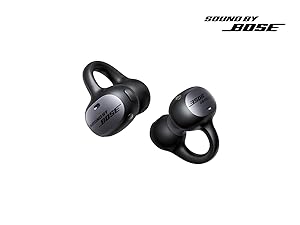
Image: Product Specifications.
| የሞዴል ስም | Baseus አነሳሽ XP1 |
| የግንኙነት ቴክኖሎጂ | ብሉቱዝ 6.1, ገመድ አልባ |
| ገመድ አልባ የመገናኛ ቴክኖሎጂ | ብሉቱዝ 6.1 |
| የድምጽ መቆጣጠሪያ | Adaptive Noise Cancellation, Environmental Noise Cancellation |
| የድምጽ ነጂ መጠን | 10 ሚሊሜትር |
| የድግግሞሽ ክልል | 20 Hz - 20,000 ኸርዝ |
| የባትሪ ህይወት (ኤኤንሲ ጠፍቷል) | 8 ሰዓታት (የጆሮ ማዳመጫዎች) ፣ 45 ሰዓታት (ከኃይል መሙያ መያዣ ጋር) |
| የኃይል መሙያ ወደብ | ዩኤስቢ-ሲ |
| የመቆጣጠሪያ ዘዴ | መተግበሪያ፣ ንካ |
| ቁሳቁስ | ሲሊኮን |
| የእቃው ክብደት | 7.8 አውንስ |
9. ዋስትና እና ድጋፍ
Baseus products are covered by a limited warranty. For detailed warranty information, product support, or to contact customer service, please visit the official Baseus webበጥቅልዎ ውስጥ የተካተተውን የዋስትና ካርድ ይጎብኙ ወይም ይመልከቱ።
እንዲሁም መጎብኘት ይችላሉ የቤዝየስ መደብር በአማዞን ላይ ለተጨማሪ መገልገያዎች እና የምርት መረጃ.


