1. መግቢያ
Thank you for choosing the Baseus Nomos 160W 5-in-1 Charging Station. This device is designed to provide a comprehensive and efficient charging solution for multiple electronic devices, including laptops, tablets, and smartphones. Featuring GaN technology, Qi2 certified wireless charging, and a retractable cable, it aims to simplify your charging experience and declutter your workspace.
Please read this manual carefully before using the product to ensure proper operation and to maximize its lifespan. Keep this manual for future reference.
2. ምርት አብቅቷልview
The Baseus Nomos 160W Charging Station integrates multiple charging technologies into a compact design:
- 160 ዋ ጠቅላላ ውፅዓት፡- Efficiently charges up to five devices simultaneously.
- Qi2 Certified 15W Magnetic Wireless Charger: Provides fast and precise magnetic alignment for compatible iPhones (12-16 series).
- 100 ዋት ሊመለስ የሚችል የዩኤስቢ-ሲ ገመድ፡ Built-in 80cm (2.6ft) braided cable for convenient and tidy charging.
- በርካታ ወደቦች፡ Includes 3 USB-C ports and 1 USB-A port for versatile connectivity.
- የጋን ቴክኖሎጂ፡ Ensures high efficiency and a compact form factor.
- BPS3.0 Smart Power Allocation: Intelligently distributes power to connected devices for optimal charging speed and safety.
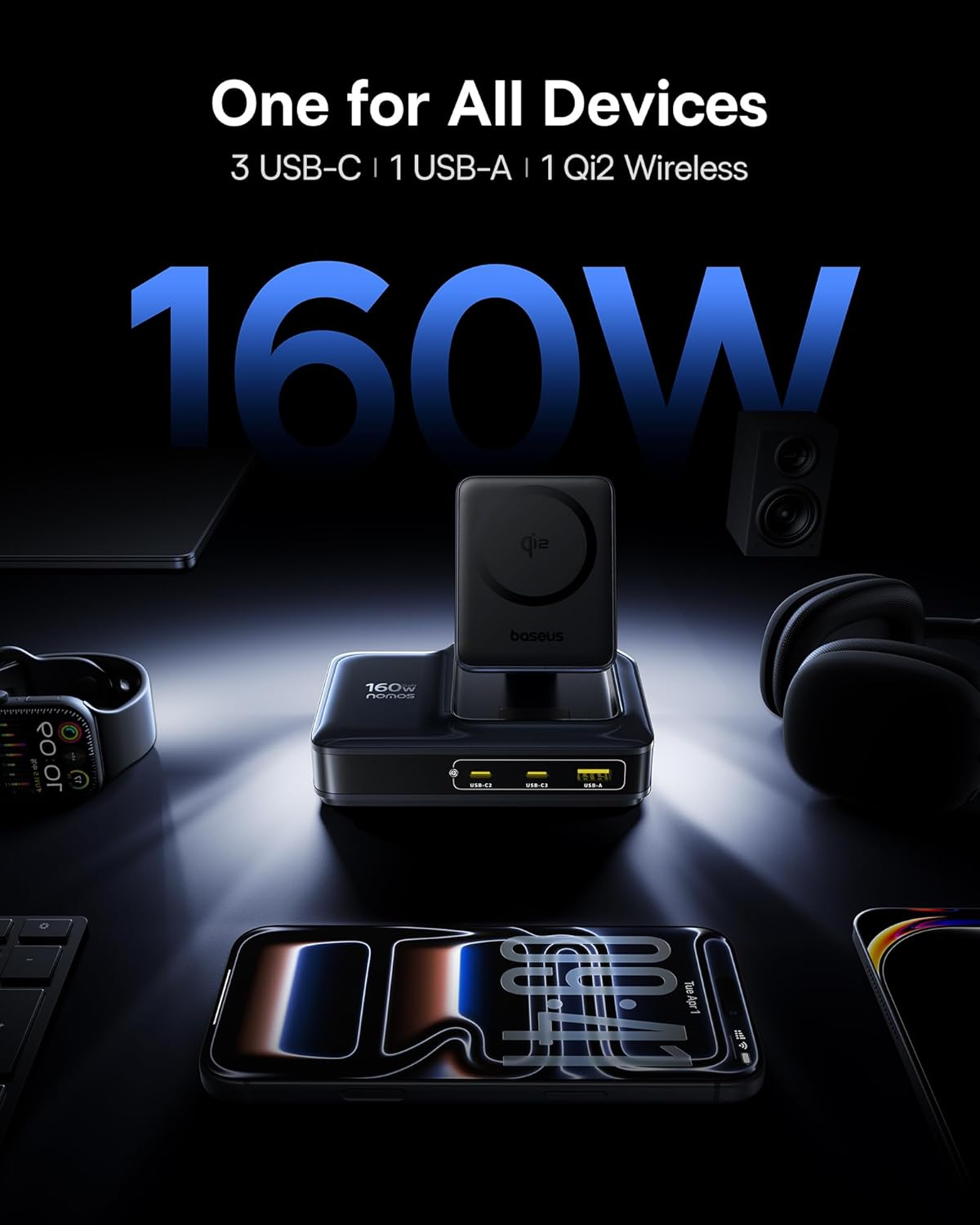
Image: The Baseus Nomos 160W Charging Station shown powering a laptop, tablet, smartphone, and earbuds simultaneously, demonstrating its multi-device charging capability.
3. የማዋቀር መመሪያዎች
- መሣሪያውን ያራግፉ; Carefully remove the charging station and any included accessories from its packaging.
- ከኃይል ጋር ይገናኙ፡ Plug the provided AC power cord into the charging station's power input, then connect the other end to a standard wall outlet.
- አቀማመጥ፡ Place the charging station on a stable, flat surface. Ensure adequate ventilation around the device. The anti-slip silicone pad on the bottom helps secure its position.
- ሊመለስ የሚችል ገመድ፡ To use the built-in retractable USB-C cable, gently pull it out to the desired length (up to 80cm / 2.6ft). To retract, pull the cable again slightly, and it will smoothly coil back into the station.
- የገመድ አልባ ባትሪ መሙያ ማቆሚያ; The Qi2 wireless charging pad can be adjusted for optimal viewing angles. Simply tilt the magnetic pad to your preferred position.

Image: The Baseus Nomos 160W Charging Station showcasing its integrated retractable USB-C cable, extended for use, highlighting its cable management feature.
4. የአሠራር መመሪያዎች
The Baseus Nomos Charging Station is designed for intuitive use. Simply connect your devices to the appropriate ports or place them on the wireless charging pad.
4.1 ባለገመድ ኃይል መሙያ (ዩኤስቢ-ሲ እና ዩኤስቢ-ኤ)
- የዩኤስቢ-ሲ ወደቦች፡ Connect your USB-C compatible devices (laptops, tablets, phones) to the USB-C1, USB-C2, or USB-C3 ports. USB-C1 supports up to 100W, while USB-C2/C3 can deliver up to 140W each when used individually.
- ዩኤስቢ-ኤ ወደብ፡ Connect your USB-A compatible devices to the USB-A port. This port supports up to 18W.
- ሊመለስ የሚችል ገመድ፡ Utilize the built-in retractable USB-C cable for convenient charging of compatible devices.
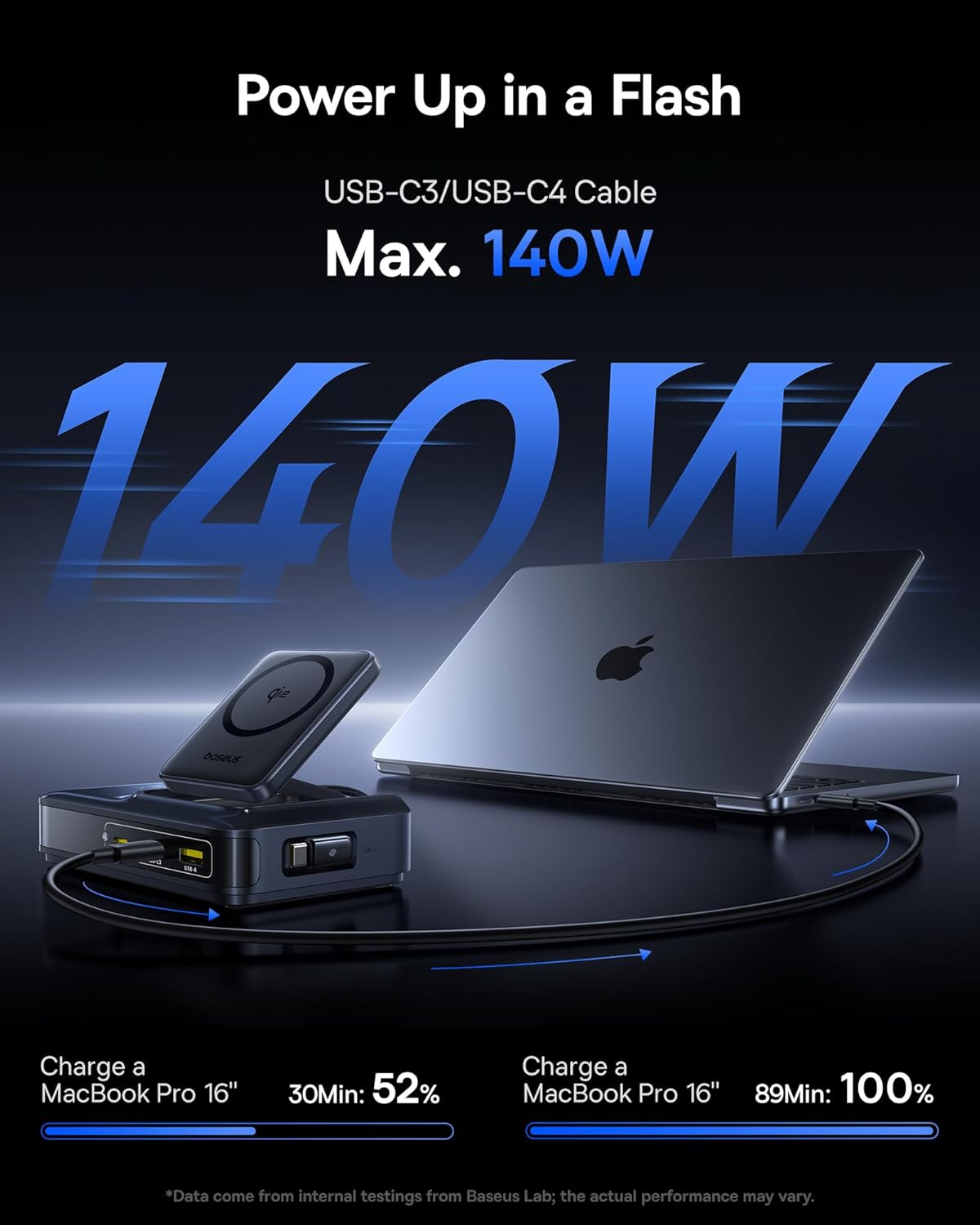
Image: A MacBook Pro 16-inch being charged by the Baseus Nomos 160W Charging Station via a USB-C cable, illustrating its high-power output capability.
4.2 Wireless Charging (Qi2)
- አቀማመጥ፡- Place your Qi2-compatible iPhone (12-16 series) onto the magnetic wireless charging pad. The magnets will automatically align your device for optimal charging.
- የጉዳይ ተኳኋኝነት The wireless charger is compatible with phone cases up to 3mm thick.
- የኃይል መሙያ አመልካች፡- The device will indicate when wireless charging is active (e.g., via a light indicator or on your phone screen).

Image: An iPhone being wirelessly charged on the magnetic pad of the Baseus Nomos 160W Charging Station, demonstrating the Qi2 fast wireless charging feature.
4.3 Smart Power Allocation (BPS3.0)
The charging station features BPS3.0 technology, which intelligently detects the power requirements of each connected device and allocates the optimal power output. This ensures efficient and safe charging across all ports simultaneously, preventing overcharging or damage.
Video: An official product video from Baseus Brand Store demonstrating the 160W Charging Station's features and capabilities.
5. የደህንነት ባህሪያት
The Baseus Nomos Charging Station incorporates multiple safety mechanisms to protect your devices and the charger itself:
- ከአሁን በላይ ጥበቃ፡ ከመጠን በላይ የሆነ የኤሌክትሪክ ፍሰት ጉዳትን ይከላከላል።
- ከመጠን በላይtagሠ ጥበቃ፡ ከቮል ጋር የተያያዙ መከላከያዎችtagሠ ጫፎች።
- የአጭር ጊዜ ጥበቃ; አጭር ዑደት ሲኖር ኃይልን በራስ-ሰር ያጠፋል።
- ከመጠን በላይ የሙቀት መከላከያ; ከመጠን በላይ ሙቀትን ለመከላከል የውስጥ ሙቀትን ይቆጣጠራል እና ይቆጣጠራል.

ምስል፡ የፈነዳ view of the Baseus Nomos 160W Charging Station, illustrating the GaN chip and various internal components responsible for its efficient and safe operation, including icons for over-current, over-voltagሠ, የአጭር-ወረዳ እና ከመጠን በላይ የሙቀት መከላከያ.
6. ጥገና
- ማጽዳት፡ ከማጽዳትዎ በፊት የኃይል መሙያ ጣቢያውን ከኃይል መውጫው ያላቅቁ። ወለሉን ለማጽዳት ለስላሳ እና ደረቅ ጨርቅ ይጠቀሙ። ፈሳሽ ማጽጃዎችን ወይም ኤሮሶሎችን አይጠቀሙ።
- ማከማቻ፡ ለረጅም ጊዜ ጥቅም ላይ በማይውልበት ጊዜ መሳሪያውን ከፀሐይ ብርሃን እና እርጥበት ራቅ ባለ ቀዝቃዛና ደረቅ ቦታ ያስቀምጡት።
- የኬብል እንክብካቤ; Avoid excessive force when pulling or retracting the built-in cable. Ensure the cable is not kinked or pinched.
- እንቅፋቶችን ያስወግዱ፡ Do not block the ventilation openings on the charging station, as this can lead to overheating.
7. መላ መፈለግ
- መሳሪያ እየሞላ አይደለም፡
- የኃይል መሙያ ጣቢያው በቀጥታ ከሚሰራ የኤሌክትሪክ ሶኬት ጋር በትክክል መሰካቱን ያረጋግጡ።
- የኃይል መሙያ ገመዱ ከኃይል መሙያ ጣቢያው እና ከመሳሪያዎ ጋር ደህንነቱ በተጠበቀ ሁኔታ የተገናኘ መሆኑን ያረጋግጡ።
- Verify that your device is compatible with the charging port or wireless charging standard.
- የተበላሸ ግንኙነትን ለማስወገድ የተለየ ገመድ ወይም ወደብ ይሞክሩ።
- ቀስ ብሎ መሙላት፡
- Confirm your device supports fast charging protocols (e.g., PD3.1, QC4, PPS) and that you are using a compatible cable.
- The charging station intelligently allocates power. If multiple high-power devices are connected, the output to individual ports may be adjusted.
- For wireless charging, ensure proper alignment of your device on the pad and that your phone case is not too thick (max 3mm).
- ከመጠን በላይ ማሞቅ;
- የኃይል መሙያ ጣቢያው በቂ የአየር ዝውውር እንዳለው እና ሽፋኑ እንዳልተሸፈነ ያረጋግጡ።
- If the device feels excessively hot, disconnect it from power and all devices immediately. Contact support if the issue persists.
- ሊመለስ የሚችል ገመድ የማይሰራ:
- Gently pull the cable again to trigger the retraction mechanism.
- Ensure there are no obstructions preventing the cable from retracting.
8. ዝርዝሮች
| ባህሪ | ዝርዝር |
|---|---|
| የሞዴል ቁጥር | E01217 |
| ጠቅላላ ውፅዓት | 160 ዋ |
| USB-C1 ውፅዓት | እስከ 100 ዋ |
| ዩኤስቢ-C2/C3 ውፅዓት | Up to 140W (each, when used individually) |
| ዩኤስቢ-ኤ ውፅዓት | እስከ 18 ዋ |
| Qi2 ገመድ አልባ ባትሪ መሙላት | 15 ዋ |
| ሊመለስ የሚችል የኬብል ርዝመት | 80 ሴሜ (2.6 ጫማ) |
| ግብዓት Voltage | 240 ቮልት |
| መጠኖች | 8.43 x 6.69 x 2.44 ኢንች |
| የእቃው ክብደት | 1.87 ፓውንድ |
| ተስማሚ መሣሪያዎች | iPhone 12-17 series, Galaxy S20-24, OnePlus 8 Pro, Google Pixel 6-8, Sony Xperia 5, iPad, Air Pods 2-3, MacBook Pro 2023, Lenovo ThinkPad T14, Dell XPS 13, and more. |
9. ዋስትና እና ድጋፍ
Baseus products are manufactured to high-quality standards. This product is covered by a manufacturer's warranty against defects in materials and workmanship from the date of purchase. The specific warranty period may vary by region and retailer.
For warranty claims, technical support, or product inquiries, please contact the retailer where you purchased the product or visit the official Baseus webጣቢያ ለደንበኛ አገልግሎት መረጃ.
የመስመር ላይ ድጋፍ www.baseus.com
እባክዎ ለዋስትና ዓላማዎች የግዢ ማረጋገጫዎን ያቆዩ።


