መግቢያ
This manual provides detailed instructions for the setup, operation, and maintenance of your LIGE EF21-I Smartwatch. Please read this manual thoroughly before using the device to ensure proper function and to maximize its features.
የደህንነት መረጃ
- ሰዓቱን ለመበተን ወይም ለመቀየር አይሞክሩ።
- ሰዓቱን ከከፍተኛ ሙቀት እና ቀጥተኛ የፀሐይ ብርሃን ያርቁ።
- ሰዓቱን ለጠንካራ ተጽእኖዎች ወይም ጠብታዎች ከማጋለጥ ይቆጠቡ።
- Do not use corrosive chemicals to clean the watch.
- This device is not a medical device. Health data is for reference only and should not be used for medical diagnosis or treatment.
- Ensure charging contacts are clean and dry before charging.
የጥቅል ይዘቶች
ሁሉም እቃዎች በጥቅልዎ ውስጥ መኖራቸውን ያረጋግጡ፡-
- LIGE EF21-I Smartwatch
- የዩኤስቢ መግነጢሳዊ ኃይል መሙያ ገመድ
- ዓይነት-ሲ ባትሪ መሙያ ገመድ
- የተጠቃሚ መመሪያ

Image: The package includes both a USB magnetic charging cable and a Type-C charging cable for versatile power options.
የማዋቀር መመሪያ
1. የመነሻ ኃይል መሙላት
Before first use, fully charge your smartwatch. Connect the magnetic charging cable to the charging contacts on the back of the watch and the USB end to a power adapter (not included) or a computer USB port. The watch display will show the charging status.

Image: The smartwatch connected to its magnetic charger, indicating its 800 mAh battery capacity.
2. የመተግበሪያ ጭነት እና ማጣመር
To unlock all features, download and install the "Fit CloudPro" app on your smartphone.
- Scan the QR code in the manual or on the watch (if available) or search for "Fit CloudPro" in your phone's app store (compatible with Android 8.0+ and iOS 12.0+).
- መተግበሪያውን ይክፈቱ እና መለያ ይፍጠሩ ወይም ይግቡ።
- በእርስዎ ዘመናዊ ስልክ ላይ ብሉቱዝ መንቃቱን ያረጋግጡ።
- በመተግበሪያው ውስጥ ወደ መሳሪያው ክፍል ይሂዱ እና "መሳሪያ አክል" ወይም ተመሳሳይ አማራጭን ይምረጡ።
- Select "EF21-I" from the list of available devices to pair.
- የማጣመሪያ ሂደቱን ለማጠናቀቅ በስክሪኑ ላይ ያሉትን ጥያቄዎች ይከተሉ።
አንዴ ከተጣመረ በኋላ ሰዓቱ ጊዜ እና ውሂብ ከስልክዎ ጋር ያመሳስለዋል።
የአሠራር መመሪያዎች
መሰረታዊ ዳሰሳ
- የንክኪ ማያ በምናሌዎች እና ባህሪያት ውስጥ ለማሰስ ወደ ግራ/ቀኝ፣ ወደላይ/ወደታች ያንሸራትቱ። ለመምረጥ መታ ያድርጉ።
- የጎን ቁልፎች; Typically, one button acts as a power/back button, while others may be customizable shortcuts. Refer to the on-screen prompts for specific functions.

Image: The 1.43-inch AMOLED display offers brilliant colors and a fluid, efficient user experience.
የብሉቱዝ ጥሪ ተግባር
The EF21-I Smartwatch supports Bluetooth calls, allowing you to make and receive calls directly from your wrist.
- Ensure the watch is connected to your smartphone via Bluetooth.
- Access the "Call" or "Phone" function on your watch.
- You can use the dial pad, access your contacts, or view የጥሪ ታሪክ.
- Advanced noise cancellation ensures clear audio during calls.
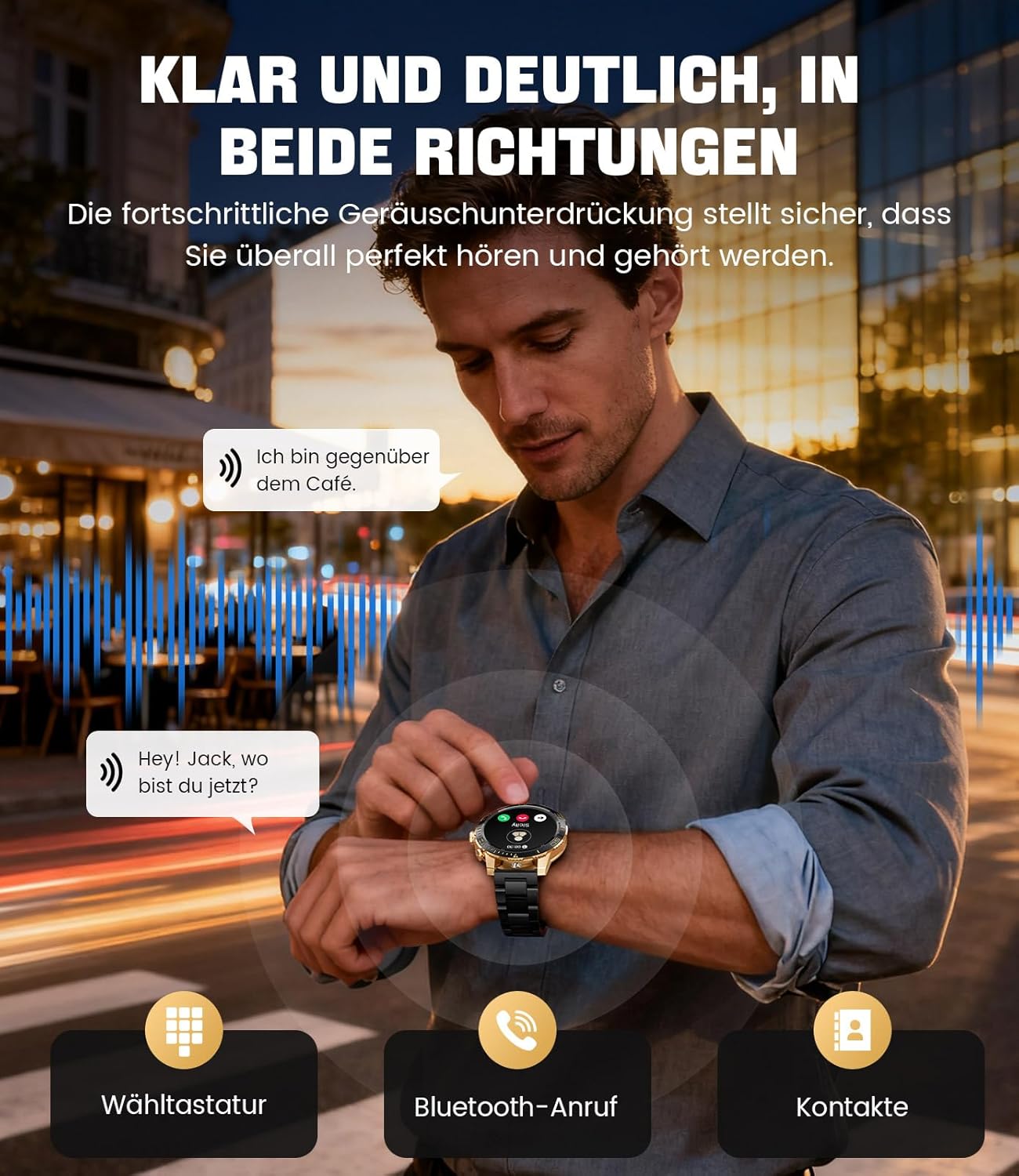
Image: The smartwatch allows clear two-way communication with advanced noise cancellation, featuring a dial pad, Bluetooth call option, and contacts access.
ማሳወቂያዎች
Receive real-time notifications from your smartphone apps directly on your watch.
- Enable app notifications in the "Fit CloudPro" app settings.
- The watch will display incoming calls, SMS, and messages from social media apps (e.g., Facebook, Twitter, Instagራም ፣ WhatsApp)።
- A quick glance at your wrist allows you to stay informed discreetly.

Image: The smartwatch displays real-time notifications from various social media applications, keeping you informed discreetly.
የጤና ክትትል
The EF21-I Smartwatch acts as your 24/7 health guardian, providing continuous monitoring of key health metrics.
- የልብ ምት: የልብ ምትዎን ቀኑን ሙሉ ይከታተላል።
- የደም ኦክስጅን (ስፒኦ2)፡- የደምዎን የኦክስጂን ሙሌት መጠን ይለካል።
- የእንቅልፍ ክትትል; Analyzes your sleep patterns, distinguishing between deep sleep, light sleep, and awake times.
- የጭንቀት ክትትል; Tracks stress levels.
- የማይንቀሳቀስ አስታዋሾች፡- ከእንቅስቃሴ-አልባ ጊዜያት በኋላ እንዲንቀሳቀሱ ያስጠነቅቀዎታል።
View detailed health data and trends in the "Fit CloudPro" app.
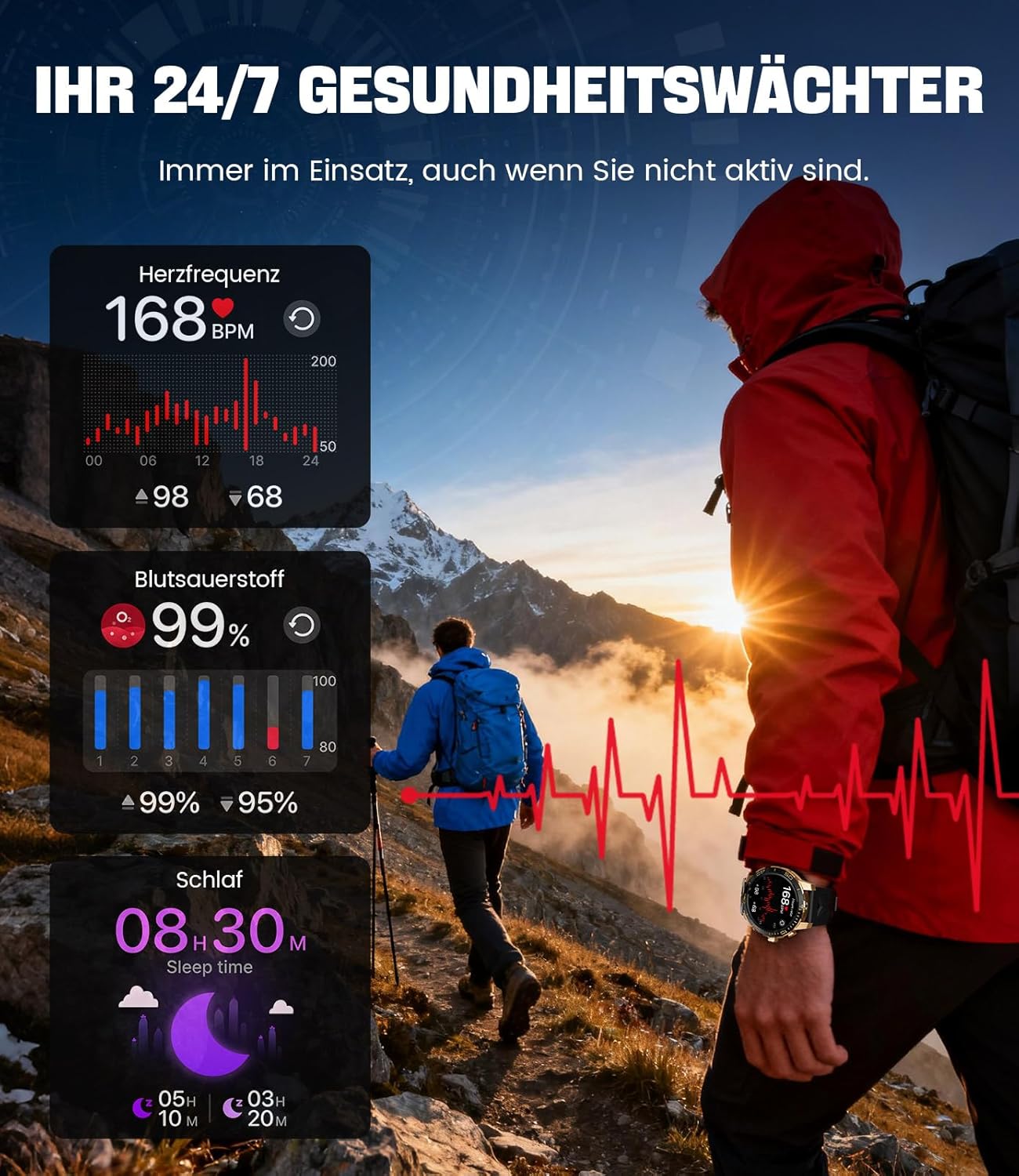
Image: The smartwatch functions as a 24/7 health guardian, monitoring heart rate, blood oxygen, and sleep patterns, even when you are not actively engaged in exercise.
የስፖርት ሁነታዎች
With over 200 sports modes, the watch helps you track your workouts and achieve your fitness goals.
- የሚፈልጉትን የስፖርት ሁነታ ከሰዓቱ ምናሌ ይምረጡ።
- The watch records data such as heart rate, calories burned, and steps taken.
- Automatic recognition for walking, running, and cycling is supported.
- Review your activity data in the "Fit CloudPro" app for performance analysis.

Image: The smartwatch supports over 200 training modes, tracking heart rate, calories, and steps for various activities.
ሊበጁ የሚችሉ የእይታ ገጽታዎች
ስማርት ሰዓትዎን በተለያዩ የሰዓት መልኮች ለግል ያበጁ።
- The watch comes with several pre-installed classic watch faces.
- Access over 200 additional designs through the "Fit CloudPro" app.
- You can also upload your own photos to create custom watch faces.
ተጨማሪ ባህሪያት
- የአየር ሁኔታ ትንበያ: የእውነተኛ ጊዜ የአየር ሁኔታ ዝመናዎችን ያግኙ።
- ማንቂያ ደውል: ማንቂያዎችን በቀጥታ ከእጅ አንጓ ያዘጋጁ።
- የርቀት ካሜራ ቁጥጥር; የስልክዎን ካሜራ ለማንቃት ሰዓትዎን ይጠቀሙ።
- የእጅ ባትሪ፡ Activate a flashlight function on your wrist.
- Phone Locator: Find your misplaced smartphone using the watch.

Image: The smartwatch features a wrist flashlight function, providing illumination for outdoor activities.
ጥገና
ማጽዳት
- የሰዓት ስክሪኑን እና ገላውን ለስላሳ እና ከተሸፈነ ጨርቅ ይጥረጉ።
- ለግትር እድፍ፣ መampጨርቁን በትንሹ በውሃ።
- Avoid using harsh chemicals, abrasive materials, or ultrasonic cleaners.
- የኃይል መሙያ እውቂያዎቹ ንጹህ እና ከቆሻሻ የጸዳ መሆናቸውን ያረጋግጡ።
የውሃ መቋቋም (IP68)
The LIGE EF21-I Smartwatch is IP68 water-resistant, meaning it can withstand immersion in water up to 1.5 meters for up to 30 minutes. It is suitable for daily use, hand washing, and swimming.
- ሰዓቱን በሞቀ ውሃ፣ ሳውና ወይም በእንፋሎት ክፍሎች ውስጥ አይጠቀሙ።
- ከውሃ ውስጥ ያሉትን አዝራሮች ከመጫን ይቆጠቡ።
- After exposure to water, especially saltwater, dry the watch thoroughly.
መላ መፈለግ
እንዳልበራ ይመልከቱ
- ሰዓቱ ሙሉ በሙሉ መሙላቱን ያረጋግጡ። ቢያንስ ለ 30 ደቂቃዎች ከኃይል መሙያው ጋር ያገናኙት.
- የኃይል አዝራሩን ለብዙ ሰከንዶች ተጭነው ይያዙ።
Unable to Pair with App
- በእርስዎ ዘመናዊ ስልክ ላይ ብሉቱዝ መንቃቱን ያረጋግጡ።
- ሰዓቱ በቂ ኃይል መሙላቱን ያረጋግጡ።
- ሁለቱንም ስማርትፎንዎን እና ስማርት ሰዓቱን እንደገና ያስጀምሩ።
- Try unpairing and re-pairing the device through the "Fit CloudPro" app.
- መተግበሪያው በስልክዎ ላይ አስፈላጊ ፈቃዶች ካሉት ያረጋግጡ።
ትክክለኛ ያልሆነ የጤና መረጃ
- ሰዓቱ በእጅ አንጓዎ ላይ በጥሩ ሁኔታ እንደለበሰ፣ በጣም ልቅ ወይም በጣም ጥብቅ አለመሆኑን ያረጋግጡ።
- በሰዓቱ ጀርባ ላይ ያለውን ዳሳሽ ያጽዱ።
- በመለኪያ ጊዜ ከመጠን በላይ እንቅስቃሴን ያስወግዱ.
- Remember that health data is for reference and not for medical use.
ማሳወቂያዎች አልደረሱም
- ሰዓቱ በብሉቱዝ በኩል ከስልክዎ ጋር መገናኘቱን ያረጋግጡ።
- Check notification settings in the "Fit CloudPro" app.
- Ensure your phone's notification settings allow the app to send notifications.
- Disable any battery optimization settings for the "Fit CloudPro" app on your phone.
ዝርዝሮች
| ባህሪ | ዝርዝር |
|---|---|
| የምርት ስም | LIGE |
| የሞዴል ቁጥር | EF21-I |
| የማሳያ መጠን | 1.43 ኢንች |
| የማሳያ ዓይነት | AMOLED |
| የባትሪ አቅም | 800 ሚአሰ (ሊቲየም-ፖሊመር) |
| ግንኙነት | ብሉቱዝ |
| የስርዓተ ክወና ተኳኋኝነት | አንድሮይድ 8.0+ እና iOS 12.0+ |
| የውሃ መቋቋም ደረጃ | IP68 |
| የማህደረ ትውስታ ማከማቻ አቅም | 256 ሜባ |
| ልዩ ባህሪያት | Weather forecast, Sedentary reminder, Alarm clock, Touch screen, Always-on display, Bluetooth calling, Heart rate monitor, SpO2 monitor, Sleep monitor, 200+ sports modes, Phone locator |
| ጂፒኤስ | ጂፒኤስ በስማርትፎን በኩል |

Image: The smartwatch features impact resistance, indicated by a 'Military Grade Drop-Tested' badge.
ዋስትና እና ድጋፍ
የዋስትና መረጃ
The product is supported by a 12-month warranty. Please retain your proof of purchase for warranty claims.
የደንበኛ ድጋፍ
For technical assistance, troubleshooting, or warranty inquiries, please contact LIGE customer support. Refer to the contact information provided with your purchase or visit the official LIGE webጣቢያ.


