1. መግቢያ
The Honeywell Xenon 1902GSR is a high-performance wireless handheld barcode scanner designed for efficient and reliable data capture. This device utilizes advanced area-imaging technology to read both 1D and 2D barcodes, including those that are damaged, smudged, or displayed on digital screens. With Bluetooth connectivity, it offers cordless operation, enhancing mobility and reducing workspace clutter. This manual provides essential information for the proper setup, operation, and maintenance of your barcode reader.
2. የደህንነት መረጃ
- Do not expose the device to extreme temperatures, moisture, or corrosive substances.
- Avoid direct eye exposure to the scanner's light source.
- Use only manufacturer-approved accessories and power adapters.
- መሳሪያውን እራስዎ ለመበተን ወይም ለመጠገን አይሞክሩ. ብቃት ያላቸውን የአገልግሎት ሰራተኞች ይመልከቱ።
- በአካባቢያዊ ደንቦች መሠረት ባትሪዎችን ያስወግዱ።
3. የጥቅል ይዘቶች
ሁሉም እቃዎች በጥቅልዎ ውስጥ መኖራቸውን ያረጋግጡ፡-
- Honeywell Xenon 1902GSR Barcode Reader
- Communication/Charging Cradle (CCB01-010BT)
- የዩኤስቢ ገመድ
- ፈጣን ጅምር መመሪያ (ይህ መመሪያ)
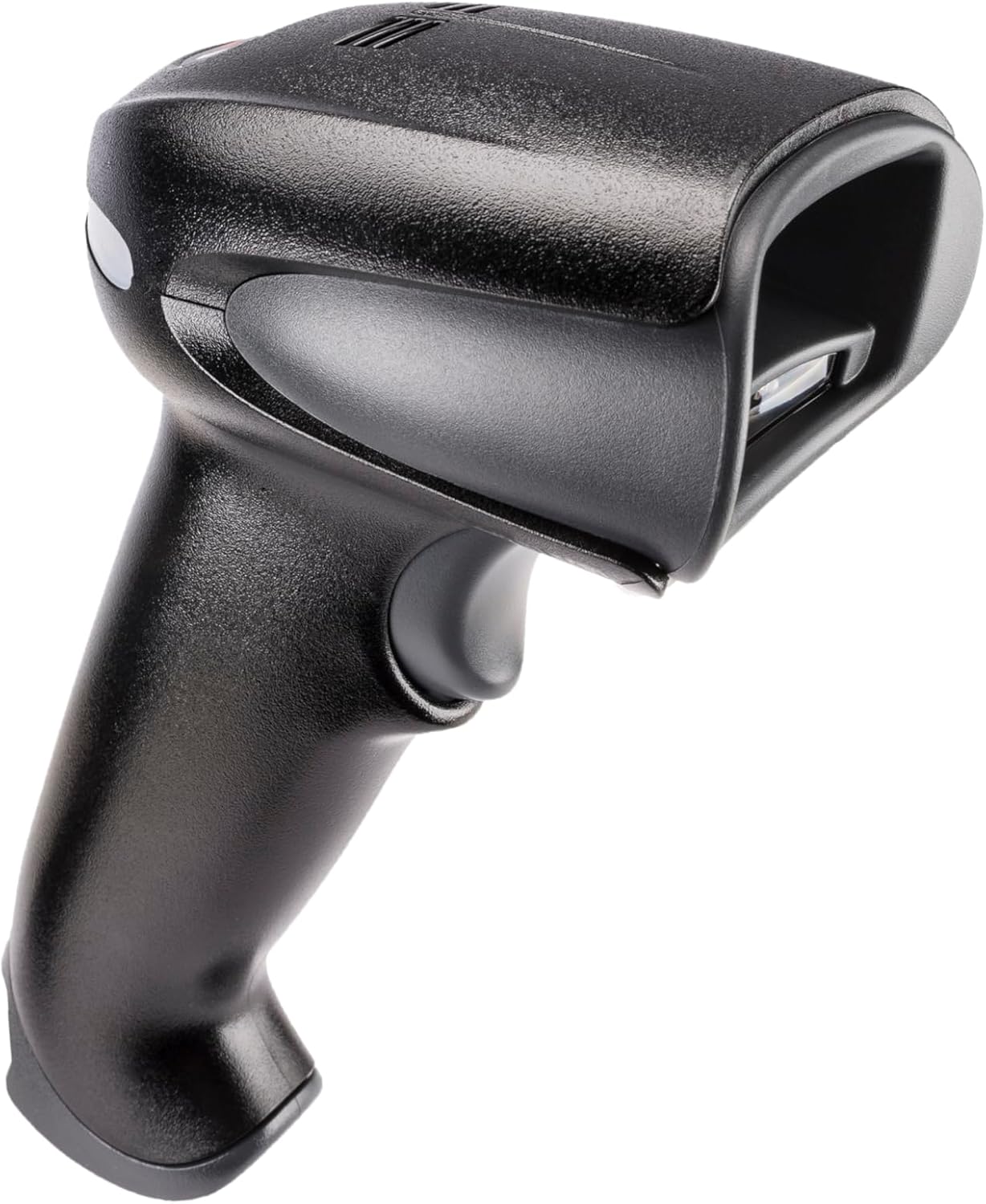
Figure 1: Honeywell Xenon 1902GSR Barcode Reader (Handheld Unit)

Figure 2: Honeywell Xenon 1902GSR Barcode Reader with its Communication/Charging Cradle
4. ማዋቀር እና መጫን
4.1 ባትሪውን መሙላት
- Connect the USB cable to the communication/charging cradle.
- Plug the other end of the USB cable into a powered USB port on your computer or a USB wall adapter.
- Place the barcode reader into the cradle. Ensure it is seated correctly.
- The scanner's indicator light will show charging status. Allow several hours for a full charge before first use.
4.2 Connecting the Cradle to a Host System
The cradle connects to your host system (e.g., computer, POS terminal) via the supplied USB cable.
- Ensure the host system is powered on.
- Connect the USB cable from the cradle to an available USB port on your host system.
- The system should automatically detect and install the necessary drivers. If not, refer to the Honeywell support webለአሽከርካሪ ውርዶች ጣቢያ.
4.3 Pairing the Scanner with the Cradle
The scanner and cradle are typically pre-paired at the factory. If re-pairing is necessary:
- ስካነሩ መሙላቱን እና መብራቱን ያረጋግጡ።
- Scan the "Link" barcode found on the bottom of the communication/charging cradle.
- The scanner will emit a series of beeps to indicate successful pairing.
5. የአሠራር መመሪያዎች
5.1 መሰረታዊ ቅኝት።
- ስካነሩን በባርኮድ ፊት ለፊት ባለው የፍተሻ መስኮቱ ይያዙ።
- Press and hold the trigger button. An aiming beam will appear.
- የታለመውን ምሰሶ ከባርኮድ በላይ ያድርጉት።
- Once the barcode is successfully read, the scanner will emit a beep and the indicator light will flash green.
- ቀስቅሴውን ይልቀቁት።
5.2 Reading 1D and 2D Barcodes
The Xenon 1902GSR is capable of reading a wide variety of 1D (e.g., UPC/EAN, Code 39) and 2D (e.g., QR Code, Data Matrix, PDF417) barcodes. For optimal performance, ensure the barcode is well-lit and the scanner is held at an appropriate distance.
5.3 የብሉቱዝ ክልል
The scanner operates wirelessly up to 33 feet (10 meters) from its communication cradle. Performance may vary depending on environmental factors and obstacles.
6. ጥገና
6.1 መሳሪያውን ማጽዳት
- ለስላሳ እና ንጹህ ጨርቅ ይጠቀሙ መampened with water or a mild cleaning solution to wipe the exterior of the scanner and cradle.
- ሻካራ ማጽጃዎችን፣ ፈሳሾችን ወይም ጠንካራ ኬሚካሎችን አይጠቀሙ።
- Keep the scan window clean and free of dust and smudges for optimal reading performance.
6.2 የባትሪ እንክብካቤ
- የባትሪውን ዕድሜ በተቻለ መጠን ከፍ ለማድረግ፣ ባትሪውን በተደጋጋሚ ሙሉ በሙሉ ከመሙላት ይቆጠቡ።
- ለረጅም ጊዜ ጥቅም ላይ በማይውልበት ጊዜ መሳሪያውን በቀዝቃዛና ደረቅ ቦታ ያከማቹ.
- If the battery performance significantly degrades, it may need replacement. Contact Honeywell support for authorized battery replacement options.
7. መላ መፈለግ
| ችግር | ሊሆን የሚችል ምክንያት | መፍትሄ |
|---|---|---|
| ስካነር እየበራ አይደለም | ዝቅተኛ ወይም የተሟጠጠ ባትሪ | Place scanner in cradle to charge. Ensure cradle is powered. |
| ስካነር የአሞሌ ኮድ አያነብም። | Barcode damaged/poor quality; improper scanning technique; dirty scan window | Try scanning a different barcode. Adjust distance/angle. Clean scan window. |
| No data transmitted to host | Scanner not paired; USB cable disconnected; incorrect host interface settings | Re-pair scanner with cradle. Check USB cable connection. Verify host system settings. |
| የማያቋርጥ ግንኙነት | Out of range; interference | Move scanner closer to cradle. Reduce sources of interference (e.g., other Bluetooth devices, Wi-Fi routers). |
8. ዝርዝሮች
| ባህሪ | ዝርዝር |
|---|---|
| ሞዴል | 1902GSR |
| ግንኙነት | Bluetooth Class 2, v2.1 EDR; USB (via cradle) |
| ስርዓተ ጥለት ይቃኙ | የቦታ ምስል (838 x 640 ፒክስል ድርድር) |
| አቅምን መፍታት | 1D, 2D, PDF417 |
| ገመድ አልባ ክልል | Up to 33 ft (10 m) line of sight |
| ባትሪ | Lithium-Ion, 1800 mAh (minimum) |
| ልኬቶች (ስካነር) | 4 x 6 x 3 ኢንች (ግምታዊ) |
| ክብደት (ስካነር) | 1 ፓውንድ (በግምት) |
| የአሠራር ሙቀት | ከ0°ሴ እስከ 50°ሴ (32°F እስከ 122°F) |
9. ዋስትና እና ድጋፍ
Honeywell products are designed for reliability and performance. For specific warranty details, please refer to the warranty card included with your product or visit the official Honeywell website. For technical support, driver downloads, or service inquiries, please visit www.honeywell.com/us/en/support or contact your local Honeywell representative.
ASIN: B0G1PTY418
መጀመሪያ የሚገኝ ቀን፡- ህዳር 10፣ 2025


