1. መግቢያ
Welcome to the MorePro Fitness Tracker AIR6 Black user manual. This guide provides detailed instructions on how to set up, operate, and maintain your new fitness tracker. The MorePro AIR6 is designed to help you monitor your health and fitness activities with features such as 24/7 heart rate, blood pressure, blood oxygen, and sleep tracking. It also includes multiple sports modes, smart notifications, and a durable, waterproof design.
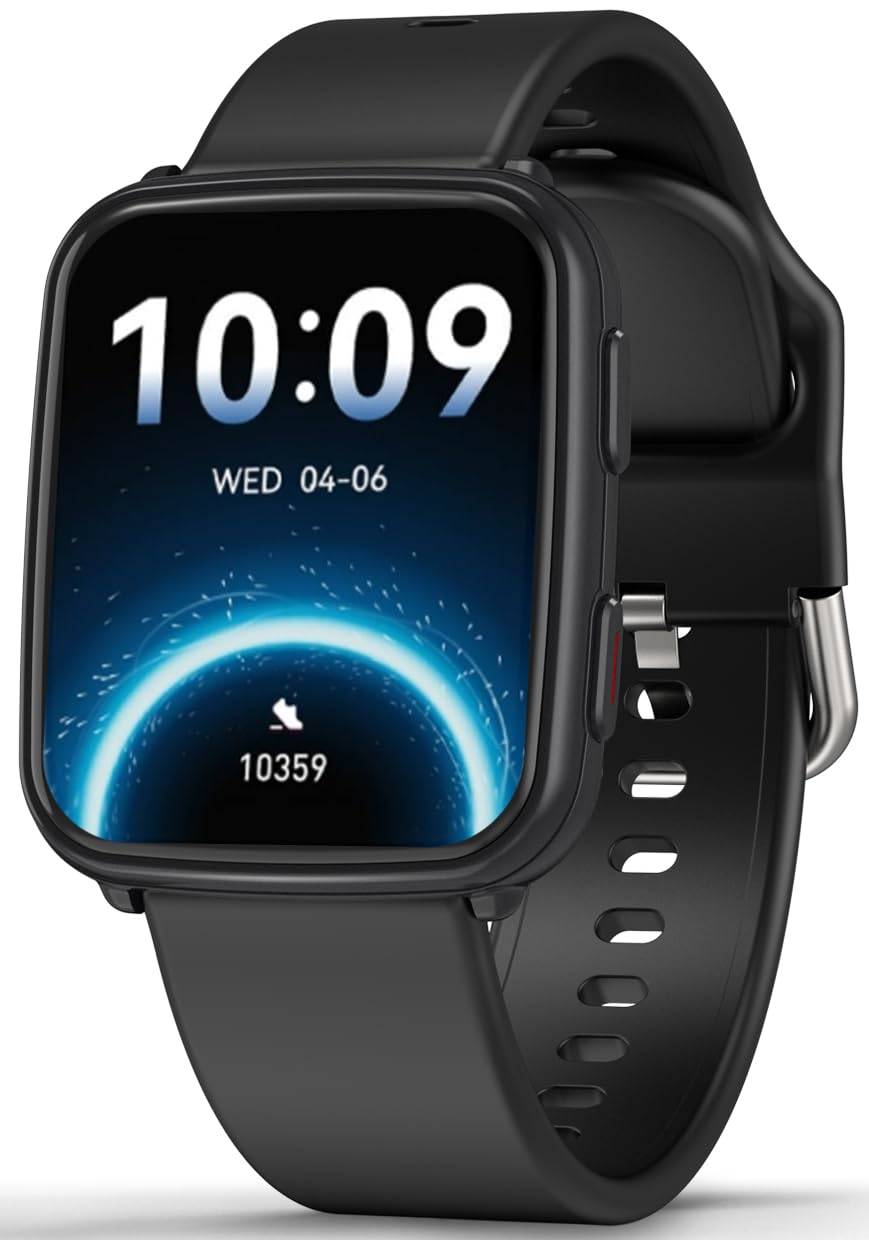
Image: MorePro Fitness Tracker AIR6 Black, showcasing የእሱ ለስላሳ ንድፍ.
2. የማዋቀር መመሪያ
2.1. Unboxing እና የመጀመሪያ ክፍያ
Upon opening the package, you will find the MorePro Fitness Tracker, a charging cable, and this user manual. Before first use, ensure the device is fully charged.
- የማግኔት ባትሪ መሙያ ገመዱን በሰዓቱ ጀርባ ላይ ካሉት የኃይል መሙያ ነጥቦች ጋር ያገናኙ።
- የኬብሉን የዩኤስቢ ጫፍ ወደ መደበኛ የዩኤስቢ ሃይል አስማሚ (ያልተካተተ) ወይም የኮምፒዩተር ዩኤስቢ ወደብ ይሰኩት።
- የሰዓት ስክሪኑ የኃይል መሙያ ሁኔታን ያሳያል። ሙሉ ኃይል መሙላት አብዛኛውን ጊዜ ወደ 2 ሰዓታት ይወስዳል።
2.2. Powering On and App Pairing
- To power on the device, press and hold the side button until the screen lights up.
- Select your preferred language from the options displayed on the screen.
- Scan the QR code shown on the watch screen or in the manual using your smartphone to download the companion MorePro app. The app is compatible with Android 7.0+ and iOS 13.0+ devices.
- Open the MorePro app on your smartphone, create an account, and follow the on-screen instructions to pair your fitness tracker via Bluetooth. Ensure Bluetooth is enabled on your phone.
Video: Demonstrates unboxing, connecting the charger, powering on the watch, selecting language, and scanning the QR code for app download and pairing.
3. የአሠራር መመሪያዎች
3.1. መሰረታዊ ዳሰሳ
የMorePro Fitness Tracker ምላሽ ሰጪ የንክኪ ማያ ገጽ እና ለአሰሳ የሚያገለግል የጎን ቁልፍ አለው፡
- ወደ ላይ/ወደታች ያንሸራትቱ፦ በምናሌዎች እና በማሳወቂያዎች ውስጥ ይሸብልሉ።
- ወደ ግራ/ቀኝ ያንሸራትቱ፦ Access quick data screens (e.g., steps, heart rate, weather).
- መታ ያድርጉ፡ አንድ ንጥል ይምረጡ ወይም አንድ ድርጊት ያረጋግጡ።
- የጎን አዝራር፡- Press to return to the previous screen or wake the display. Press and hold to access the main menu or power options.
3.2. የጤና ክትትል
The device continuously monitors various health metrics:
- የልብ ምት: Provides 24/7 heart rate tracking. Access detailed graphs in the app.
- የደም ግፊት; Offers on-demand blood pressure measurements. (Note: Not for medical use.)
- የደም ኦክስጅን (ስፒኦ2)፡- Check your blood oxygen levels at any time.
- የእንቅልፍ ክትትል; Automatically tracks deep sleep, light sleep, and wake-up times to provide comprehensive sleep insights.

Image: The watch screen showing real-time heart rate, blood pressure, and blood oxygen data.

Image: A close-up of the smart watch displaying heart rate monitoring.

Image: The smart watch screen showing blood pressure measurement.

Image: The smart watch displaying blood oxygen levels.
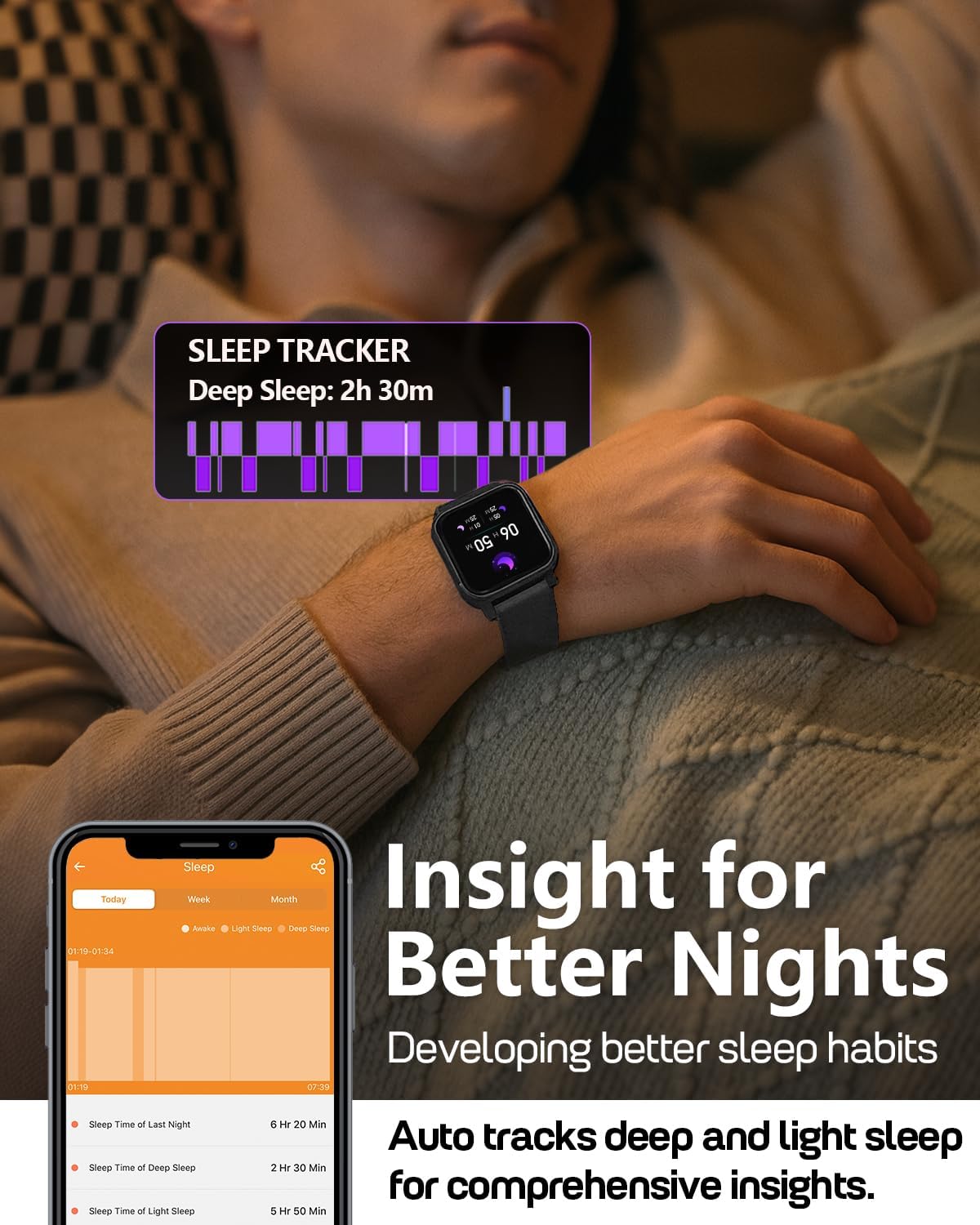
Image: A person wearing the MorePro Fitness Tracker while sleeping, with sleep data displayed on the screen.

Image: The smart watch displaying sleep tracking data.
3.3. የእንቅስቃሴ ክትትል
The tracker supports over 20 sports modes and records daily activity:
- 20+ የስፖርት ሁነታዎች፡ Includes running, walking, cycling, yoga, elliptical, swimming, basketball, football, badminton, table tennis, skipping, tennis, baseball, rugby, hula hoop, golf, and more.
- የዕለት ተዕለት እንቅስቃሴ; ደረጃዎችን፣ ርቀትን እና የተቃጠሉ ካሎሪዎችን ይመዘግባል።

Image: A person exercising while wearing the MorePro Fitness Tracker, displaying activity time, heart rate, steps, and calories burned.

Image: The fitness tracker displaying various sports modes like cycling, exercise bike, swimming, and yoga.
3.4. Women's Health Tracking
The tracker includes a dedicated feature for women's health, allowing you to log and track menstrual periods, safe days, ovulation windows, and ovulation days directly on your wrist. The app supports period mode, trying-to-conceive mode, and pregnancy mode.

Image: A woman using the smart watch to track her menstrual cycle.
3.5. ዘመናዊ ተግባራት
Stay connected and organized with these smart features:
- ማሳወቂያዎች፡- Receive real-time call, SMS, and app message notifications (e.g., Facebook, Instagram, TikTok) on your wrist.
- የአየር ሁኔታ ትንበያ: Get on-wrist weather updates.
- የሙዚቃ ቁጥጥር፡- በስልክዎ ላይ የሙዚቃ መልሶ ማጫወትን ይቆጣጠሩ።
- የካሜራ ቁጥጥር; ሰዓቱን ለስልክዎ ካሜራ እንደ የርቀት መዝጊያ ይጠቀሙ።
- የሩጫ ሰዓት እና ሰዓት ቆጣሪ፡ ለጊዜያዊ እንቅስቃሴዎች አብሮ የተሰሩ መሳሪያዎች።
- ማንቂያ ደውል: ማንቂያዎችን በቀጥታ ከእጅ አንጓ ያዘጋጁ።
- ስልክ አግኝ፡ በስህተት የተቀመጠ ስማርትፎንዎን ያግኙ።
- ዘና የሚያደርግ እና እርጥበት አዘል ማሳሰቢያዎች፡ Prompts to move and drink water throughout the day.
- ብጁ የሰዓት መልኮች፡- Choose from over 200 watch faces or create custom ones using your own photos.

Image: The smart watch showing notifications from various social media apps and a stress monitor.

Image: The 1.52-inch HD screen of the MorePro Fitness Tracker displaying various watch face options, including custom photo faces.
4. ጥገና
4.1. የውሃ መከላከያ
The MorePro Fitness Tracker is IP68 waterproof, meaning it is resistant to sweat, rain, and can be worn during hand-washing or swimming. However, it is not recommended for hot showers, saunas, or diving.

Image: Demonstrates the IP68 waterproof feature, showing the watch being exposed to sweat, poolside splashes, and hand-washing.
4.2. ማጽዳት
መሳሪያዎን ለመጠበቅ፣ ሰዓቱን እና ማሰሪያውን በየጊዜው ለስላሳ፣ ጥርት ባለ ጨርቅ ያጽዱ።amp ጨርቅ. ኃይለኛ ኬሚካሎችን ወይም ሻካራ ቁሳቁሶችን ከመጠቀም ይቆጠቡ.
4.3. የባትሪ ህይወት እና ባትሪ መሙላት
The device offers up to 7-10 days of battery life with normal use and 15 days on standby. Recharge using the provided magnetic charging cable when the battery is low.

Image: A person in a desert setting, highlighting the ultra-long battery life of 15 days standby and 7 days normal use, with a 2-hour magnetic charging time.
5. መላ መፈለግ
If you encounter issues with your MorePro Fitness Tracker, try the following steps:
- መሳሪያ አይበራም Ensure the device is fully charged. Connect it to the charger and wait a few minutes before attempting to power it on again.
- የግንኙነት ችግሮች፡- Make sure Bluetooth is enabled on your smartphone and the tracker is within range. Restart both your phone and the tracker. Check the app for pairing status.
- ትክክል ያልሆኑ ንባቦች፡- ሰዓቱ በጣም ጥብቅ ወይም በጣም ልቅ ያልሆነ ሳይሆን በእጅ አንጓዎ ላይ በደንብ መልበስዎን ያረጋግጡ። በሰዓቱ ጀርባ ላይ ያሉትን ዳሳሾች ያፅዱ።
- መተግበሪያ እያመሳሰለ አይደለም፡ Verify your phone has an active internet connection. Close and reopen the MorePro app.
- ማሳወቂያዎች አይታዩም: Check your phone's notification settings for the MorePro app and ensure all necessary permissions are granted.
ለተጨማሪ እርዳታ፣ የውስጠ-መተግበሪያ እገዛ ክፍልን ይመልከቱ ወይም የደንበኛ ድጋፍን ያነጋግሩ።
6. ዝርዝሮች
| ባህሪ | ዝርዝር |
|---|---|
| የምርት ስም | ተጨማሪ ፕሮ |
| ሞዴል | AIR6 Black |
| የስክሪን መጠን | 1.52 ኢንች |
| የማሳያ ዓይነት | LCD |
| የማህደረ ትውስታ ማከማቻ አቅም | 128 ሜባ |
| ስርዓተ ክወና | አንድሮይድ እና አይኦኤስ |
| ተስማሚ መሣሪያዎች | ስማርትፎን |
| ልዩ ባህሪያት | Activity Tracker, Cycle Tracking, Daily Workout Memory, Music Player, Sedentary Reminder, Heart Rate, Blood Pressure, Blood Oxygen, Sleep Monitor, Weather, Alarm Clock, Find Phone, Camera Control, Stopwatch, Timer, Hydration Reminder |
| የውሃ መከላከያ ደረጃ | IP68 |
| የባትሪ አቅም | 230 ሚሊamp ሰዓታት |
| የባትሪ ህይወት (መደበኛ አጠቃቀም) | 7-10 ቀናት |
| የባትሪ ህይወት (ተጠባባቂ) | 15 ቀናት |
| የኃይል መሙያ ጊዜ | በግምት. 2 ሰዓታት |
| የግንኙነት ቴክኖሎጂ | ብሉቱዝ 5.3 |
| የቁስ ዓይነት | ፕላስቲክ |
| የእጅ አንጓ መጠን ተኳሃኝነት | 6.3-8.6 ኢንች |

Image: Details on watch dimensions, minimum and maximum wrist sizes, and compatibility with Android 7.0+ and iOS 13.0+ via Bluetooth 5.3.

Image: The smart watch highlighting its 1.52-inch HD screen and various watch face options.

Image: Detailed measurements of the watch strap, indicating its adjustable length for wrist sizes between 6.3 and 8.6 inches.
7. ዋስትና እና ድጋፍ
MorePro offers comprehensive support for your fitness tracker:
- የ2-ዓመት ምትክ፡ Enjoy a 2-year replacement policy for manufacturing defects.
- የዕድሜ ልክ አገልግሎት; Benefit from lifetime technical support and service.
- የ12 ሰዓት ፈጣን ምላሽ፡ Expect a prompt response to your inquiries within 12 hours.
For any questions or support needs, please contact MorePro customer service.

Image: Highlights MorePro's after-sales support, including a 2-year premium service and 12-hour quick support.