
የቁልፍ ሰሌዳዎች 110MB01 መግነጢሳዊ ሌቪቴሽን ቁልፍ ሰሌዳ የተጠቃሚ መመሪያ
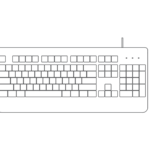
የቁልፍ ሰሌዳዎች 110MB01 መግነጢሳዊ ሌቪቴሽን ቁልፍ ሰሌዳ የምርት መረጃ አመልካች፡ ብሉቱዝ አመልካች፡ ከበራ በኋላ የብሉቱዝ አመልካች መብራቱ በፍጥነት ብልጭ ድርግም ይላል ይህም የቁልፍ ሰሌዳው በማጣመር ሁነታ ላይ መሆኑን ያሳያል። አንዴ የ…


Keyboards, Inc. is a provider of computer input devices, specializing in high-performance mechanical and wireless keyboards.
የቁልፍ ሰሌዳዎች, Inc. (also known as The Keyboard Company) is a computer peripherals brand located in Austin, Texas. Specializing in the Computer Systems Design and Related Services Industry, the company generates significant annual sales through its range of input devices.
The brand is associated with the official domain የቁልፍ ሰሌዳዎች.com. Its product profile includes advanced mechanical keyboards, wireless keyboard and mouse combos, and innovative magnetic levitation models. Keyboards products are patented and trademarked under the brand's corporate identity.
የቅርብ ጊዜ መመሪያዎች ከ manuals+ ለዚህ የምርት ስም ተዘጋጅቷል.




ስለ መመሪያ፣ ምዝገባ እና የዚህ የምርት ስም ድጋፍ የተለመዱ ጥያቄዎች።
Switch the keyboard on and press the designated Bluetooth pairing key (often Fn + 1/2/3 or a 'Connect' button) for 3 seconds until the indicator light flashes quickly. On your computer or tablet, open Bluetooth settings, search for the device name (e.g., '110MB01' or 'BT3.0 KB'), and select it to connect.
A flashing red indicator usually signifies that the battery power is low (often below 3.3V). Connect the device to a charger using the supplied USB cable. The light generally turns solid or off when fully charged.
Many multi-system keyboards allow you to switch layouts using key combinations. Common shortcuts include keys like 'Fn + Q' for Android/Windows or 'Fn + E' / 'Fn + O' for iOS/Mac. Refer to the specific model instructions for the correct toggle.
Ensure the keyboard allows sufficient battery charge or that fresh batteries are installed. Check that the USB receiver is securely plugged into the computer (for 2.4GHz connections) or that Bluetooth is enabled. If the connection fails, try removing the device from your system and re-pairing it.
On many models, F1-F12 act as standard function keys by default. To access multimedia functions (like volume or play/pause), press and hold the 'Fn' key while pressing the corresponding F-key. Some keyboards allow you to lock/unlock the Fn row by pressing 'Fn + Esc'.