
ዜሮ 88 የማህደረ ትውስታ ቺሊ ፕሮ ማለፊያ ዳይመር መመሪያ መመሪያን ያርትዑ
ዜሮ 88 የማህደረ ትውስታ ቺሊ ፕሮ ባይፓስ ዲመርን ያርትዑ ዝርዝር መግለጫዎች ሞዴል፡ ዜሮ 88 የቺሊ ፕሮ የማህደረ ትውስታ አቅም፡ 12 ማህደረ ትውስታዎች ደብዝዝ የጊዜ ክልል፡ 1 - 60 ሰከንዶች የምርት አጠቃቀም መመሪያዎች መደበኛ ሁነታ…


Zero 88 specializes in professional lighting control consoles, dimmers, and software solutions tailored for entertainment and architectural applications.
ዜሮ 88 delivers high-performance lighting control solutions designed for theater, live entertainment, and architectural settings. Known for their intuitive ዜሮኦኤስ operating software, versatile FLX lighting consoles, and robust Chilli Pro dimming systems, Zero 88 provides flexible and scalable control options for lighting professionals.
Their products cater to venues of all sizes, offering seamless integration with visualization tools like Capture and modern networking protocols to ensure precise and reliable lighting management.
የቅርብ ጊዜ መመሪያዎች ከ manuals+ ለዚህ የምርት ስም ተዘጋጅቷል.


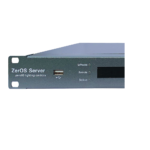


ስለ መመሪያ፣ ምዝገባ እና የዚህ የምርት ስም ድጋፍ የተለመዱ ጥያቄዎች።
Software updates for ZerOS can be downloaded free of charge from the official Zero 88 website (zero88.com/zeros). It is recommended to always maintain the latest release for maximum stability and security.
You can reach technical support by emailing support@zero88.com or visiting the support section on their website to access dealer network details and user forums.
In the unlikely event your console fails to boot, plug in a USB keyboard, turn on the console, and repeatedly tap the F1 key to load the ZerOS Startup Tool. This allows you to clear corrupted show files or perform a fresh software install.
On the Chilli Pro dimmer, you can edit channel settings by selecting 'Edit Memory' from the Memories menu, choosing a memory slot (1-12), and adjusting the channel levels and fade times using the numeric keypad or cursor keys.